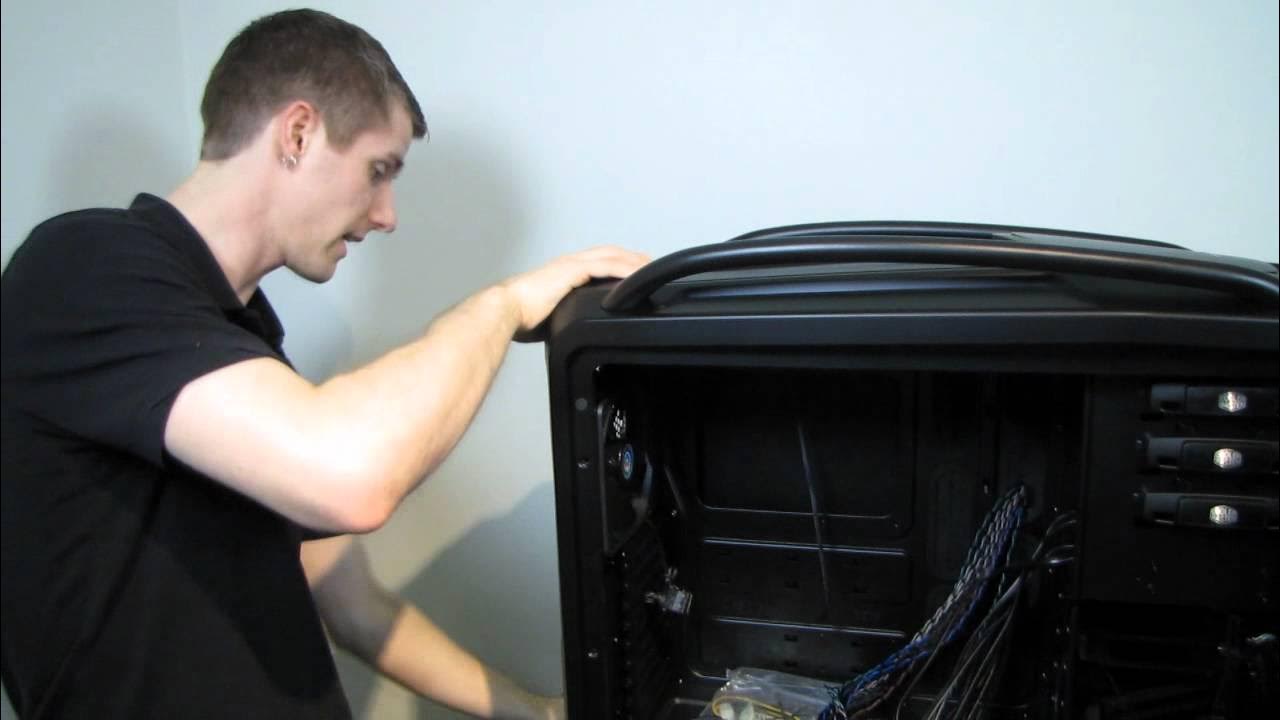
Cooler Master Cosmos II Extreme Gaming Case Unboxing & First Look Linus Tech Tips
0 up · 0 down · 0 ratings
Description
ncix.com An exciting new case that is as cool as it is massive. This thing is designed to fit whatever you could possibly want inside!
The video showcases a hands-on unboxing and first-look examination of the Cooler Master Cosmos II Extreme Gaming Case. Linus walks through the sheer scale of the XL-ATX chassis, noting its hefty 50-pound weight and the large box that comes with it, which can fill a significant portion of a car trunk. He gives an initial exterior tour, pointing out brushed aluminum and steel construction, the claw-inspired side panels, front IO layout, removable fan filters, and the top carry handles designed for moving a fully loaded system. The host emphasizes the case’s modular, compartmentalized airflow design, highlighting the capacity for multiple radiators and water cooling configurations, including options for a triple 120mm top radiator or dual 140mm setups, plus a bottom 240/200mm arrangement with removable drive cages. He also explains the front and rear panels, the integrated water-cooling support built into the case, and the attention Cooler Master paid to cable management with grommets and dedicated fan controllers that allow independent control for several fans. Throughout, Linus demonstrates the interior layout, including the spacious power-supply area, multiple drive bays, hot-swap bays, and the deep motherboard tray with ample cable routing space behind the tray. The video concludes with a reflection on the Cosmos II as a premium, enthusiast-grade chassis tailored for extreme builds rather than daily driver systems, underscoring its scalability for multiple GPUs, large radiators, and extensive cable management options. He teases the accessory set and encourages viewers to subscribe for more unboxings and PC hardware content, framing the Cosmos II as a pinnacle example of a heavy-duty, feature-rich gaming case. The Cosmos II is presented as a flexible and highly expandable platform capable of supporting XL-ATX and even EATX motherboards, multiple graphics cards, and extensive water-cooling configurations. Linus catalogs the space for up to 10 PCI expansion slots, four hot-swap bays, and a wide array of fan placements, including a built-in controller that can manage top, GPU, front, and power-supply fans independently. The host highlights thoughtful packaging and hardware access, such as the hinge-based side panel, tool-less drive cages, and removable top panel with an integrated filter, illustrating how Cooler Master designed the interior for both performance and serviceability. He also notes practical aspects like the heavy weight, the reinforced carrying handles, and the importance of leaving space for air intake and proper radiator placement to ensure optimal cooling performance. By examining the cable management provisions, including dual eight-pin EPS considerations and generous grommets between chambers, Linus stresses how the Cosmos II facilitates clean builds with tidy routing and future-proofing for ambitious water-cooling loops. The unboxing emphasizes accessories that accompany the case, such as mounting brackets, LED controllers, cable management pieces, and robust hardware to secure drives, reflecting Cooler Master’s intent to reduce setup friction for high-end builds. In closing, the video frames the Cosmos II as an ultimate, not-for-everyone chassis that embodies the PC gaming enthusiast ethos, leaving viewers with a sense of its enduring relevance and potential for future upgrades. The video blends practical inspection with aspirational enthusiasm, showing how the Cosmos II can host complex configurations while keeping modularity and cable management in focus. Linus’s commentary anchors expectations around size, weight, and versatility, giving potential buyers a realistic sense of the effort required to transport, assemble, and maintain such a mammoth case. The unboxing also underscores the value of including tools and connectors that empower builders to experiment with different cooling strategies, drives, and layouts without hunting for additional parts. At its core, the Cosmos II is framed as a premium solution for enthusiasts who crave expandability and fearless experimentation with cooling architectures, GPU counts, and customized airflow. The session ends with a candid reminder to subscribe for more hardware explorations, linking this specific unboxing to a broader series of in-depth tech showcases and reviews.
Topics · technology · computers · hardware · unboxing · reviews
Questions answered
- What cooling and radiator options does the Cooler Master Cosmos II support, and how flexible is the layout?
- The Cosmos II supports multiple water-cooling configurations, including a top option for triple 120mm or two 140mm radiators or a single 200mm radiator, and a bottom 240mm bracket with space for a dual 120mm radiator. It features removable drive cages, boundary-friendly internal space, and grommets that enable flexible routing for tubes between the top and bottom chambers.
- How does the case handle assembly and cable management for a heavy, feature-rich build?
- The case uses a hinged side panel, tool-less drive cages, and robust carrying handles. It includes extensive cable management grommets, an integrated fan and LED controller with dedicated connections for individual fans, and modular brackets for easy drive installation, making a complex build neater and more manageable.
- Who is the Cosmos II best suited for, given its size and capabilities?
- This is a premium, enthusiast-grade chassis designed for extreme builds, not a daily driver. It is ideal for users planning multi-GPU setups, large water-cooling loops, and highly customized cable management, where space, modularity, and cooling flexibility are paramount.