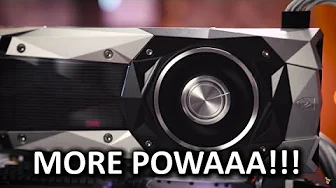
GTX 1080 Overclocking
0 up · 0 down · 0 ratings
Channels and socials
How far can you push the Founder's Edition of the new flagship from Nvidia? TunnelBear message: TunnelBear is the easy-to-use VPN app for mobile and desktop. Visit tunnelbear.com to try it free and save 10% when you sign up for unlimited TunnelBear data. Cooler Master Store link: bit.ly CableMod Configurator: bit.ly Pricing & discussion: linustechtips.com Support us: linustechtips.com Join our community forum: bit.ly twitter.com @LinusTech Intro Screen Music Credit: Title: Laszlo - Supernova Video Link: youtube.com iTunes Download Link: itunes.apple.com Artist Link: soundcloud.com Outro Screen Music Credit: Approaching Nirvana - Sugar High youtube.com Sound effects provided by freesfx.co.uk
The video GTX 1080 Overclocking provides a deep dive into how the Founders Edition GTX 1080 behaves under overclocking with and without the newly introduced GPU boost 3.0. It begins by contrasting GPU boost 2 with the new 3.0 framework, explaining that GPUs previously used a linear frequency offset curve that caused frequencies to vary with load, temperature, and power. The presenter explains that GPU boost 3 allows per-voltage-point tuning, enabling more precise and potentially higher stable clocks across a range of voltages. The walkthrough then introduces OC Scanner within the EVGA Precision software, detailing three modes: basic, linear, and manual, and showing how each mode can be used to push the GPU clock through automated testing and targeted adjustments. The host demonstrates setting test parameters such as test duration, start and end frequency offsets, and power and temperature targets to stress the GPU and discover an optimal overclock. After running the automated OC Scanner and observing its results, the presenter applies a manual overclock to both the core and memory, noting that the auto result slightly limits the manual gain but can be iterated to achieve a rock-solid configuration across both GPUs. The video concludes with observations on power limits, potential future high-power aftermarket solutions, and a preview of upcoming card options, while also incorporating sponsorship segments and references to further resources and discussions about GTX 1080 performance. Overall, the video blends theory with practical testing, showing how to balance automation and manual tweaking to reach stable performance gains on a high-end graphics card. Audience takeaway centers on the flexible, per-voltage-point approach of GPU boost 3 and the practical steps to leverage OC Scanner for efficient overclocking, while acknowledging that different hardware samples may yield different results and that power limits often cap the ultimate clock. The host teases future developments and invites viewers to explore additional content and community resources for deeper dives into GTX 1080 experiments.
Topics · technology · hardware · overclocking · computing · gaming
Questions answered
- What is GPU boost 3.0 and how does it differ from GPU boost 2.0?
- GPU boost 3.0 enables per voltage point tuning rather than a single linear offset curve, allowing higher and more stable clocks across a range of voltages and adapting to factors like temperature and power. GPU boost 2.0 used a linear frequency offset that could not always reach maximum clocks at all voltage levels.
- How does OC Scanner work in EVGA Precision for overclocking a GTX 1080?
- OC Scanner runs automated tests to determine an optimal frequency offset per voltage point. It offers Basic, Linear, and Manual modes, where Basic applies a set offset, Linear increases the offset between a start and end point, and Manual lets you input values per voltage step and then run automated stress testing to find a stable overclock.