USB: The Last Guide You’ll Ever Need
0 up · 0 down · 0 ratings
Description
Get a free 15-day trial of Odoo’s all-in-one business solution and see how it can make your life easier! Check it out at odoo.com USB has been around for decades, yet it’s never been more confusing. We break down USB data speeds, connector types, and modern standards to help you finally understand what your cables can really do. Thanks to Jeff Ravencraft from the USB-IF for helping us out Leave a reply with your requests for future episodes. ► SHOP OUR PRODUCTS: lttstore.com ► GET A VPN: piavpn.com ► GET EXCLUSIVE CONTENT ON FLOATPLANE: lmg.gg ► SPONSORS, AFFILIATES, AND PARTNERS: lmg.gg
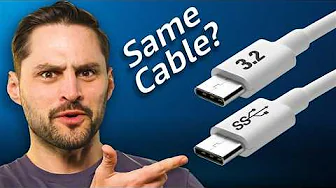
USB has become a familiar yet perplexing standard, and this guide dives into why the cable that powers so much of our tech remains confusing even after decades of evolution. The video starts by tracing USB from its early days, noting the modest speeds and limited power of USB 1.0, and then contrasts that with the modern reality of USB delivering up to 240 watts via USB-C. It explains the intense pressure to fit more pins into ports during the late 2000s and how that produced a bewildering array of shapes, colors, and names. A central thread is the role of the USB Implementers Forum in trying to simplify things, including how consumer focus groups revealed that most people simply want to know data speed and power. The host walks through the major generations and their speeds, starting with USB 1.0 and USB 2.0, moving through USB 3.0 (SuperSpeed), and showing how naming got increasingly convoluted with 3.1 Gen 1, 3.2 Gen 1, Gen 2, and beyond. The discussion highlights the recurring pattern of renaming successive standards instead of delivering a clear, consistent label, which culminates in the modern USB4 ecosystem with base speeds of 20 Gbps and top-tier versions at 40 Gbps or even 80 Gbps in newer iterations. Throughout, the emphasis is on backward compatibility, a cornerstone policy that keeps older devices usable while embracing faster, more capable cables. The video also clarifies how power delivery and USB-C have become the defining feature of USB today, enabling high-speed data transfer alongside high-wattage charging, and hints at exploring USB-C’s broader implications in future episodes. By the end, the host positions USB4 as a turning point for clarity, even as the naming history remains tangled, and invites viewers to dive deeper into related standards like Oculink for those seeking more specialized cable technology.
Topics · technology · hardware · standards · consumer electronics · education
Questions answered
- What is the main reason USB naming became confusing over time?
- The main reason is the repeated renaming of generations and speeds by the USB Implementers Forum as new capabilities were introduced, which created a convoluted labeling system that did not always reflect actual performance.
- How does USB PD relate to the power capabilities of USB cables?
- USB Power Delivery enables high wattage through USB cables, allowing up to 240 watts for charging devices like laptops, alongside maintaining high data transfer speeds.
- What is the significance of backward compatibility in USB standards?
- Backward compatibility ensures newer USB versions can work with older devices, preventing the need to replace all gear at once and making the ecosystem more convenient for consumers.