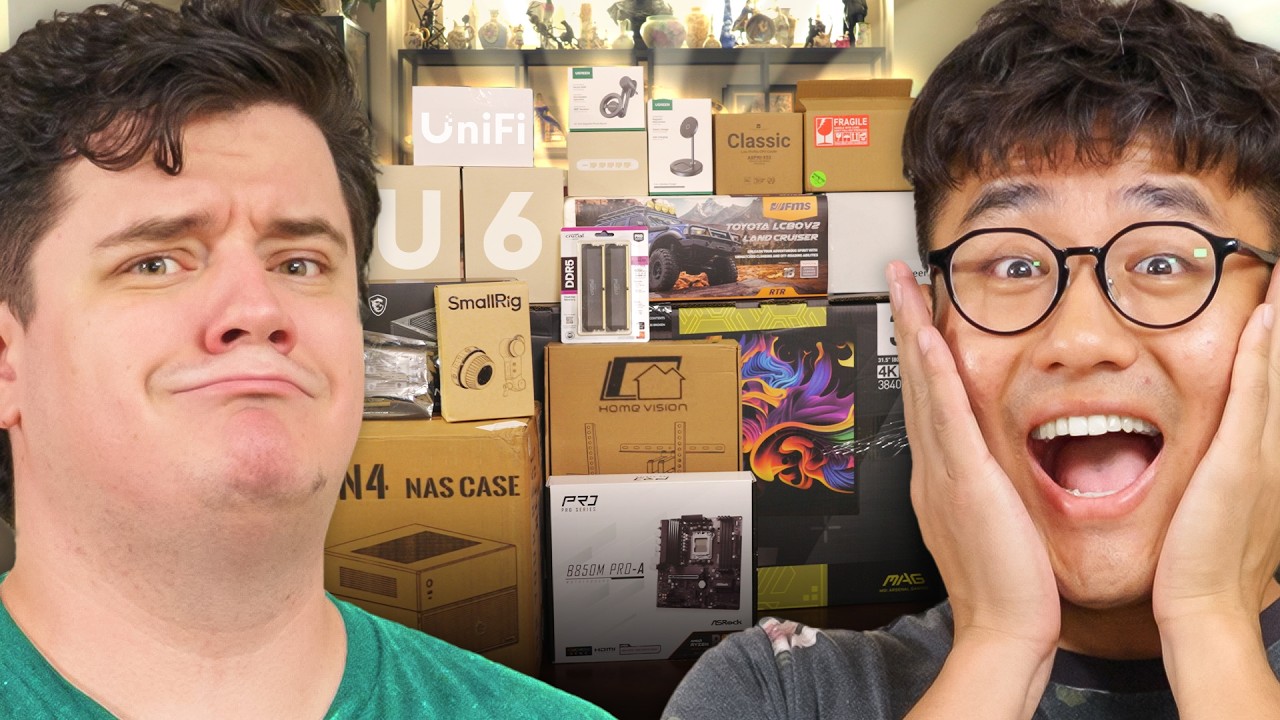
I Broke his TV Within 5 Minutes...AMD $5000 Ultimate Tech Upgrade
0 up · 0 down · 0 ratings
Description
Thanks to AMD for keeping this series going and sponsoring this video!
Promos
Check out their latest offerings at lmg.gg You can enter AMD's giveaway at bit.ly for a chance to win a Pro Gaming Upgrade Bundle valued at over $3000 USD, or one of five Ryzen 7 9800X3D bundles. Both the grand prize and runners up prizes feature merchandise from the LTT Store! Linus wasn’t here to babysit this AMD Ultimate Tech Upgrade as Elijah and Oliver build a NAS, install new Unifi WiFi, and even play with a toy RC car. They break a TV, have the worst monitor peel you will ever see, and even manage to turn what should have been a simple upgrade into pure, glorious chaos. Discuss on the forum: linustechtips.com
Check out the items from Oliver's upgrade! AMD Ryzen 5 7500F: geni.us MSI MAG 321UPX QD-OLED 32" Monitor: prsm2.com Syrp Magic Carpet Pro Short Slider geni.us BLAZAR MANTIS 50mm T2.0 1.33x Anamorphic Lens: geni.us UGREEN MagFlow 2-in-1 Magnetic Wireless Charging Station: geni.us Thermalright AXP90-X53 CPU Air Cooler: geni.us MSI PRO B850M-P WIFI Motherboard: geni.us Crucial Pro 32GB (2 x 16GB) DDR5 6000 RAM: prsm2.com JONSBO N4 Black NAS Pc Case: geni.us MSI MAG A550BN 80+ Bronze PSU: geni.us Patriot P300 M.2 SSD: geni.us ► GET OUR MERCH: lttstore.com ► GET EXCLUSIVE CONTENT ON FLOATPLANE: lmg.gg ► GET A VPN: piavpn.com ► SPONSORS, AFFILIATES, AND PARTNERS: lmg.gg Purchases made through some store links may provide some compensation to Linus Media Group. Affiliate links powered in part by affilimate.com Linus Sebastian is an investor in Framework Computer, Inc CHAPTERS --------------------------------------------------- 0:00 Intro 0:55 SWEEPSTAKES 1:46 Snooping Around 6:32 NAS Time 10:53 Monitor Upgrade 11:40 NAS Case and Assembly 13:51 Network Upgrade 17:32 New Lens Who Dis 18:58 More Camera Gear 20:15 He spent HOW MUCH ON THIS?? 21:15 NAS is aliveee (so is the network) 24:05 Outro
The video follows the continuation of Linus Media Group’s AMD Ultimate Tech Upgrade series, this time centered around Oliver and Elijah building a NAS, upgrading the home network, and giving an AMD powered refresh to a studio setup. The hosts describe the sponsorship from AMD and outline the big ticket items they plan to install, including a new NAS, a Unifi network upgrade, and camera gear. Early on, they reflect on past upgrades, debate the budget and the chaos of a hands-on build, and tease the subscription and giveaway opportunities tied to the AMD partnership. The tone blends playful banter with practical build decisions, as they rummage through old gear, swap in a Ryzen 5 7500F, and plan a new 32 GB DDR5 memory configuration. The episode cycles between scavenging for parts, installing a motherboard, and wiring a multi-room network, all while attempting to keep a chaotic project on track. The narrative emphasizes the collaborative effort, the learning curve of a complex upgrade, and the payoff of a much more capable NAS and network for ongoing content creation. As the NAS and network upgrades take shape, the team documents each step from choosing the motherboard and CPU to mounting the new memory and adding large storage arrays. They select an ASRock B850M Pro4A motherboard, Crucial DDR5 RAM, and a Patriot P300 M.2 SSD to house the operating system, then assemble the cooler and power supply with a mix of humor and technical caution. The dialogue highlights practical considerations such as proper heatsink mounting, standoff alignment, and the importance of future-proofing with extra drive bays. They also discuss compatibility notes, and the workflow shows both the excitement of new gear and the occasional misstep that comes with a live build. The segment wraps with a clear plan to finalize the NAS, validate the network, and showcase the upgraded, faster workflow for editing and media storage. A notable portion of the upgrade focuses on the networking integration, as they install Unifi U6 mesh access points and Mocha adapters to distribute Wi-Fi across the house. The team experiments with different configurations, faces troubleshooting with coax and router access, and eventually achieves a higher-speed wireless environment paired with a 2.5 gigabit switch. This portion of the video demonstrates real-world networking challenges and the iterative process of diagnosing issues, testing, and adjusting layouts for optimal performance. Their efforts culminate in a working mesh network that promises better reliability for editing, backups, and streaming across rooms. The coverage also highlights the practical value of a robust home network for content creators with demanding upload and access needs. The episode also spotlights the new camera gear and lens options, including an anamorphic lens and a wireless follow focus kit, underscoring the team’s multi-faceted upgrade beyond storage and networking. They test a Sony FX6 rig with a SmallRig follow focus, discuss the aesthetic of 1.33x squeeze anamorphic optics, and demonstrate how wireless focus pulling can enhance production efficiency. The crew also debuts a Pro Slider with a flywheel for smoother camera movements, emphasizing how gear choices impact production value. Throughout, the banter remains lighthearted while the technical details show deliberate decision-making about how best to capture and edit the upgraded content. The video concludes with a recap of the improvements, the appreciation for AMD sponsorship, and a look at what’s next for Naz and the Linus team. The overall takeaway is a compelling blend of entertainment and practical tech deployment, delivering a concrete upgrade path for viewers interested in NAS setups, home networking, and high-end video production gear. The hosts balance humor with actionable steps, offering a blueprint for assembling a multi-component upgrade on a realistic budget. While the chaos is part of the charm, the results,faster storage, reliable networking, and elevated production quality,underscore the value of thoughtful, well-documented upgrades. Viewers are left with a sense of progress and anticipation for future installments in the AMD Ultimate Tech Upgrade series.
Topics · technology · pc_building · diy_projects · networking · audiovisual_production · sponsorships_and_partnerships
Questions answered
- What upgrades are included in the AMD Ultimate Tech Upgrade video?
- The upgrades include a new NAS, a Unifi Wi-Fi network upgrade with mesh access points, a new monitor, updated camera gear and lenses, and other ancillary gear like a RC car and various peripherals.
- What CPU and motherboard are used in the build?
- The build uses a Ryzen 5 7500F CPU and an ASRock B850M Pro4A motherboard.