External GPU Enclosures as Fast As Possible
0 up · 0 down · 0 ratings
Promos
External GPU enclosures are a relatively new development that allow you to use a desktop graphics card with your laptop. What should you know about them? Receive an additional $25 credit for Ting today when you sign up at techquickie.ting.com Techquickie Merch Store: designbyhumans.com Techquickie Movie Poster: shop.crowdmade.com Follow: twitter.com Leave a reply with your requests for future episodes, or tweet them here: twitter.com Join the community: linustechtips.com Intro Theme: Showdown by F.O.O.L from Monstercat - Best of 2016 Video Link: youtube.com iTunes Download Link: itunes.apple.com Listen on Spotify: open.spotify.com
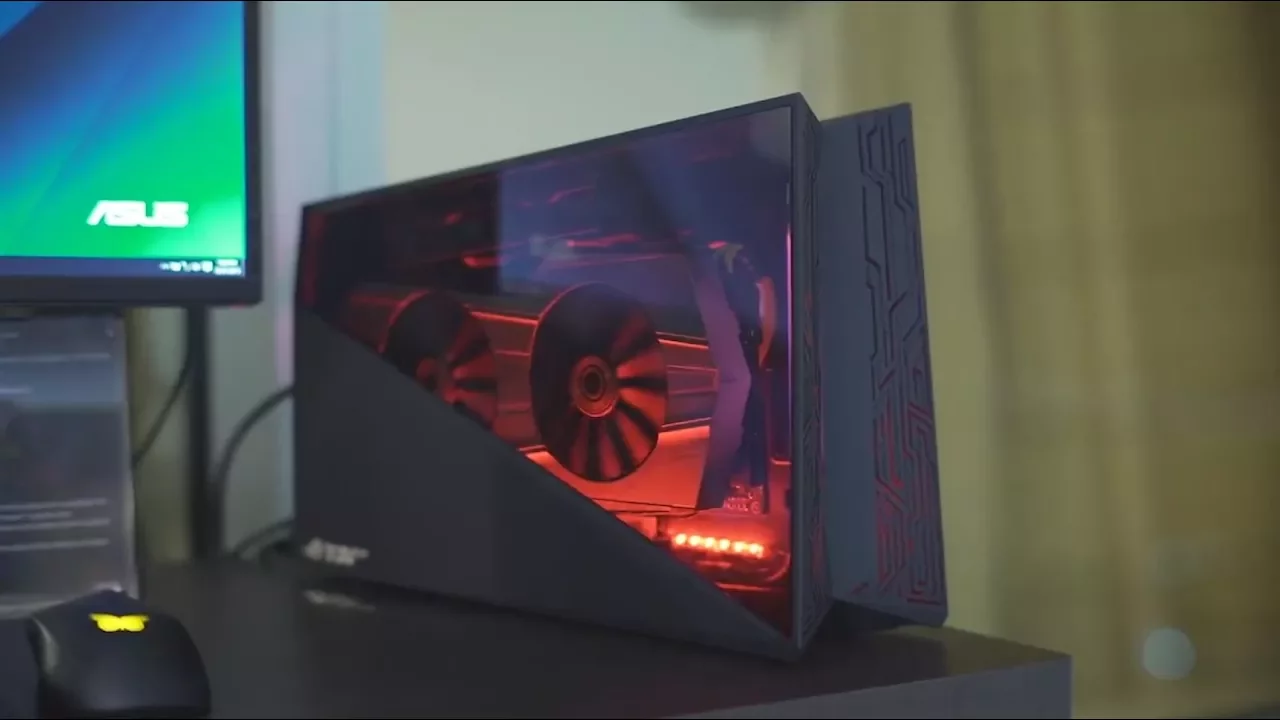
External GPU enclosures offer a bridge between portability and desktop-class graphics by letting a laptop use a separate desktop GPU through a Thunderbolt 3 connection. The video explains how these enclosures resemble mini PCs housing a PCIe slot, power supply, one or more fans, and sometimes extra features like USB ports, ethernet, NVMe cages, or even RGB lighting. It notes that while Thunderbolt 3 enables high-speed data transfer, the interface is limited to four PCIe 3.0 lanes, which means potential frame rate reductions of about 20 to 25 percent compared with a direct PCIe 16-lane connection, depending on hardware and games. The speaker also highlights the practical caveats and costs, pointing out that many enclosures start around $300 and can exceed $500, with the Alienware Graphics Amplifier as a notable exception due to its proprietary connection. Despite these trade-offs, the video argues that eGPUs can still be compelling for users with weaker GPUs, older laptops, or non gaming workloads that benefit from GPU acceleration in software like Adobe Creative Cloud, as well as for expanding the system with non-graphics cards such as audio interfaces or NVMe storage. The discussion then shifts to practical considerations like ensuring four-lane Thunderbolt 3, CPU-direct lanes rather than chipset-facing lanes, and the general use case of traveling with a powerful but portable setup. The closing portion reminds viewers of alternative options and price-conscious strategies, while also promoting Ting as a sponsor with a savings calculator and service credits. In summary, external GPUs can be valuable in specific scenarios, but they come with notable performance and cost trade-offs that vary by setup, and buyers should carefully assess compatibility and lane configurations before purchasing.
Topics · technology · hardware · laptops · peripherals · gaming
Questions answered
- What limits the performance of external GPU enclosures compared to internal GPUs?
- External GPU enclosures are limited by Thunderbolt 3 bandwidth, which typically uses four PCIe 3.0 lanes, reducing potential frame rates and increasing latency compared to a native PCIe 16-lane connection.
- Are eGPUs worth it for all laptop users?
- Not for everyone. They are most beneficial for laptops with weaker GPUs or users needing GPU acceleration for specific tasks, but they come with cost and setup considerations, and may not suit those seeking maximum gaming performance.