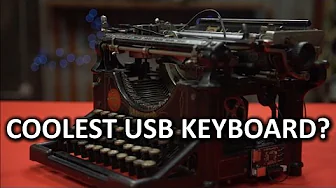
21st Century Utility, 19th Century Swagger - DIY USB Typewriter
0 up · 0 down · 0 ratings
Description
If MX Blues aren't for you, the DIY route might be true...
Check out the Roccat Skeltr Keyboard on Amazon: geni.us ROCCAT GIVEAWAY IS CLOSED, THANKS TO ALL WHO ENTERED! TunnelBear message: TunnelBear is the easy-to-use VPN app for mobile and desktop. Visit tunnelbear.com to try it free and save 10% when you sign up for unlimited TunnelBear data.
Channels and socials
Check out the DIY method used in this video: bit.ly Buy typewriter on Amazon: geni.us Discuss on the forum: linustechtips.com Affiliates, referral programs, & sponsors: linustechtips.com Join our community forum: bit.ly twitter.com @LinusTech Intro Screen Music Credit: Title: Laszlo - Supernova Video Link: youtube.com iTunes Download Link: itunes.apple.com Artist Link: soundcloud.com Outro Screen Music Credit: Approaching Nirvana - Sugar High youtube.com Sound effects provided by freesfx.co.uk
The video presents a creative DIY project that repurposes an antique typewriter into a functional USB keyboard. It begins with a humorous, retro-sophisticated framing that contrasts modern keyboards with a 19th or early 20th century device, cultivating a vibe of nerdy craftsmanship and historical charm. The host explains that converting a typewriter into a USB keyboard requires preserving the aesthetic while adding a digital interface, because traditional typewriter arms would otherwise strike the same spot and produce repetitive, non-distinctive input. A key solution is the introduction of a sensor bar made from flexible metal contacts laid out like piano keys, which detects each key actuation and translates it into a computer-friendly signal. The tutorial then walks through practical hurdles, such as displacing the space bar, dealing with rusted screws, and selecting a rigid, lightweight support to mount the sensor board. The hosts improvise with makeshift components and inventive mounting strategies to create a stable frame and reliable electrical grounding, emphasizing careful alignment of the sensor dots with the corresponding metal bars. In the concluding portion, the video showcases the final result as a tactile, aesthetically distinctive device that blends antique machinery with modern electronics, arguing that it offers a unique typing experience that even some high-end keyboards cannot match. The hosts also tease a giveaway in collaboration with a keyboard manufacturer and invite viewers to explore related gear and forum discussions, reinforcing the channel’s maker-community ethos and encouraging ongoing experimentation with hardware projects.
Topics · technology · DIY · hardware · engineering · maker culture
Questions answered
- What problem does the sensor bar solve in the USB typewriter conversion?
- The sensor bar replaces the problem of all keys hitting the same spot by detecting each key actuation through a row of contacts, allowing distinct key presses to be translated into digital signals without losing the typewriter’s tactile feel.
- How is the sensor board mounted and aligned in the finished build?
- The sensor board is mounted on a makeshift support, aligned so that the dots on the back of the sensor board line up with the corresponding metal bars, and reinforced with eyebolts and a grounding wire to ensure rigidity and proper grounding.