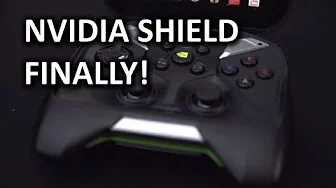
NVIDIA SHIELD Unboxing & Overview
0 up · 0 down · 0 ratings
Promos
The NVIDIA Shield is probably the most controversial device I've seen come out of NV in a while. Some people think it's great, some people think it's horrible. I'm of the mind that this is the beginning of the end for traditional handhelds and NVIDIA is forging an incredibly exciting new path. Also so far I *LOVE* my Shield. I've been playing with it a lot since I filmed this video and I'm pretty stoked on it so far. Full review coming later. Sponsor link: intelgamingpromo.com Join our community forum: bit.ly twitter.com @LinusTech Pricing & availability: shield.nvidia.com Intro Screen Music Credit: Adhesive Wombat -
Channels and socials
Check out his channel here: youtube.com Outtro Screen Music Credit: Approaching Nirvana - Sugar High youtube.com
The video opens with the host expressing strong excitement for the Nvidia Shield, framing it as a bold new path for handheld and PC gaming integration. He highlights the Shield as the first consumer device to feature a Tegra 4 processor, emphasizing the potential of its GPU performance relative to contemporary smartphones, and notes its ability to run Android games, Android apps, and even stream PC games from a desktop. The unboxing sequence is detailed, listing included components such as the Shield unit, wall adapter, micro USB cable, quick start guide, and the micro HDMI output for TV connection, while also calling out design aspects like the ergonomic grip, the hinge, selectable back plates, and the two analog sticks paired with a robust D-pad. Throughout, the host evaluates build quality, weight, and cooling, acknowledging the solid hinge and the rubberized bottom grip as positives, and voicing initial reservations about weight and the 5 inch 720p display bezel around the screen. He then walks through the setup process, describing the Android-based interface, the Nvidia Shield button for accessing Shield games, the Shield Store for Android and PC titles, and the preloaded apps including Twitch, with emphasis on the ease of navigation using touchscreen, D-pad, and the right analog stick as a precision mouse for on-device control. The reviewer also explains the PC game streaming requirements including driver and beta Steam builds, and reiterates the need for the Shield to be on the same router network as the desktop, not necessarily on the same Wi-Fi network, to enable streaming. Finally, the host previews follow-up plans including latency and image quality comparisons against a “ghetto” Shield, discusses the device’s battery life and ergonomic advantages over tablets, and teases a longer-term review to come after spending a month with the Shield, inviting viewers to subscribe and engage with questions for future coverage.
Topics · technology · hardware unboxing · gaming hardware · streaming · android · review
Questions answered
- What are the main reasons Linus considers Nvidia Shield exciting?
- Linus highlights Tegra 4 GPU power, Android and PC game compatibility, and a console-like controller as key advantages.
- What do you need to enable PC streaming to Shield?
- You need the Shield, the latest GeForce Experience drivers, a Kepler GPU on the PC, beta Steam, and the Shield on the same router network.
- Does the Shield support external storage and how is it expanded?
- Yes, it supports micro SD cards up to 64 GB via the micro SDXC slot.