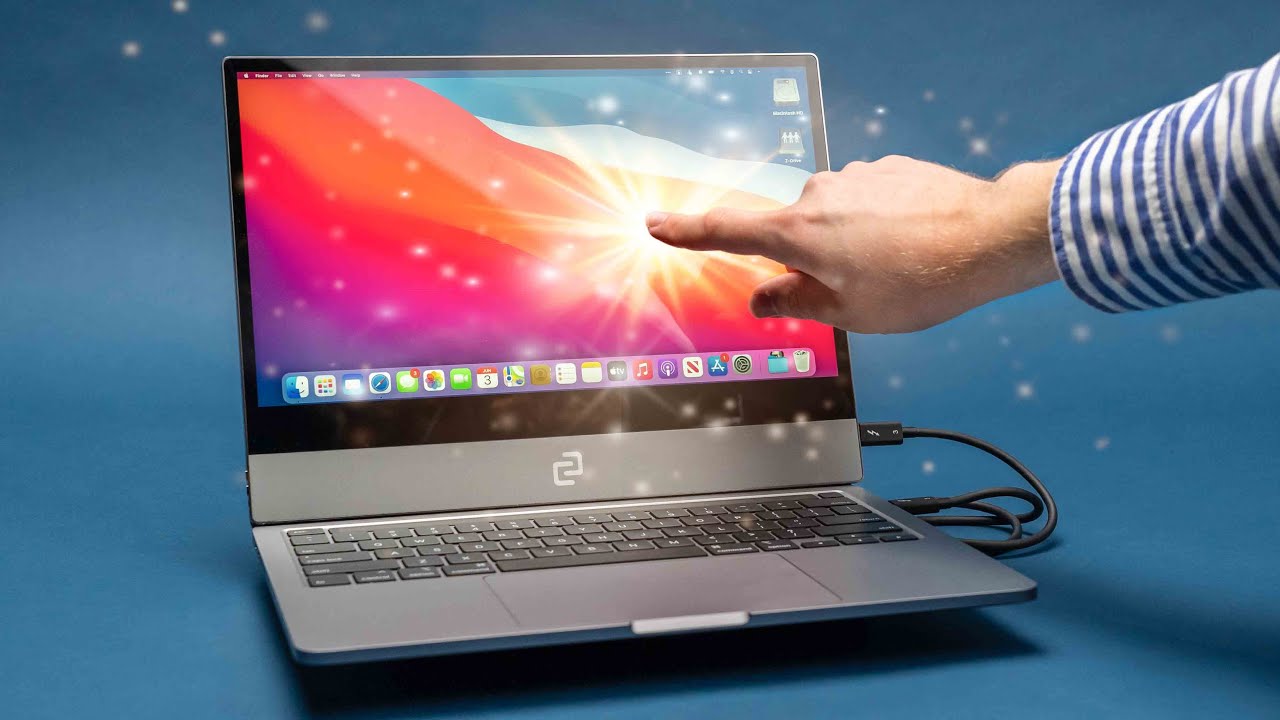
Why Touch-Screen MacBooks are a Bad Idea
0 up · 0 down · 0 ratings
Description
People have been asking Apple to put a touchscreen on their Macs, but there might a very valid reason why they haven't done it. So we decided to make one ourselves and see how it goes.
Channels and socials
Check out the Espresso Screen 13 inch at lmg.gg Buy MacBook Pro (PAID LINK): geni.us Buy iPad Air (PAID LINK): geni.us Buy Apple Magic Mouse 2 (PAID LINK): geni.us Buy Dell XPS 2-in-1 (PAID LINK): geni.us Timestamps: 0:00 - The nightmare of touching screens 0:31 - Setting the stage of Apple vs PC touchscreens 0:56 - We make a touchscreen MacBook 1:18 - The finished product 2:24 - Arguments for a touchscreen 2:44 - iPad is Apple's answer 4:15 - Remember Windows 8 4:54 - How Apple could add a touchscreen 6:01 - Conclusion Edited Follows us on: Twitter - twitter.com Instagram - @macaddressyt Facebook - @MacAddressChannel
The video investigates the viability of a touchscreen MacBook by actually building one and evaluating its practicality. The creator outlines the historical stance: Apple has avoided touchscreen laptops for over a decade, arguing that a trackpad provides a superior multi-touch experience on a notebook. The experiment results in a functional but imperfect prototype where an espresso screen is taped to a MacBook Pro, allowing the device to perform basic touch interactions such as opening and closing apps, zooming, scrolling, and switching between desktops. The presenter notes tangible drawbacks including reduced portability due to the screen no longer folding flat, increased weight that stresses the hinge, and an annoying cable management issue. He also emphasizes that although the setup demonstrates touch capability, it rarely invites continued use because touch is not naturally integrated into the laptop workflow. The discussion then pivots to a comparison with iPad as Apple’s native touch-first device, arguing that finger-based input is inherently less precise for productivity tasks, and that interfaces designed for touch require larger UI elements and a different layout. The video revisits historical missteps like Windows 8 and tablet modes to illustrate that a broad move to touch on laptops tends to fracture the user experience rather than unify it. It closes with a thoughtful exploration of how Apple could accommodate touch without compromising the Mac’s desktop-oriented strengths, suggesting options like keeping mouse support dominant on macOS while introducing selective touch gestures, and reiterating that a future touchscreen Mac would need to blend convenience with an ergonomically sound design. The takeaway is that while a touchscreen MacBook could be technically feasible, the current form factors and software ecosystems make it an unnecessary or disruptive addition for most users, reinforcing the idea that Apple should prioritize pointed, precise input over finger-based touch in a laptop context.
Topics · technology · hardware · consumer-electronics · operating-systems · user-experience
Questions answered
- Why do some users argue for a touchscreen MacBook despite the drawbacks discussed in the video?
- Some users argue that touchscreens could offer quick interactions in certain postures or use cases, such as standing or walking, where reaching the screen feels more natural than using a trackpad. They may also value a unified experience with iPad-like gestures and the potential for faster on-screen navigation in specific apps.
- What are the proposed ways Apple could implement touch without sacrificing Mac usability?
- Proposals include keeping the Mac as a pointer-first device while supporting touch in a limited, well-integrated way, similar to cursor support on iPad with a keyboard. Another idea is to design larger UI elements and allow selective touch gestures so the interface remains dense for traditional desktop work while offering touch conveniences for certain tasks.