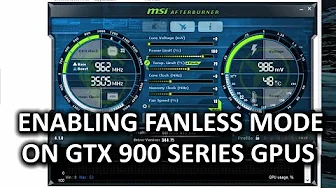
How To Enable Fanless Mode in GTX 900 Series Video Cards - Community-sourced Guide
0 up · 0 down · 0 ratings
Channels and socials
Do you want to run your GTX 900 series video card in fanless mode but your card doesn't run that mode natively? LinusTechTips forum user Lays has you covered! Lays' guide: linustechtips.com Crunchyroll link: crunchyroll.com Cooler Master link: linustechtips.com Pricing & discusion: linustechtips.com Support us: linustechtips.com Join our community forum: bit.ly twitter.com @LinusTech Intro Screen Music Credit: Title: Laszlo - Supernova Video Link: youtube.com Outro Screen Music Credit: Approaching Nirvana - Sugar High youtube.com
The video presents a community-sourced guide to enabling fanless operation on GTX 900 series Maxwell GPUs. It opens by reframing a common approach to silent computing, arguing that a quiet PC can be desirable in late-night or quiet-room contexts, where ambient noise or other fans can influence perceived loudness. The presenter then explains that, unlike standard GPU fan-control, fanless mode requires a BIOS-level modification and specific software tools, including Maxwell BIOS Tweaker, GPU-Z, and EnvyFlash. Viewers are walked through a step-by-step workflow: backing up the current BIOS, using a BIOS tweaker to modify minimum fan RPM values, flashing the modified BIOS to the card, and restoring operation after a system reboot. The guide emphasizes safety measures such as retaining a backup BIOS, performing the flash with administrator rights, and ideally using a battery backup to prevent power interruptions during the process. After the flash, the video discusses configuring MSI Afterburner for a fanless idle and a controlled fan curve under load, and mentions the role of hysteresis to prevent constant fan cycling. Finally, the video touches on temperatures and warranty considerations, noting that lower idle temperatures are generally safe, but advising caution and warranty awareness when bypassing manufacturer defaults. The description supplements the tutorial with links to the original forum guide and related content, underscoring the community-driven nature of the solution and inviting viewers to share their results and feedback. Throughout, the host encourages responsible experimentation and provides practical tips to balance silence with hardware safety and performance. The overall takeaway is that with the right backups and BIOS tweaks, GTX 900 series GPUs can operate in a near-silent mode, especially in scenarios where absolute silence is prioritized over peak performance.
Topics · technology · computer_hardware · how_to · science_and_tech
Questions answered
- What is the main goal of the fanless mode guide for GTX 900 series GPUs?
- The guide aims to enable completely silent operation by bypassing the GPU's built-in fan control through BIOS modification and careful configuration.
- What are the essential tools needed to implement fanless mode according to the video?
- The essential tools are Maxwell BIOS Tweaker, GPU-Z, and EnvyFlash, along with a backup of the original BIOS.
- What precautions are recommended before flashing the GPU BIOS?
- Back up the original BIOS, disable the GPU in Device Manager, run commands with administrator privileges, and ideally use a battery backup to prevent power interruption during the flash.