Cloud9 did not MAKE this keyboard - C959 Ergo TKL
0 up · 0 down · 0 ratings
Promos
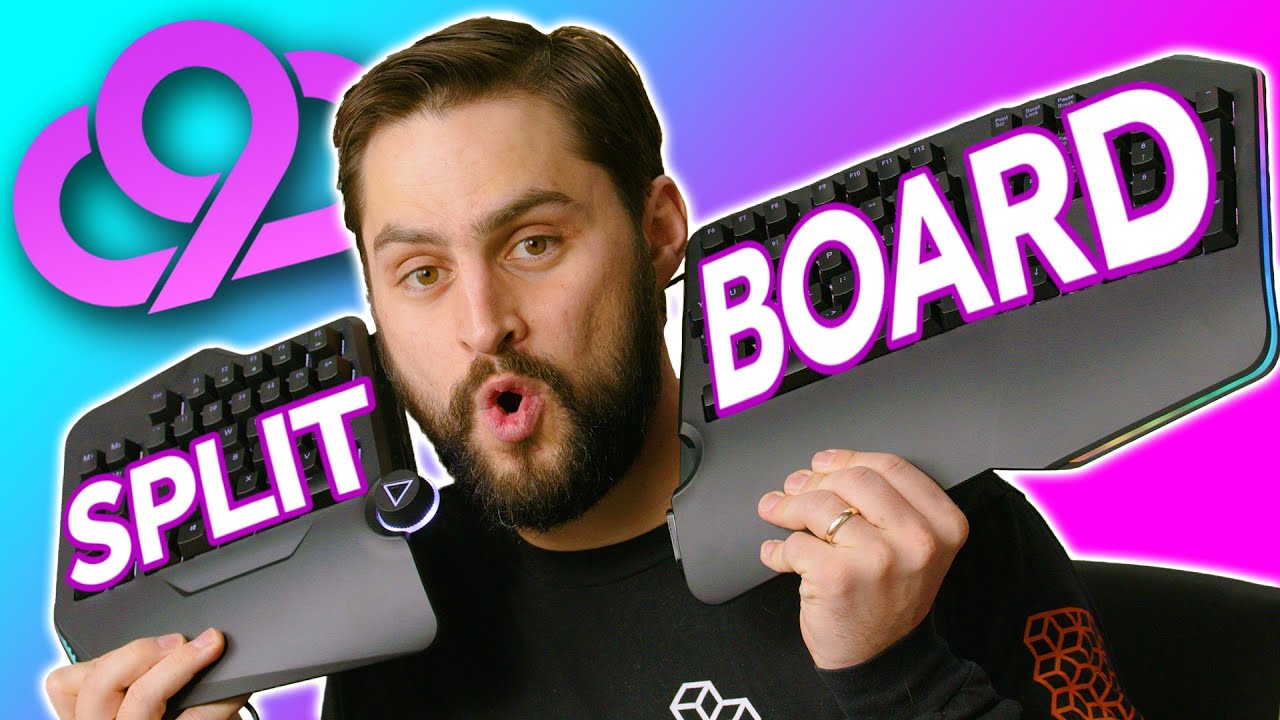
Order your Hulkman Alpha 85S now at lmg.gg Cloudnine made a keyboard, but not that Cloud9... is it a weird coincidence? Ergo keyboards are getting more popular and splitting them in half is another step in making sure your arms don't hurt if you use them for long periods of time. James had to evaluate these. Buy CloundNine C989 Keyboard On Amazon: geni.us Buy CloundNine C959 Ergo TKL Keyboard On Amazon: geni.us Purchases made through some store links may provide some compensation to Linus Media Group. ►GET MERCH: lttstore.com ►SUPPORT US ON FLOATPLANE: floatplane.com ►LTX EXPO: ltxexpo.com AFFILIATES & REFERRALS --------------------------------------------------- ►Affiliates, Sponsors & Referrals: lmg.gg ►Check out our podcast gear: kit.co ►Private Internet Access VPN: lmg.gg ►Our Official Charging Partner Anker: lmg.gg ►Secretlabs Gaming Chairs: lmg.gg ►MK Keyboards: lmg.gg ►Amazon Prime: lmg.gg ►Audible Free Trial: lmg.gg ►Our Gear on Amazon: lmg.gg FOLLOW US ELSEWHERE --------------------------------------------------- Twitter: twitter.com Instagram: @shortcircuityt Facebook: @ShortCircuitYT FOLLOW OUR OTHER CHANNELS --------------------------------------------------- Linus Tech Tips: lmg.gg TechLinked: lmg.gg Mac Address: lmg.gg Techquickie: lmg.gg LMG Clips: lmg.gg Channel Super Fun: lmg.gg Carpool Critics: lmg.gg CHAPTERS --------------------------------------------------- 0:00 - Jono was not hurt & Intro 0:35 - C989M Unboxing and overview 4:40 - Sponsor - Hulkman! 5:07 - Powering up the keyboard 6:14 - C959 ErgoTKL unboxing and overview 6:37 - Keyboard software 7:11 - Wheel function 8:27 - Gaming impressions 8:46 - Keyboard orientation 9:20 - Final thoughts
The video provides a thorough unboxing and initial impressions of the Cloudnine C989 and C959 Ergo TK L keyboards, focusing on the ergonomic design, split form factor, and practical implications for long sessions at the desk. The presenter walks through the physical construction, noting the premium feel of the plastic molding, the USB-C connectivity, and the modular nature of the split layout that allows for a wider spread or a more compact footprint. A key design element is the tilt of the keyboard, described as a seven-degree angle to reduce forearm pronation, which the host argues can mitigate RSI risks and encourage a more natural arm posture when typing or gaming. Throughout the segment he emphasizes ongoing posture adjustments, explaining that dynamic positioning throughout use is often better than a fixed stance, and he demonstrates how the split configuration can influence shoulder alignment and wrist comfort. He also highlights the ergonomic benefits of the built-in wheel for scrolling and macro control, and contemplates how the wheel could minimize hand movement by keeping actions on-device, such as scrolling or switching apps, which is presented as a meaningful advantage for both productivity and gaming. The dialogue shifts to practical features like keyboard lighting, per-key RGB, and a PC app for customization, with demonstrations of lighting modes including a rainbow breathing pattern. The reviewer tests the hardware in a live setup, reveals potential software quirks such as initial connection hiccups and the need to configure the included software, and provides candid opinions on the learning curve and adaptability for different user preferences. In closing, the host reflects on the unique value proposition of a split, ergonomic keyboard with a number pad option, acknowledging that while the form factor may not suit every gamer due to space considerations, it remains a compelling option for those seeking improved posture and versatility, especially in long sessions or professional workflows.
Topics · technology · hardware · ergonomics · gaming · product-review
Questions answered
- What are the standout features of the Cloudnine C959 Ergo TKL keyboard?
- Key standout features include a split ergonomic layout with a 7 degree tilt to reduce pronation, a built in wheel for scrolling and control, per key RGB lighting, macro support via a PC app, USB-C connectivity, and optional larger and smaller modules to tailor width and number pad presence.
- Is the wheel control intuitive, and what can it do?
- The wheel can adjust volume, scroll direction, and switch applications depending on the mode, with different color indicators showing the active function. Some users may find the default direction counterintuitive, but the feature is configurable and aims to keep finger movements on the keyboard.
- Can the two keyboard halves be used independently or just when joined?
- The two halves are designed to be used together or separated, offering flexibility for desk space and user preference. The setup allows the user to spread the halves to align with shoulder width while keeping a connected arrangement for cohesive key action.