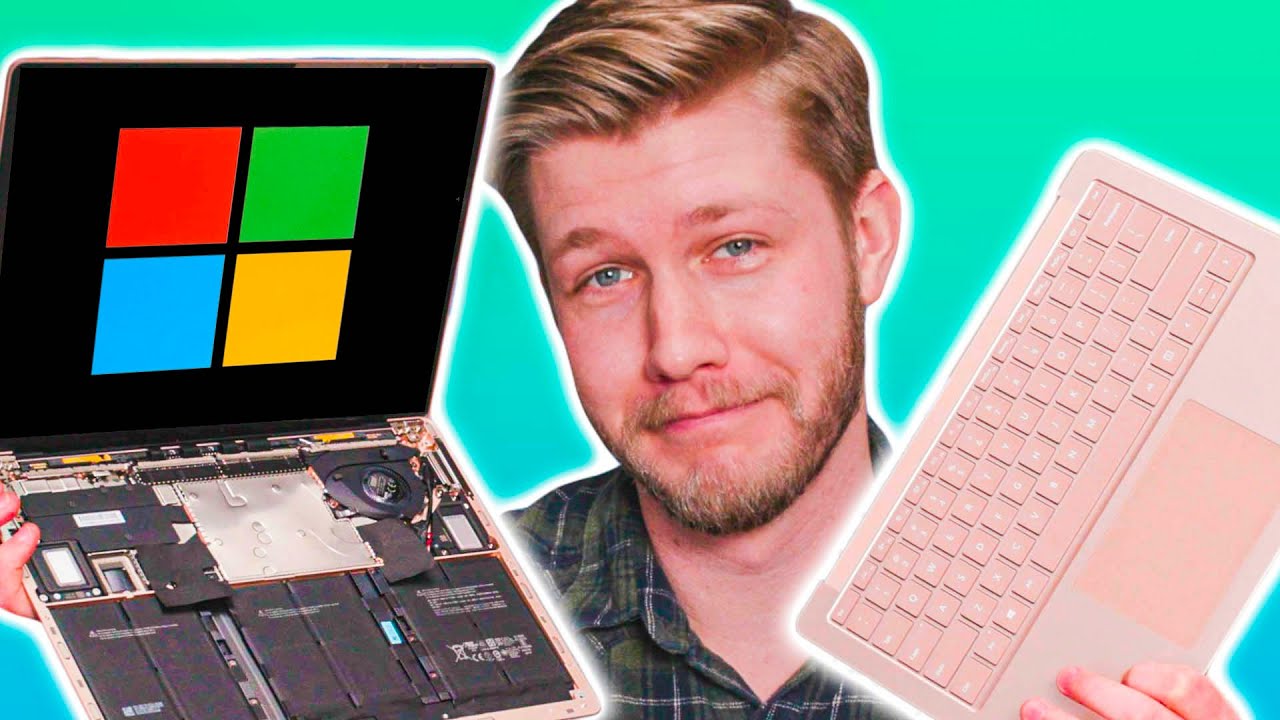
Should you make the switch? - Microsoft Surface Laptop 3
0 up · 0 down · 0 ratings
Promos
The Microsoft Surface 3 Laptop came out months ago, but we didn't exactly jump at the chance to switch over. Should we make the switch? Find out! Buy Surface Laptop 3 13.5" On Amazon (Paid Link): geni.us On NewEgg (Paid Link): geni.us On Staples (Paid Link): shop-links.co Buy Surface Laptop 3 15" On Amazon (Paid Link): geni.us On NewEgg (Paid Link): geni.us On Best Buy (Paid Link): shop-links.co On Staples (Paid Link): shop-links.co Buy Surface Laptop 2 On Amazon (Paid Link): geni.us On NewEgg (Paid Link): geni.us Purchases made through some store links may provide some compensation to Linus Media Group. GET MERCH: lttstore.com Twitter: twitter.com Instagram: @shortcircuityt Facebook: @ShortCircuitYT
The video begins by recalling the Surface Laptop 2 as a benchmark and immediately poses the question of whether the new Surface Laptop 3 should be worth an upgrade. The presenter walks through the unboxing experience and highlights design choices, noting the finish and a preference for Alcantara but acknowledging that it is optional. He points out practical touches like USB-C inclusion and Windows Hello, emphasizing how quickly authentication and daily startup speed set the tone for the user experience. The discussion then shifts to input and feel, with attention to the keyboard feel, actuation, and palm rest comfort, as well as a comparison between the 13 inch and 15 inch models. Throughout this segment, differences in chassis rigidity, trackpad size, and the absence of a more premium Alcantara option are weighed against the overall portability and premium perception of the device, leading to a nuanced first impression that the Laptop 3 is an incremental but solid improvement over its predecessor. In the middle portion of the video, the focus moves to performance and configuration choices. The host confirms an Intel core i7-1065G7 CPU with Iris Plus graphics in the base configuration, suggesting respectable performance for everyday tasks and light gaming. A parallel look at the larger 15 inch variant introduces a different CPU path, the AMD Ryzen 5 3580U, and notes memory and wireless differences that influence value, power, and reliability across configurations. The keyboard continues to be praised for its quality, with the 13 inch showing particularly strong tactile feedback, while the 15 inch variant is criticized for a less satisfying keystroke experience. The discussion also touches on display quality and aspect ratio choices, defending the 3:2 format as advantageous for productivity despite common debates about black bars. The segment culminates in a candid assessment of upgradeability, noting RAM is not user upgradable and the internal design makes servicing more challenging, though improvements from the previous generation are acknowledged. The closing portion consolidates the overall verdict and price-to-value stance. The host argues that the Laptop 3 represents an incremental improvement with a stronger daily-use proposition and a better overall chassis feel, while recognizing that pricing has become more reasonable since the first generation. The 13 inch model is favored for its balance of portability, weight, and screen real estate, making it a compelling choice for a daily laptop. Acknowledging ongoing trade-offs like the integrated keyboard feel on the 15 inch and the AMD option’s wifi limitation, the review frames the Surface Laptop 3 as a solid, practical option for Windows productivity with a favorable value proposition relative to its predecessors. The video closes with a light note on reassembly and a call to subscribe for more updates, reinforcing the channel’s practical, no-nonsense tone.
Topics · technology · laptops · reviews · unboxing · consumer electronics
Questions answered
- What are the main performance options for the Surface Laptop 3 and how do they compare?
- The review notes an Intel Core i7-1065G7 variant with Iris Plus graphics as a baseline, and mentions a 15 inch AMD Ryzen 5 3580U option with different RAM and wifi capabilities, each affecting speed, graphics, and wireless performance.
- Is the Surface Laptop 3 easily upgradable and how does that affect longevity?
- RAM is not user upgradable, and the device is designed with a more integrated internal layout; some components can be serviced, but upgrading memory or core subsystems is limited.
- Which size and configuration offers the best daily-use value?
- The 13 inch model with strong keyboard and portable chassis is highlighted as a balanced choice for daily productivity, while the 15 inch adds screen real estate at the cost of input feel and some performance trade-offs.