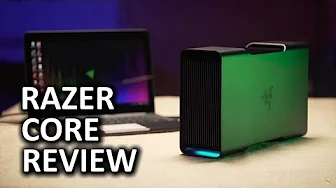
Desktop Graphics for Any Laptop
0 up · 0 down · 0 ratings
Channels and socials
THE CORE IS FINALLY HERE! Let's see if it's as badass as we all have hoped... dbrand link: dbrand.com Feenix Autore Amazon Link: amzn.to Buy Razer Core on Amazon: geni.us Discuss on the forum: linustechtips.com Affiliates, referral programs, & sponsors: linustechtips.com Join our community forum: bit.ly twitter.com @LinusTech Intro Screen Music Credit: Title: Laszlo - Supernova Video Link: youtube.com iTunes Download Link: itunes.apple.com Artist Link: soundcloud.com Outro Screen Music Credit: Approaching Nirvana - Sugar High youtube.com Sound effects provided by freesfx.co.uk
Desktop Graphics for Any Laptop explains a bold solution to the portability vs. gaming performance dilemma by leveraging Thunderbolt 3 to connect a desktop graphics card to a laptop. The video begins by framing the problem: laptop GPUs struggle with power, heat, and battery constraints, which limits gaming performance on mobile machines. The presenter praises the Razer Core as a design-forward dock that uses a standard PCI Express path through Thunderbolt 3, removing the need for proprietary cables while maintaining a compact, premium enclosure. He highlights the Core’s elegant build, aluminum chassis, and configurable LED lighting, emphasizing that aesthetics match the high level of engineering inside. The setup process is shown as quick and approachable, with a full installation that takes only a few minutes from opening the back panel to securing a graphics card, thanks to a simplified PCIe slot and a robust power supply. He also notes that the Core supports a wide range of graphics cards, mentioning a GTX 1080 Founders Edition as an example, and stresses the importance of checking compatibility before purchase. The segment concludes with practical details on ports, including USB, ethernet, and the essential Thunderbolt 3 connection, as well as the need for updated drivers and a compatibility-aware workflow using Synapse and the GPU Switcher app to manage which GPU is utilized. Overall, the video frames the Razer Core as a promising upgrade path for laptop users who want near-desktop gaming performance without abandoning portability, while acknowledging that real-world value depends on card choice, price, and ecosystem maturity.
Topics · technology · hardware · computing · gaming hardware · product design
Questions answered
- What is the core problem the Razer Core aims to solve for laptop gaming?
- The Core aims to address limited gaming performance on laptops caused by heat, power, and battery constraints by providing a desktop-class GPU enclosure connected via Thunderbolt 3.
- Which connection standard does the Core use and why is it important?
- The Core uses Thunderbolt 3 via USB-C, which enables a PCI Express path to external GPUs while keeping the laptop portable and reducing the need for proprietary interfaces.
- Does the Core require a dedicated external display to drive graphics performance?
- No, the Core can drive the laptop’s onboard display or an external monitor, though using an external display can be common for maximizing performance.