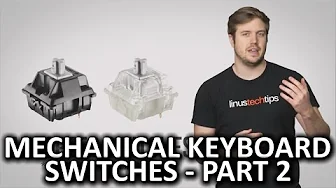
Mechanical Keyboard Switches - Part 2
0 up · 0 down · 0 ratings
Promos
Our last video on mechanical keyboard switches came out four years ago! So we decided it was time for a second episode where we go over other types of switches that have since gained in popularity. TunnelBear message: TunnelBear is the easy-to-use VPN app for mobile and desktop. Visit tunnelbear.com to try it free and save 10% when you sign up for unlimited TunnelBear data. Follow: twitter.com Join the community: linustechtips.com License for images used: creativecommons.org License for audio used: creativecommons.org
Mechanical Keyboard Switches - Part 2 dives into additional switch varieties that gained popularity after the initial overview four years earlier. The video explains how Cherry MX speed switches are built for competitive gaming, offering a linear feel with a very short actuation distance around 1.2 to 1.2 millimeters, which can yield a fractional advantage in fast-paced games but also increase the chances of missing keys due to the rapid actuation. It then contrasts this with MX green switches, which provide a tactile bump and a loud click, but require a higher actuation force, giving a robust, heavier typing experience. For those seeking a middle ground, MX clear switches are described as having a strong tactile bump without the loud click, though they can be harder to source. The segment moves through other Cherry alternatives like Kailh and Alp, noting that many of these clones appear in keyboards from major brands, and explains practical ways to sample or try switches before buying, such as purchasing individual switches or small testers. The discussion also touches on non-Cherry options, including RoG switches by Logitech with a higher actuation point marketed as a responsiveness advantage, and briefly mentions Alps and Topre as part of the broader landscape. The host closes with guidance on evaluating feel, build quality, and completeness of a board, emphasizing that there is likely a switch out there for almost every preference, even if Cherry MX remains a common baseline. A promotional interlude for TunnelBear VPN appears mid-roll, highlighting encryption, IP masking, and a free data offer before the video invites viewers to engage with the channel and other content. The piece ends with a lighthearted sign-off and a note about the upcoming content direction. Overall the video blends practical, experience-based descriptions of switch characteristics with actionable tips for trying switches through affordable samplers and small-scale purchases. It reinforces the idea that the mechanical keyboard market is diverse and evolving, with multiple factions offering varying tactile, auditory, and force-feedback experiences. Viewers are guided to consider actuation distance, noise level, and required force as core decision criteria, while also appreciating the importance of keyboard build quality and brand ecosystems in shaping the final typing or gaming experience.
Topics · technology · hardware · peripherals · computer-components
Questions answered
- What are the main differences between Cherry MX speed and MX green switches?
- MX speed switches are linear with a very short actuation distance (about 1.2 mm) for fast responses, suitable for competitive gaming but can increase the chance of mistypes due to the quick actuation. MX green switches have a tactile bump and a loud click with a higher actuation force, offering a heavier yet very distinct typing feel.
- How can a viewer try different switches before buying a full keyboard?
- Viewers can sample switches by ordering individual switches or small testers, and in some cases can purchase small samplers from retailers to get a feel for the switch before committing to a full keyboard.
- Are there alternatives to Cherry switches discussed in the video?
- Yes, the video mentions RoG switches by Logitech, Kailh, Alp, and other Cherry clones as alternatives, along with less common options like Alps and Topre in the broader landscape.