What's On My Phone: 2018!
0 up · 0 down · 0 ratings
Channels and socials
My daily smartphone setup in 2018! That wallpaper: i.imgur.com The sub: reddit.com Flamingo for Twitter: play.google.com Video Gear I use: kit.com Tech I'm using right now: amazon.com Intro Track by Jordyn Edmonds: soundcloud.com ~ twitter.com snapchat.com google.com @MKBHD @MKBHD
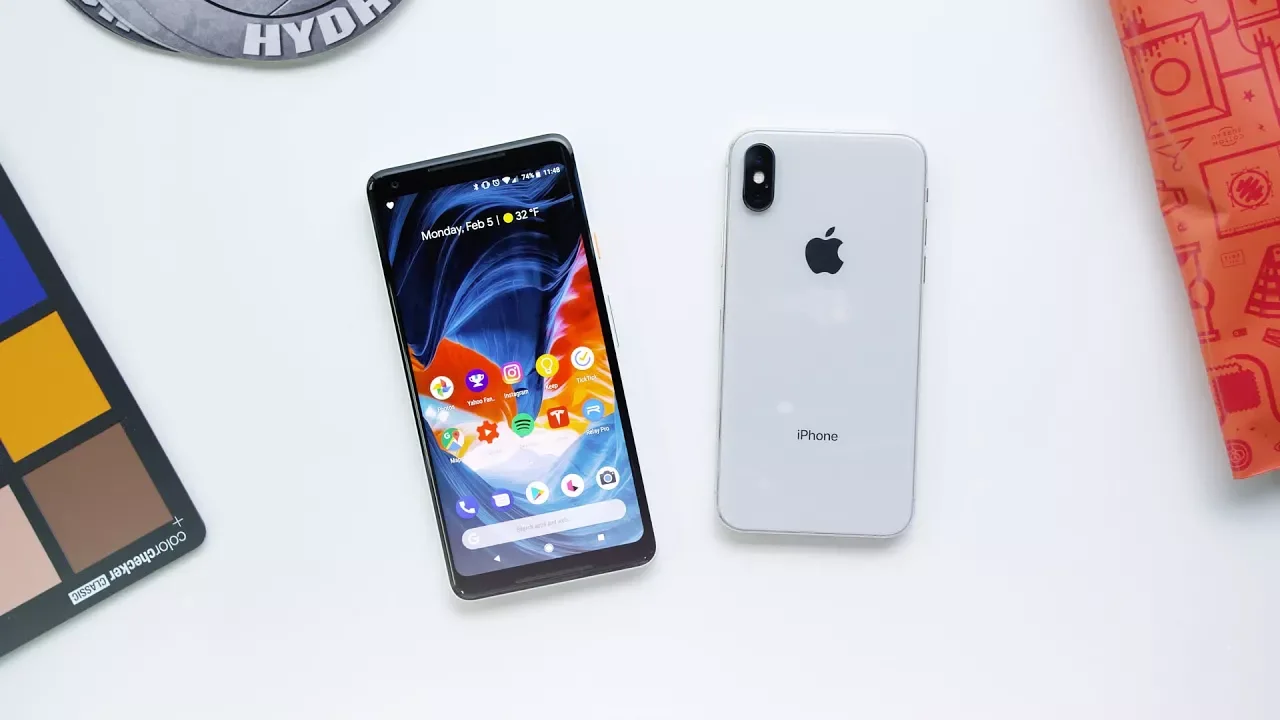
In this 2018 edition of Whats On My Phone, Marques Brownlee walks through his daily smartphone setup and explains why his arrangement stays largely consistent year to year. He notes that he frequently switches phones but keeps a stable workflow because Google handles most of the migration, letting him land into a familiar environment quickly. The first phone he carries is the Google Pixel 2 XL, which he praises for its core strengths, while his secondary daily driver is the iPhone 10 in silver for iOS‑only apps and camera features like Snapchat and Instagram live. He shows his wallpaper, explains his preference for the Google launcher, and discusses the balance between stock launcher features and third‑party apps like Nova Launcher as it gradually integrates with stock features. On the second screen, he highlights a full calendar widget that’s visually appealing though buggy on Android 8.0, and he talks about the tweaks he makes to keep the widget readable with his current wallpaper. The third screen is all about frequently used shortcuts,wallet, passes, weather, and travel tools,followed by a bottom app dock with essentials like YouTube, Google Photos, Maps, and social apps. He finishes with a broad tour of the remaining apps on his device, touching on weather accuracy, transit helpers like Waze, smart home controls, and ongoing experiments with Reddit and podcast apps, while inviting viewers to share suggestions and link to related setup resources. Overall, the video blends practical setup tips with a candid note that his configuration is stable for now, inviting viewers to compare their own homescreens and consider what works best for a productive daily routine. The video also functions as a snapshot of smartphone culture in 2018, illustrating the entrenchment of dual‑phone lifestyles, the enduring appeal of widgets and calendar views, and the ongoing tension between Google Now cards and user control. Marques reflects on the importance of keeping a clean, fast setup that minimizes friction when switching devices, and he emphasizes the role of apps like Pocket Casts, YouTube Studio, and Relay Pro in managing content creation and communities. Throughout, he invites engagement by asking for podcast recommendations, sharing links to wallpaper and gear, and noting that his setup will likely remain similar next year unless a major change occurs. The narrative is practical, measured, and oriented toward helping viewers optimize their own phones for daily tasks, media consumption, and social connectivity, while acknowledging minor platform quirks and the realities of evolving Android and iOS ecosystems.
Topics · technology · mobile · apps · gadgets · lifestyle · productivity
Questions answered
- What motivates Marques to keep a two‑phone setup in 2018, and how does he manage migrations between devices?
- He explains that Google handles a lot of the migration and that he streamlines the setup so it remains nearly the same each time, making it efficient to switch phones.
- Which apps does Marques rely on for day to day productivity on both phones?
- He uses Google Keep for lists, a task manager (TikTok) for workflow, YouTube Studio for channel management, and Pocket Casts for podcasts, among others.