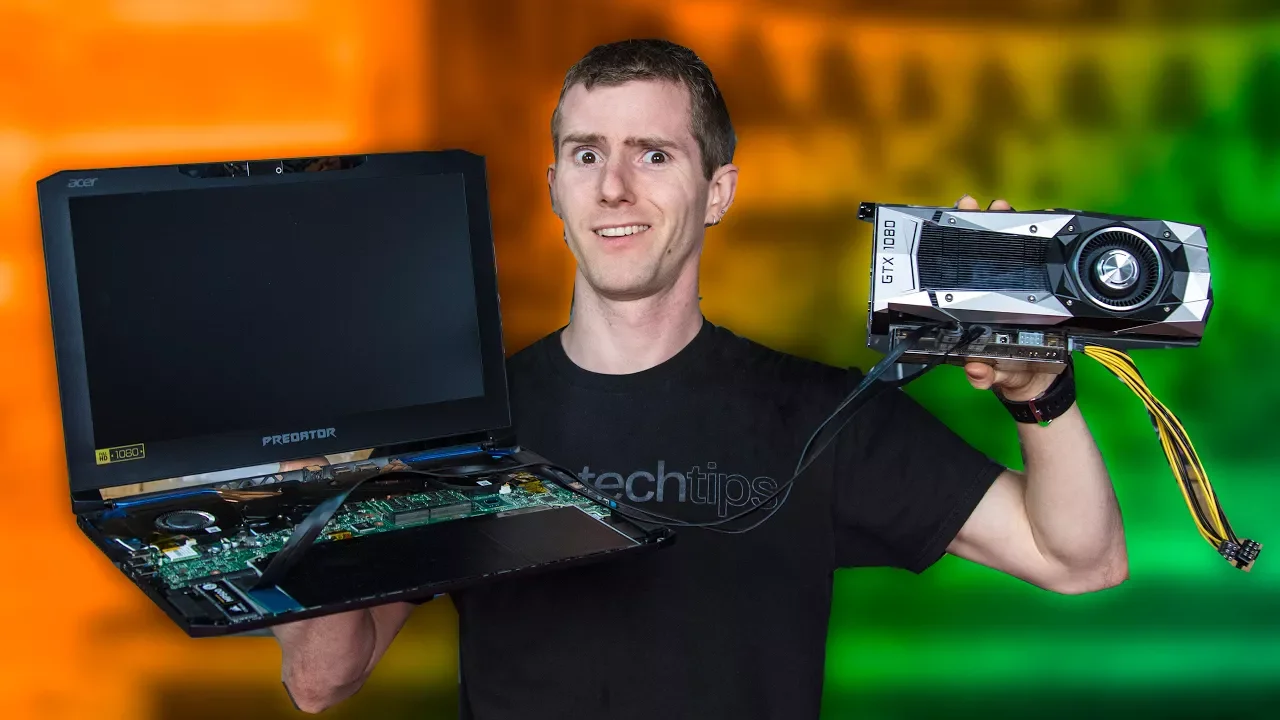
Put a Desktop GPU in a LAPTOP… The CHEAP WAY!
0 up · 0 down · 0 ratings
Promos
Buy CORSAIR's K63 Wireless Keyboard on Amazon at geni.us Buy CORSAIR's MM1000 Qi Wireless Charging Mouse Pad on Amazon at geni.us Buy CORSAIR's Dark Core SE Wireless Mouse on Amazon at geni.us Sign up for Private Internet Access VPN at privateinternetaccess.com Fans of the EXP GDC have been asking us to do a video on it for years. We hadn’t up until this point because the user experience was kind of terrible. It still is. Buy a Gigabyte Gaming Box On Amazon: geni.us On Newegg: geni.us Discuss on our forum: linustechtips.com Our Affiliates, Referral Programs, and Sponsors: linustechtips.com Linus Tech Tips merchandise at designbyhumans.com Linus Tech Tips posters at crowdmade.com Our production gear: geni.us Get LTX 2018 tickets at ltxexpo.com Twitter - twitter.com Facebook - @LinusTech Instagram - @linustech Twitch - twitch.tv Intro Screen Music Credit: Title: Laszlo - Supernova Video Link: youtube.com iTunes Download Link: itunes.apple.com Artist Link: soundcloud.com Outro Screen Music Credit: Approaching Nirvana - Sugar High youtube.com Sound effects provided by freesfx.co.uk
The video opens by framing the problem that external graphics enclosures are meant to solve: turning a light, portable laptop into a surprisingly capable gaming rig using a desktop GPU. The host introduces the EXP GDC, also known as the Beast, as a cheap and dirty method to boost a laptop's gaming power, and explains the motivation behind revisiting this approach after years of less appealing iterations. They explain how NVMe based implementations can offer more PCIe lanes and potentially allow both a fast boot drive and an external GPU, while aiming to outperform certain Thunderbolt 3 enclosures at a lower cost. The testing setup uses a powerful desktop (a GTX 1080) connected via the Beast to an external laptop, with the goal of identifying bottlenecks and evaluating which interfaces truly limit performance. Throughout the early portion, they compare results to an internal GPU and a Thunderbolt-based path, noting that in CPU-bound games like CS:GO the FPS remains similar across configurations. The host questions the practical utility of such a setup, especially for newer laptops, and considers whether upgrading an older machine with an NVMe slot and a mid-range GPU could be a cost-effective alternative. They also acknowledge the real-world drawbacks: the need for a custom BIOS, potential warranty voids, and the niche nature of this solution for most users. The video then pivots to the broader context, offering a tease about Corsair products and the intent to inform viewers about the limitations and potential of the DIY approach, culminating in a candid closing that invites viewers to subscribe and explore related gear. The overall takeaway is that while the Beast can approach a high-end gaming experience in certain situations, it remains impractical and unreliable for the average user, highlighting compatibility, firmware, and warranty concerns that confine it to a niche set of edge cases.
Topics · technology · hardware · gaming · laptops · pc_performance
Questions answered
- What is the EXP GDC Beast and why is it considered a cheap solution for upgrading a laptop's gaming performance?
- The EXP GDC Beast is a DIY external GPU setup that connects a desktop GPU to a laptop through PCIe, intended as a low-cost way to boost gaming power compared to expensive commercial eGPU enclosures. It leverages additional PCIe lanes from NVMe configurations and aims to bypass some of the overhead of Thunderbolt by using a direct PCIe connection, at the cost of complex wiring, potential signal degradation, and firmware limitations.
- What are the main barriers to making the Beast work reliably in laptops, according to the video?
- The main barriers are the need for custom BIOS or firmware changes, potential PCIe hot-swap or RAID settings, signal integrity issues over longer PCIe paths, lack of documentation, and the high risk of voiding warranties. Additionally, compatibility is highly variable across laptop models, and many setups require trial and error without guaranteed results.