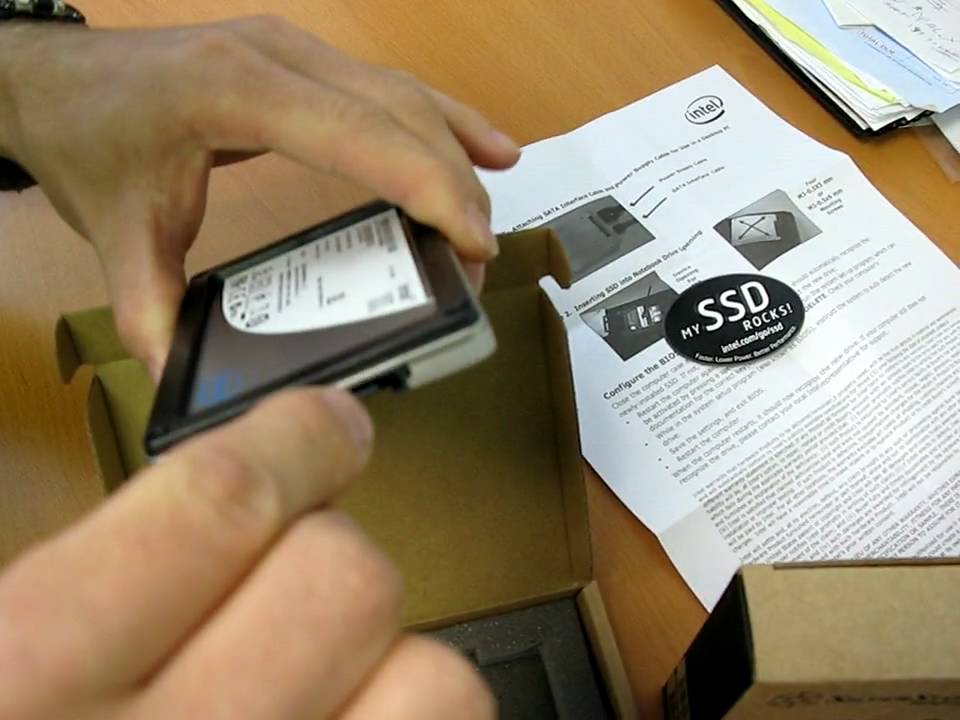
Intel X25-M G2 80GB Postville SSD Solid State Drive Unboxing Linus Tech Tips
0 up · 0 down · 0 ratings
Description
Today I'll unbox the hottest SSD on the market right now. The new "generation 2" model of the Intel X25-M. I'll also show you the adapter you need to mount it in your case
This video is Linus Tech Tips unboxing the Intel X25-M G2 80GB Postville SSD, highlighting its revised Gen 2 design and improved affordability compared to the original Gen 1. The host walks through the unboxing experience, noting new packaging, the anti-static precautions, and the difference in appearance with the black and silver Gen 2 body versus the earlier model. He demonstrates the drive’s form factor, showing how the included adapter ring can be removed to fit either a slim slot or a standard 2.5 inch bay, making it compatible with both notebooks and desktops. A Silverstone SDP08 adapter is showcased as a robust, steel-construction solution that allows mounting two SSDs in the space typically allocated for one hard drive. The video then covers practical installation steps, including the use of standard SATA power and data cables for desktops, and touches on mounting considerations in cases and adapters. Finally, the Gen 2 SSD is celebrated for its TRIM support, which optimizes performance when used with Windows 7, ensuring the drive maintains peak performance through ongoing data cleanups. The host teases further discussion and thanks viewers for checking out the unboxing, underscoring the Gen 2’s balance of speed, cost, and installability for early SSD enthusiasts.
Topics · Technology · Hardware · Storage · Unboxing · Computing
Questions answered
- What makes the Intel X25-M Gen 2 different from Gen 1?
- Gen 2 is a touch faster and more affordable to manufacture, with a revised black and silver casing and updated adapter options for easier installation.
- Can this SSD be used in a desktop, notebook, or both?
- Yes, it uses a standard SATA power and data interface, and an adapter (such as the Silverstone SDP08) enables mounting in larger desktop bays or two SSDs in a single 3.5 inch bay.