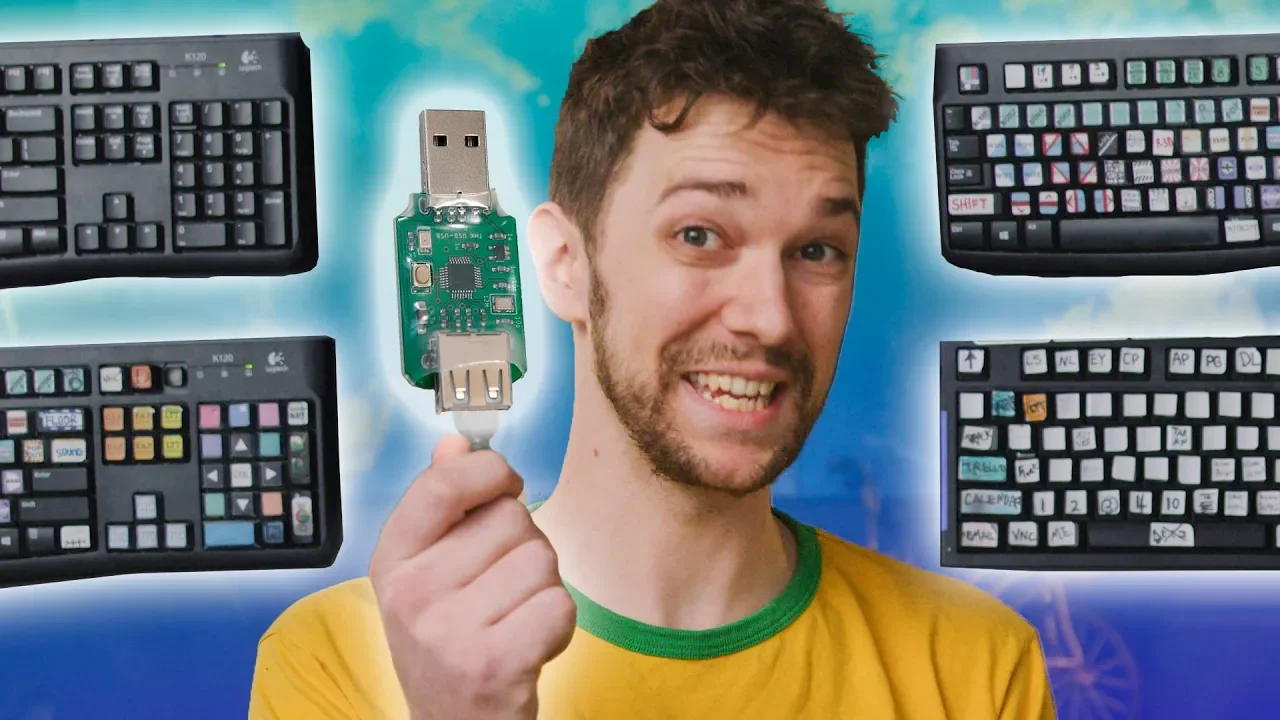
Can your Keyboard do THIS?? - Make ANY key a MACRO!
0 up · 0 down · 0 ratings
Promos
Lower your phone bill at linus.ting.com and get $25 in Ting credit or $25 off a new phone in the Ting Shop. Get iFixit's Marlin Screwdriver set today for only $24.99 USD at ifixit.com Buy keyboards on Amazon: lmg.gg Discuss on the forum: linustechtips.com —CORSAIR iCUE METHOD— K55 RGB: corsair.com Github: github.com Tutorial video: youtu.be —RAZER SYNAPSE METHOD— Cyonosa Chroma: razer.com Github: github.com Tutorial video: youtu.be —HASU USB CONVERTER METHOD— Converter: 1upkeyboards.com K120: (But any cheap keyboard will work) logitech.com Github: github.com If you wish to create your own .hex file, here is the video tutorial for that: youtu.be —FOR THIS VIDEO— If you want to use a .hex file that I (and Zuk) have already created for you, I recommend this one: github.com Download, install, and run QMK toolbox: qmk.fm Use it to flash the .hex file onto your converter, as shown in this video. If that doesn't work for you, try following this alternative guide for flashing your .hex file: github.com Download the AutoHotKey installer: autohotkey.com Then, download this AutoHotkey script by clicking RAW, and CTRL S to save. (Delete the little .txt if it appears!) github.com Create this folder structure, and save it here: C:\AHK\2nd-keyboard\HASU_USB\QMK_F24_macro_keyboard.ahk Now, double-click on it to get it running. A friendly icon should appear in your taskbar. Boop! Now, try typing into a text document. Instead of text, you should be seeing tooltips. Perfect! Now you can replace those with your own functions, and calls to those functions. It’s all normal AutoHotKey scripting from this point on. TUTORIAL IF YOU ARE NEW TO AUTOHOTKEY: autohotkey.com — VARIOUS LINKS: Full list of all scan codes, virtual keys, and the key replacements/substitutions I made for modifier keys, etc: docs.google.com Converting a Model M using a teensey: blog.lmorchard.com ——————————————————————————— Our Affiliates, Referral Programs, and Sponsors: linustechtips.com Get Private Internet Access today at geni.us Linus Tech Tips merchandise at lttstore.com Linus Tech Tips posters at crowdmade.com Our Test Benches on Amazon: amazon.com Our production gear: geni.us Twitter - twitter.com Facebook - @LinusTech Instagram - @linustech Twitch - twitch.tv Intro Screen Music Credit: Title: Laszlo - Supernova Video Link: youtube.com iTunes Download Link: itunes.apple.com Artist Link: soundcloud.com Outro Screen Music Credit: Approaching Nirvana - Sugar High youtube.com
This video introduces the Hasu USB to USB converter, a device that lets almost any USB keyboard be transformed into a fully programmable keyboard using TMK or QMK firmware. The host demonstrates the core idea: mapping every key to macros or custom functions, effectively turning a standard keyboard into a dedicated macro panel. Early in the video, the presenter highlights practical use cases, showing dedicated macro keys for project management tasks like viewing a production calendar, opening a graphics folder, switching software tools, and inserting specific sounds. He discusses tradeoffs, noting that a single layered layout with labeled keys can boost speed and accuracy, though it requires more physical space. The host also addresses common questions about why someone would want multiple macro layers versus a single keyboard, arguing that a well-organized setup can be faster for specialized workflows, such as video editing or game development. The tone blends practical guidance with a sense of playful enthusiasm, setting up the comparison of several hardware routes to achieve macro capability. By the end of this section, the video positions the Hasu converter as a cost-effective gateway to TMK/QMK-powered macros, with quick notes on compatibility and setup considerations.
Topics · technology · tutorials · diy · computing · gadgets
Questions answered
- What is the Hasu USB converter used for?
- It is a USB to USB converter that enables almost any USB keyboard to be flashed with TMK or QMK firmware to turn it into a programmable macro keyboard.
- Why would someone want multiple macro layers on a keyboard rather than just one?
- Multiple macro layers can keep controls organized and labeled for fast, accurate access in complex workflows, such as video editing or gaming, where many shortcuts exist.
- What software and steps are needed to get a Hasu-based setup working?
- You flash a hex file with QMK Toolbox, optionally use Linux for firmware setup, and then can use AutoHotKey to extend macros and functions beyond what QMK alone offers.