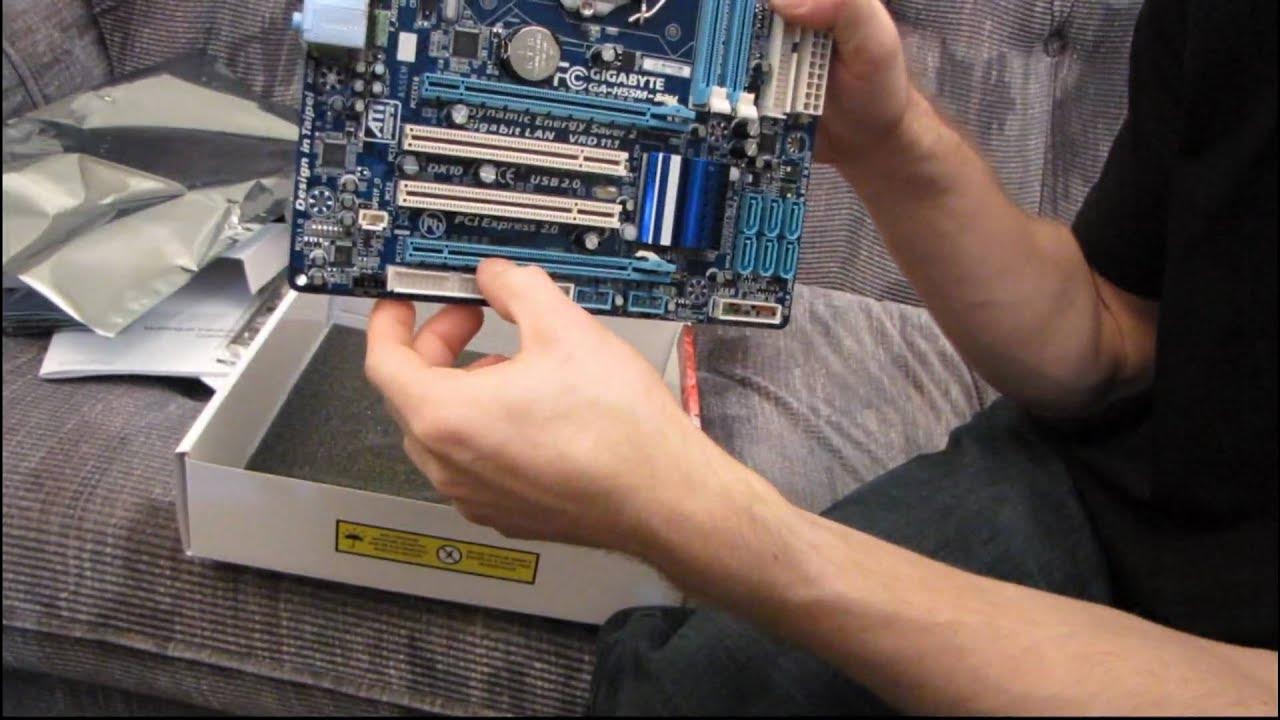
Gigabyte H55M-S2H H55 Core i3 LGA1156 DDR3 Motherboard Unboxing & First Look Linus Tech Tips
0 up · 0 down · 0 ratings
Description
Having a look at my first H55 board. This is quite a basic one and cuts off a lot of the "unnecessary" features, but even some that I would consider necessary like 4 DIMM slots. That's the price you pay with a basic board, but despite lacking in features, this H55 board has all of the performance of its big brother.
The video provides a concise unboxing and first look at the Gigabyte H55M S2H motherboard, emphasizing its positioning as a compact, budget-friendly LGA1156 board. The host walks through the packaging contents, noting the user manual, Windows 7 driver DVD, a Smart 6 utility disk, an installation guide, an IDE cable, two SATA cables, and the IO shield, while explaining that Gigabyte recommends downloading drivers from their site rather than using the included DVD due to mismatches in listed features. The motherboard itself is described as microATX and low-end, with a Core i3 or Core i5 dual-core requirement for onboard video, since the video outputs are CPU-based rather than chipset-based. The unboxing continues with a guided tour of the board’s layout: PCIe x16 slot wired as PCIe 4x, a non-crossfire friendly configuration, two DDR3 DIMM slots supporting up to 8 GB, modest power delivery with a 4-pin CPU power connector, and standard rear I/O including PS/2, eight USB 2.0 ports, and VGA, DVI, and HDMI outputs that are non-functional unless a compatible CPU with integrated graphics is used. The host reinforces that this board is designed for basic, cost-conscious builds and HTPC-lite configurations, acknowledging its lack of USB 3.0, PCIe 3.0, and higher-end features. Overall, the video blends functional hardware commentary with practical caveats about performance expectations, power consumption considerations, and the realities of modernizing a budget motherboard for today’s standards. The result is a useful snapshot of a debut H55 board, highlighting both its capabilities and its notable constraints for potential buyers or builders evaluating entry-level LGA1156 options.
Topics · Technology · Hardware · Unboxing · Motherboard · PC Building · Computing Hardware
Questions answered
- What are the key limitations of the Gigabyte H55M S2H for high-end gaming builds?
- The board has a PCIe x16 slot wired as 4x, no USB 3.0, no SATA 3, and only two DDR3 slots for a maximum of 8 GB, plus onboard video depends on a compatible CPU with integrated graphics.
- Why are the onboard video outputs described as dead in this motherboard review?
- Because the onboard video is provided by the CPU, not the chipset, so outputs like HDMI, DVI, and VGA only function if the CPU has integrated graphics that support them.
- What should a buyer download instead of using the included driver DVD?
- Gigabyte recommends downloading the latest drivers from their website rather than using the driver DVD because the DVD contains outdated or non-applicable items.