Sandy Bridge Chipset Issue - How to Avoid Damaging Your Motherboard Linus Tech Tips
0 up · 0 down · 0 ratings
Description
I explain the recent recall on P67 & H67 motherboards and explain some of the steps you can take to avoid premature failure of the SATA controller on your board.
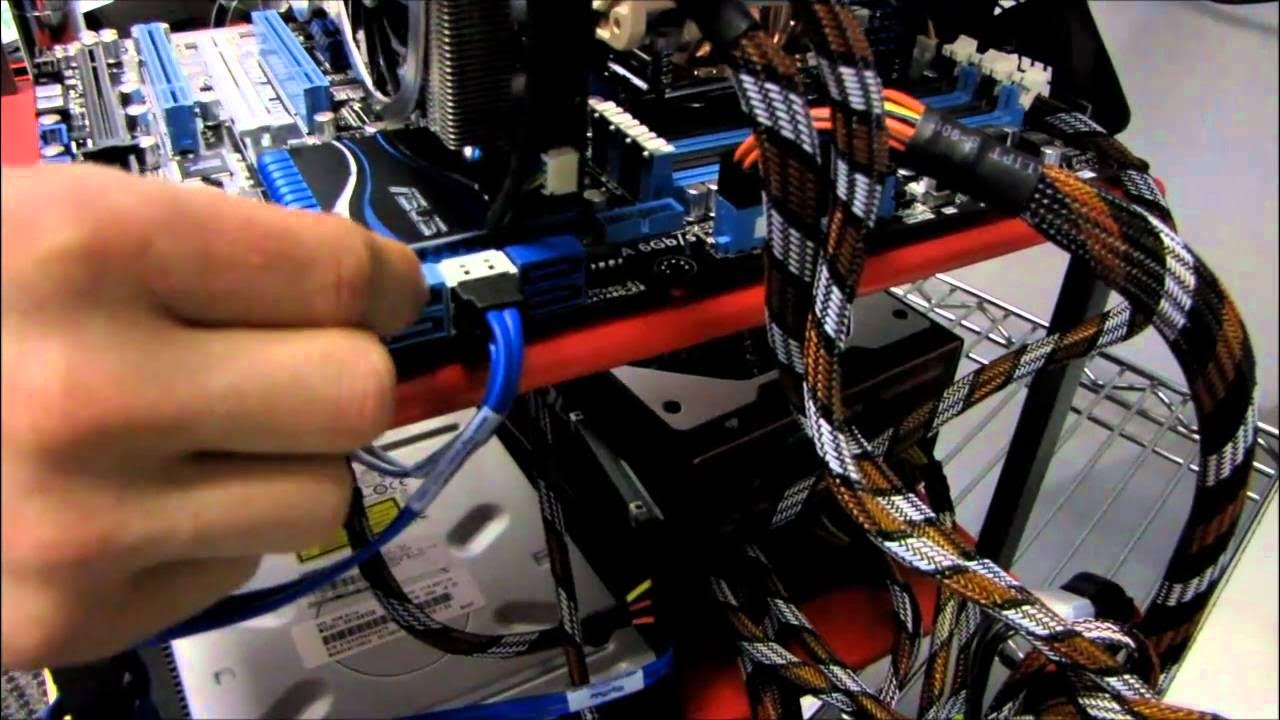
This video provides a concise explanation of the Intel Sandy Bridge chipset issue affecting the P67 and H67 motherboards, focusing on how the SATA ports can degrade over time and potentially fail. The host demonstrates a practical workaround: identify the SATA ports that connect directly to the chipset and reassign drives so that critical devices like a solid-state drive or hard drive use the 6 Gbit/s SATA ports, while less critical peripherals such as optical drives can be moved to the slower ports. He emphasizes consulting the motherboard manual to locate internal IO connectors and how to map devices to the appropriate ports, then shows a concrete example of rearranging two SATA drives away from the affected ports. The guidance includes Intel’s recommendation to minimize heavy use of the SATA 2 3 Gbit/s ports, and suggests using SATA 3 Gbit/s ports for primary storage to reduce the risk of data corruption or loss during the transition period. The video frames the situation as a temporary measure while replacement boards with fixed hardware become available, and advises viewers to consider long-term options like RMA or waiting for the updated hardware. Overall, the host’s steps are presented as practical, non-destructive actions to protect data and maintain system operation during the Sandy Bridge recall window, with a closing reminder to subscribe for more updates.
Topics · technology · hardware · computer_hardware · motherboards · storage
Questions answered
- What should I do to protect my SATA drives on a P67 or H67 motherboard during the Sandy Bridge issue?
- Reassign drives to the 6 Gbit/s ports that connect to the chipset if possible, and move non-critical devices like optical drives to the slower SATA II ports. Check your motherboard manual to locate the correct internal ports and swap connections accordingly to minimize risk until replacement boards become available.