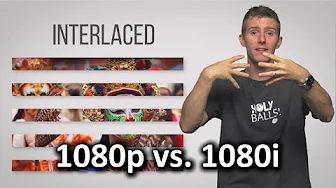
Interlaced vs. Progressive Scan - 1080i vs. 1080p
0 up · 0 down · 0 ratings
Description
What's the difference between 1080i and 1080p? Does it actually matter? TunnelBear message: TunnelBear is the easy-to-use VPN app for mobile and desktop. Visit tunnelbear.com to try it free and save 10% when you sign up for unlimited TunnelBear data. Follow: twitter.com Join the community: linustechtips.com License for animation used: creativecommons.org
Interlaced vs Progressive Scan explains the historical and technical differences between 1080i and 1080p, focusing on how each format renders images and why one might be preferred over the other in different contexts. The video begins by decoding what the letters in 1080i and 1080p stand for, with progressive scan meaning that each frame is drawn in full, and interlaced scan meaning only alternate lines are drawn in each frame. It then delves into the reason interlacing existed, primarily to save bandwidth on older broadcast systems, allowing for smoother perceived motion by delivering half frames more frequently. The presenter explains deinterlacing at the receiver, including how frames can be composed from two slightly different halves, which can lead to imperfect alignment and artifacts on lower quality displays. The discussion covers practical impacts, such as motion handling in sports broadcasting where 720p is sometimes chosen for better movement at the expense of resolution, and notes that modern LCD/TVs are typically progressive and that PC hardware can output true 1080p without interlacing. The video also touches on consumer considerations, including the varying quality of set-top boxes, the cost of upgrading broadcasting infrastructure, and the observations that many viewers still rely on 1080i while PCs and some networks push toward higher fidelity formats, with a final nod to using PCs for high quality, unfettered 1080p streaming and gaming. Overall, the piece balances the historical rationale for interlacing with contemporary realities and highlights practical tips for viewers who want to optimize their setup. It concludes by noting that while 1080p at 60 frames per second over cable remains unlikely soon, upgrades for PC-based viewing offer a path to higher quality experiences due to the capabilities of modern hardware.
Topics · technology · video technology · display technology · science and engineering
Questions answered
- What do the I and P in 1080i and 1080p stand for?
- I stands for interlaced, meaning only every other line is shown per frame, while P stands for progressive, where all lines are drawn in each frame.
- Why was interlacing used historically?
- Interlacing saved bandwidth, allowing transmission of video on limited broadcast channels while maintaining smoother motion by delivering half frames more frequently.