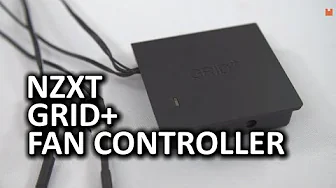
NZXT GRID+ Fan Controller
0 up · 0 down · 0 ratings
Promos
My review of the GRID+ fan controller from NZXT is here. The original Grid was functional, but it lacked some key features - does the GRID+ provide them? ASUS & Acer Deals: bit.ly Intel NerdHQ Forum Page: linustechtips.com Giveaway Terms: bit.ly Sponsor link: linustechtips.com Pricing & discussion: linustechtips.com Support us: linustechtips.com Join our community forum: bit.ly twitter.com @LinusTech Intro Screen Music Credit: Adhesive Wombat -
Channels and socials
Check out his channel here: youtube.com Outro Screen Music Credit: Approaching Nirvana - Sugar High youtube.com
The NZXT GRID+ Fan Controller video provides a detailed look at NZXT's CAM-enabled fan controller designed to improve on the original Grid by offering DC fan control in addition to power management. The presenter walks through the physical layout, noting the white top power LED, the six side mounted headers, and the USB input alongside a power jack. He describes what comes in the box, including a micro USB to internal header cable, a MOX 2 power cable, zip ties, a dual lock mounting square, and SLY cables that allow mixed four-pin and three-pin fans to run from a single power port. The reviewer then explains setup steps: connect USB, attach the Molex power, and hook up all fans, followed by downloading and using NZXT CAM software to configure fan curves. Key features highlighted include the default fan profiles, manual mode, and the ability to create a custom curve with a clear interface that shows precise percentage values. While praising the clarity of the right-side fan monitoring panel and the ability to see voltage and RPM in real time, the reviewer also notes some limitations, such as the 5 percent increment steps and non-smooth ramping in the custom curves. The CAM software integration is described as visually appealing and straightforward, though it is pointed out that the app can be a bit heavy for some users and the lack of per-fan individual profiles may be a trade-off for others. The video closes with a call to action, linking to promotions and support options while underscoring the product's potential usefulness for case builders and cooling enthusiasts. Overall, the review emphasizes that GRID+ adds valuable DC control, improves wiring cleanliness, and integrates with CAM for software-driven management, while also noting practical constraints and user experience considerations for fans and curves set ups.
Topics · computer-hardware · pc-cooling · hardware-review · pc-components · peripheral-accessories
Questions answered
- What makes the GRID+ different from the original Grid?
- GRID+ adds DC fan control and CAM software integration, enabling software-based fan speed management and more versatile cooling options compared to the original grid.
- Can I set different fan speeds for individual fans?
- No, the current CAM-based setup uses a single custom profile that applies to all fans connected to GRID+.