Expectations When Purchasing a Video Card - GPU Boost Investigated Part 1
0 up · 0 down · 0 ratings
Channels and socials
Checking out many new video cards, Luke noticed that the advertised clock speeds often didn't reflect real world performance. Then he decided to go deeper... Dollar Shave Club link: dollarshaveclub.com Logitech link: linustechtips.com Pricing & discussion: linustechtips.com Support us: linustechtips.com Join our community forum: bit.ly twitter.com @LinusTech Intro Screen Music Credit: Title: Laszlo - Supernova Video Link: youtube.com iTunes Download Link: itunes.apple.com Artist Link: soundcloud.com Outro Screen Music Credit: Approaching Nirvana - Sugar High youtube.com
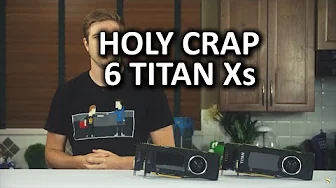
Expectations When Purchasing a Video Card - GPU Boost Investigated Part 1 dives into the discrepancy between advertised clock speeds and real-world performance. The video begins by framing GPU Boost as an automatic overclocking assistant that can push clock speeds higher when an application would benefit, without user intervention, provided the system has enough headroom for heat and power. The host explains that the advertised base and boost clocks do not reliably represent actual performance, and that GPU Boost 2.0 is intended to optimize frame rates by dynamically adjusting core and memory clocks. Throughout the early sections, the host emphasizes that boosts occur even when users are not tweaking settings, and that the practical impact depends on thermal and power limits. The discussion then shifts toward empirical testing, where multiple Nvidia Titan X cards are evaluated to observe actual boost behavior in real-world scenarios, including how often boosts exceed the advertised values and how thermal walls constrain maximum clocks. The core findings reveal that even the lowest observed boost during testing exceeded the advertised baseline, with average clock speeds often higher than intended. The host notes that the highest average fluctuations surpassed the advertised boost by tens of megahertz, while all tested cards eventually hit thermal limits around 83 degrees Celsius under load. Although the results showed meaningful automatic increases, the thermal constraint prevented running hotter cards from delivering unlimited gains, and the tests deliberately used stock configurations to measure GPU Boost performance without manual tuning. The video also documents the experimental setup, including six Titan X GPUs and a connected test rig, while acknowledging that future videos could explore variations such as different coolers or more aggressive overclocking. Viewers are invited to indicate interest through likes to motivate deeper examinations, and the host teases related topics like comparing GPU Boost with manual overclocking and the effect of voltage adjustments. The segment ends with brief mentions of sponsorships and calls-to-action, transitioning to suggestions for further watchable content and community resources.
Topics · science and technology · computer hardware · gpu technology · benchmarking · overclocking · consumers electronics
Questions answered
- What is GPU Boost 2.0 supposed to do for a graphics card?
- GPU Boost 2.0 is designed to automatically detect when additional graphics performance can be utilized and raise clock speeds accordingly, within the card's thermal and power limits, without user intervention.
- Do advertised boost clocks reflect the actual performance observed in games?
- Not consistently; the video shows that actual boost speeds can exceed or differ from advertised clocks, and real-world performance depends on thermal headroom and workload.
- What were the key findings from the Titan X testing in this video?
- Across six Titan X cards, the lowest observed boost was still faster than the Nvidia advertised boost for some models, while the highest averages exceeded the advertised boost, with all cards hitting a thermal wall around 83 degrees Celsius under load.
- What future experiments does the host mention regarding GPU Boost?
- The host mentions exploring different cooling solutions, aftermarket coolers, and comparing GPU Boost automatic performance with manual overclocking to see which yields larger gains.