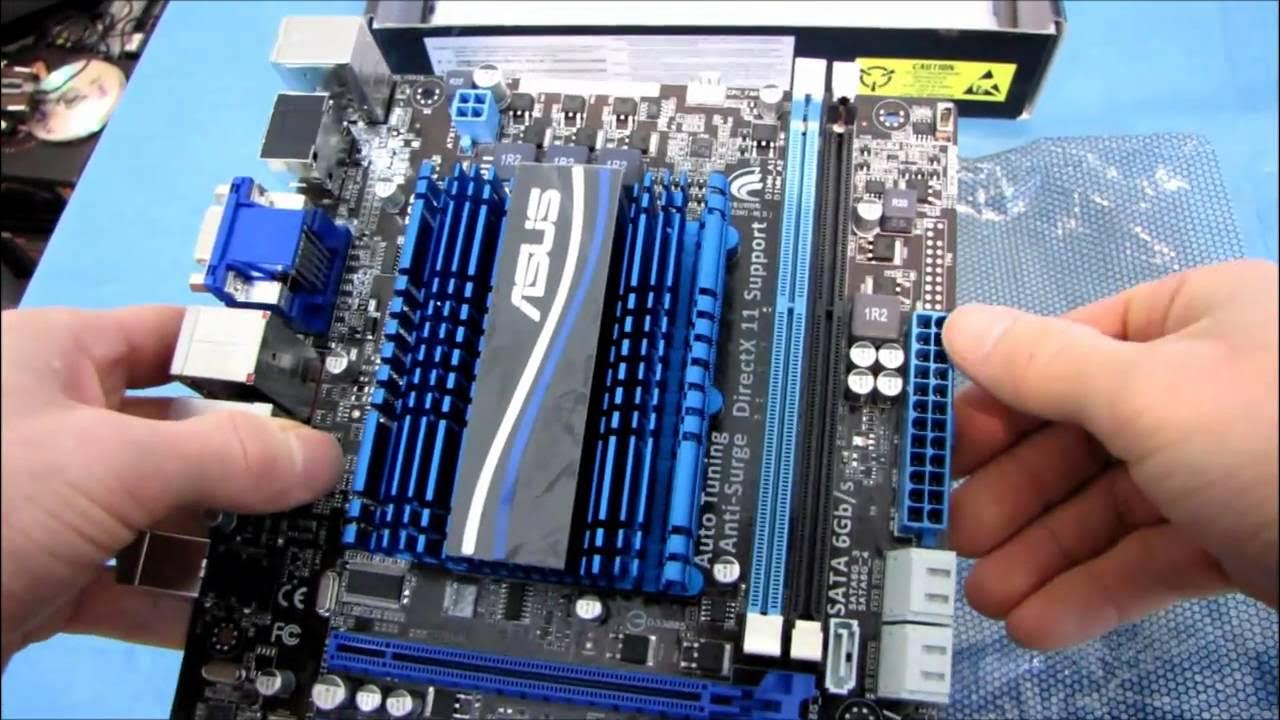
ASUS E35M1-M E-350 AMD Fusion mATX Motherboard Unboxing & First Look Linus Tech Tips
0 up · 0 down · 0 ratings
Description
ncix.com AMD Fusion products are flooding onto the market. Here's an interesting one because it's an all-in-one, but also includes more expansion options than most because of the mATX form factor
The video presents an unboxing and first look at the ASUS E35M1-M PRO, an AMD Fusion micro ATX motherboard. Linus breaks down the packaging contents, including two SATA 3 cables, an IO shield, a driver DVD, and an Asus sticker, then lifts the motherboard from the box to discuss its overall form factor and layout. He notes that the board is a Micro ATX design with a longer, pieced-together profile compared to typical mATX boards, and points out that the CPU is pre-soldered onto the PCB with a passive heatsink that features a distinctive, finned design. The commentary covers the Protect 3.0 feature set, which is pitched as eco-friendly and protective, including over-voltage surge protection and a low-radiation design claim, followed by mention of integrated features like SATA 6 Gbps, USB 3, and an accompanying Asus software suite called AI Suite 2, as well as EFI BIOS for system setup. Linus then inventories the rear I/O and expansion options, highlighting four PCIe slots, despite the board’s compact size, and discusses the power delivery arrangement including a four-pin CPU power connector and a five-SATA-port layout that seems to one-off the typical six or seven ports found on larger boards, which affects potential storage configurations. The host walks through the motherboard's visible components, including DDR3 memory slots, a turbo key area, and a five-port SATA trio, and explains practical usage scenarios such as home servers or HTPC builds, noting the availability of HDMI, DVI, VGA, and optical audio outputs along with gigabit Ethernet and FireWire on the back panel. The video concludes with a reminder about the board being an APU solution combining CPU and GPU, and encourages viewers to subscribe for more unboxings, reviews, and related Linus Tech Tips content.
Topics · Technology · Hardware · Unboxing · PC_BUILDING · Motherboard · AMD · Fusion · APU
Questions answered
- What is the ASUS E35M1-M PRO primarily designed for?
- It is an AMD Fusion mATX motherboard designed for compact systems with integrated CPU and GPU, offering multiple expansion options and SATA/USB 3 support.
- What storage and I/O options does the board provide?
- The board includes five SATA 6 Gbps ports, HDMI, DVI, VGA, optical audio, gigabit Ethernet, two USB 3.0 ports, and a range of legacy and high-speed interfaces on the back panel.