ASUS P8Z77-V Deluxe Z77 Ivy Bridge Motherboard Unboxing & First Look Linus Tech Tips
0 up · 0 down · 0 ratings
Description
CA: ncix.com US: us.ncix.com ASUS' Deluxe boards deliver the bells and whistles that consumers care about like dual band integrated wi-fi, but they might forego things like Thermal Armor, which are usually found on the more gamer oriented boards like the Sabertooth Z77. All of that aside, I would still expect the P8Z77-V Deluxe to kick butt in gaming applications as well!
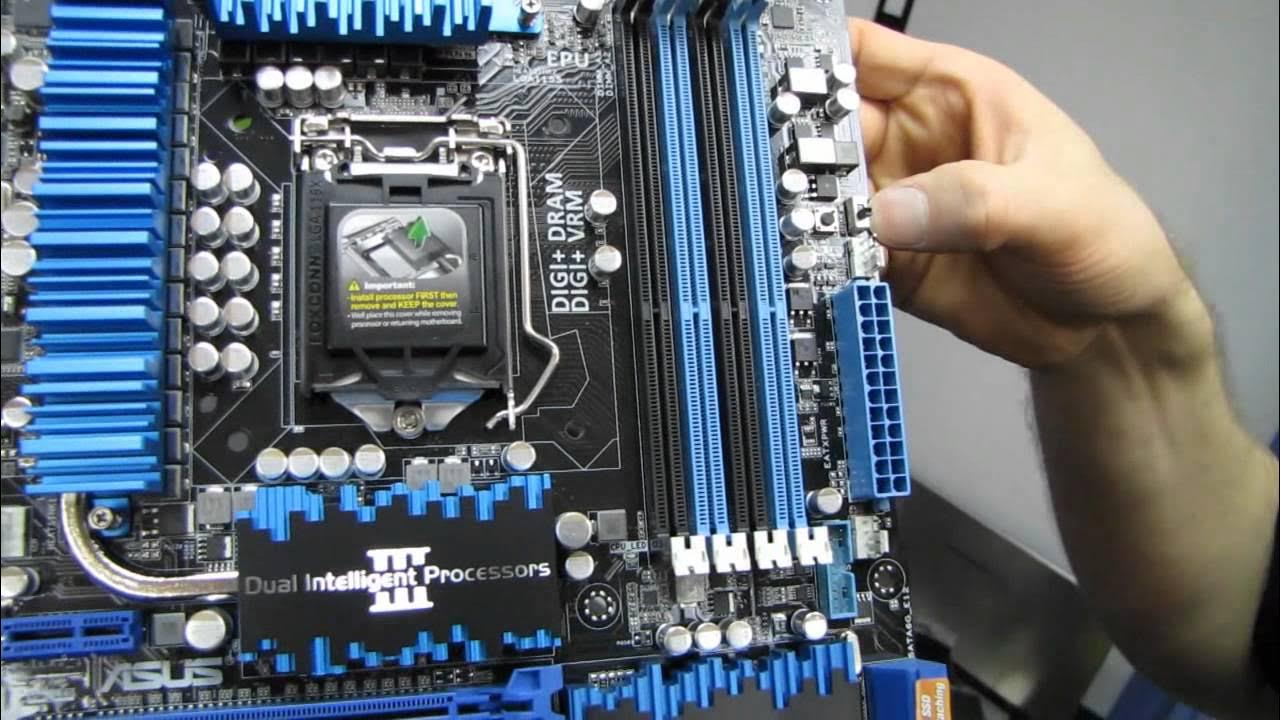
This video presents an unboxing and first look at the ASUS P8Z77-V Deluxe motherboard, focusing on the features that position it as a premium Z77 Ivy Bridge board for mainstream enthusiasts. The host walks through the packaging, included accessories, and the layout of the motherboard itself, highlighting ASUS technologies such as dual intelligent processors, EPU and TPU, and the eighth generation digital power design. He explains how these components aim to balance power efficiency with performance, and notes features like SLI/Crossfire readiness, onboard Wi-Fi and Bluetooth, and fan control capabilities that let users tailor cooling to their preferences. Throughout the presentation, emphasis is placed on how the board manages PCIe lane allocation and dynamic resources to maximize performance, even with multiple PCIe devices installed. The unboxing sequence wraps with a quick tour of ports, headers, and the included extras, giving viewers a sense of what a buyer would receive and how to get started with BIOS updates and driver installation. Overall, the video positions the P8Z77-V Deluxe as a well-rounded option for users who want a feature-rich motherboard without venturing into the more aggressively styled gamer oriented models. In the second segment, the host delves deeper into the technical rationale behind ASUS design choices, such as the digital VRM with adjustable power thresholds and the AI Suite/One Touch OC approach for overclocking. He explains how these controls enable safer, more predictable performance gains, especially for users who want to push their Ivy Bridge CPUs without excessive voltage. The discussion also covers practical use cases for the on board features like Lucid MVP, Smart Response Technology, and the SSD caching options, tying them back to real world benefits like faster boot times and snappier game loading. The video clarifies that while top tier boards exist, the Deluxe hits a balanced niche with consumer friendly features plus robust overclocking headroom. The host wraps by recommending appropriate use cases, reiterating the strengths of onboard Wi-Fi, dual LAN, and the array of ports, while acknowledging that different ASUS lines serve different performance and aesthetic goals. The final portion of the video covers the physical build and I/O layout in more detail, including the VRM cooler design, heat pipes, PCIe lane distribution, the Marvel SSD caching port, and front panel connectivity. The host demonstrates practical setup notes such as the 8 pin and 24 pin power placements and the front USB 3.0 header, along with a reminder about BIOS flashback for recovery without a CPU or memory. He also references the extensive set of included cables and SLI/Crossfire bridging hardware, giving first impressions of how the board feels in terms of build quality and features. The closing moments encourage viewers to subscribe for more unboxings and tech coverage, and reiterate that the P8Z77-V Deluxe stands out for offering a comprehensive feature set in a mainstream-friendly package.
Topics · Technology · Hardware · Reviews · Unboxing · PC Components · Motherboard · Overclocking · Networking
Questions answered
- What makes the ASUS P8Z77-V Deluxe a good value for Ivy Bridge enthusiasts?
- It combines a balanced feature set including dual intelligent processors, onboard Wi‑Fi and Bluetooth, dual LAN, SSD caching options, robust fan controls, and PCIe lane management that supports strong overclocking without resorting to the more extreme gamer oriented boards.
- Can the board handle high end SLI or Crossfire configurations effectively?
- Yes, it is designed to be SLI ready and Crossfire capable, with PCIe lane allocation that supports multiple GPUs while maintaining performance, though the primary performance for high end setups comes from using PCIe slots that are directly connected to the CPU.