Customize Your Monitors
0 up · 0 down · 0 ratings
Description
Thanks to iFixit for sponsoring this video! If you're planning any DIY projects, fixes, or upgrades, be sure to
check out iFixit's community guides at bit.ly Why do we do the things we do? BECAUSE WE CAN, DAMNIT! Buy ASUS VG248 on Amazon: geni.us Discuss on the forum: linustechtips.com
Promos
check out their awesome guides & tools at ifixit.com and use offer code SANDALS to save $5 off any purchase of $10 or more! And
Channels and socials
Check out our Linus Tech Tips posters at crowdmade.com Our Affiliates, Referral Programs, and Sponsors: linustechtips.com twitter.com @LinusTech Intro Screen Music Credit: Title: Laszlo - Supernova Video Link: youtube.com iTunes Download Link: itunes.apple.com Artist Link: soundcloud.com Outro Screen Music Credit: Approaching Nirvana - Sugar High youtube.com Sound effects provided by freesfx.co.uk
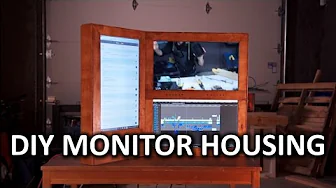
The video begins with a philosophy of hardware modding, arguing that no device is perfect out of the box and that enthusiasts can tailor their gear to personal preferences. It then outlines a step-by-step project: removing LCD panels from three monitors and remounting them into a handmade wooden housing to create a sleek, triple-monitor setup. The host emphasizes careful technique, using the iFixit ProTech kit to avoid warranty issues, and refers to the iFixit community guides for detailed procedures. The initial phase covers disassembly, bezels, and safe bezel removal, including the use of a Jimmy tool to release tricky clips while avoiding damage to the LCD. After extracting the displays, the video documents constructing a custom frame from 2x4s, milling panels for a decorative touch, and mounting the LCDs inside the frame. The assembly continues with mounting brackets, ensuring screws are correctly sized to prevent screen damage, and reattaching the control panels onto the face of the frame. The host then details making the controls accessible and visually cohesive by drilling holes, printing button extensions, and painting them to match the overall brownish hue. The closing sections emphasize the purpose of the project as a demonstration of how iFixit guides can minimize risk during hardware modification, acknowledge Asus for providing monitors, and promote the iFixit guides and tools. The video ends with a nod to the iFixit community as the modern, open-source “Wikipedia of repairs,” and invites viewers to engage with sponsors, guides, and community forums while teasing future related projects. This piece highlights not just the finished product but the ideation, planning, and iterative approach that characterize DIY hardware customization. The second paragraph discusses the reception and practical implications of the project, including how a bezel-free or reduced-bezel multiscreen setup can change a gaming or workstation workspace. It also reinforces the sponsorship and community angle, urging viewers to visit iFixit for guides and tools, and to check Asus monitors used in the project. The host reflects on the balance between innovation and risk, noting the importance of proper mounting, safe disassembly, and the value of community-produced resources. Overall, the video serves as both a tutorial and a proof of concept for bespoke monitor housing, while underscoring the collaborative ecosystem around hardware repair and customization. Finally, the piece closes with calls to action to subscribe, like, visit sponsor pages, and explore related content on the channel as part of a broader DIY tech exploration strategy.
Topics · technology · diy · hardware · guides_tutorials
Questions answered
- Welke gereedschappen zijn essentieel voor het verwijderen van de monitorbehuizingen in deze video?
- De video noemt onder andere een iFixit toolkit, een Jimmy (picks) voor het losmaken van clips, een bekken of schroevendraaier, en zagen voor het op maat maken van het houten frame, aangevuld met 3D-geprinte knopverlengingen.
- Wat is de hoofdreden voor het gebruik van de iFixit community guides in dit project?
- De guides bieden stap-voor-stap instructies en veiligheidsadviezen om schade aan de LCD-schermen te voorkomen en de mod op een gecontroleerde, professionele manier uit te voeren.