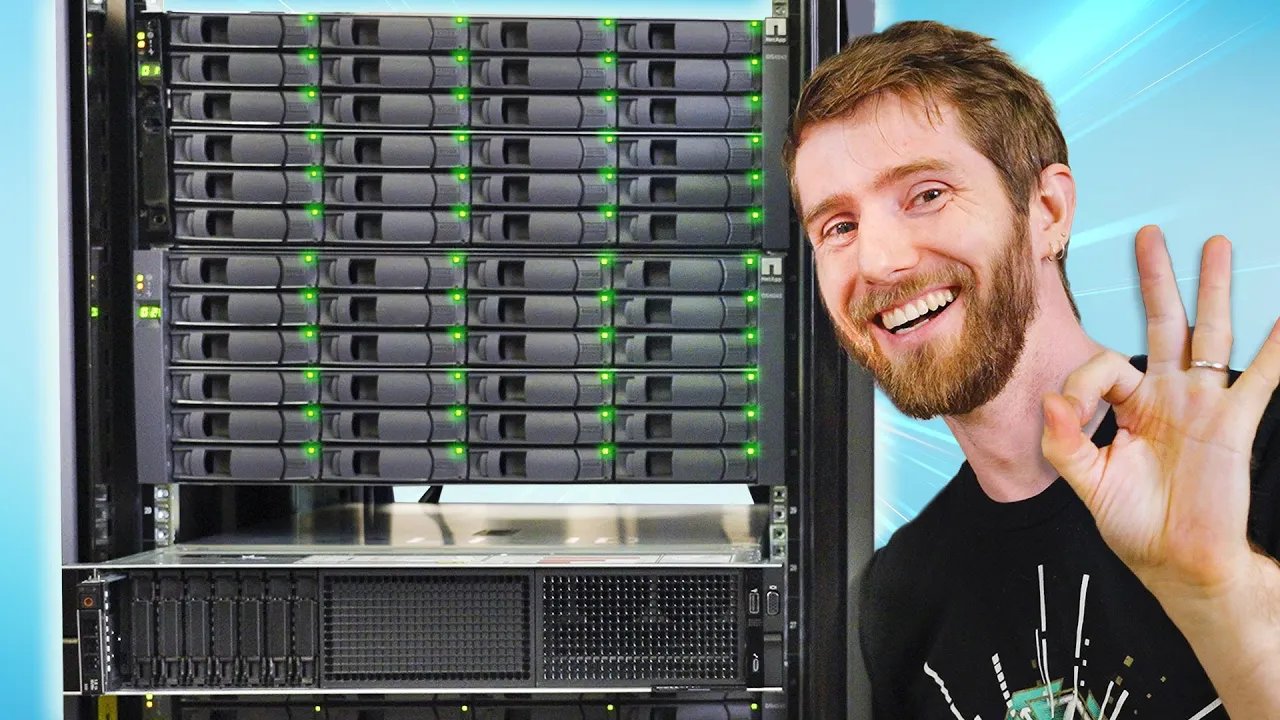
I DIDN'T get scammed on Facebook Marketplace! - NetApp DiskShelves For Your NAS
0 up · 0 down · 0 ratings
Promos
Remove your personal information from the web at joindeleteme.com and use code LTT for 20% off. Build the landing page of your dreams!
Check out Unbounce at lmg.gg and get up to 35% off! We bought a once $100,000 NetApp storage server setup for $1000, except, we never checked if any of it works. Today we find out if we got scammed, how it was intended to work, and how you at home can modify one of these to provide a ton of storage expansion for a NAS or home computer for CHEAP. Discuss on the forum: linustechtips.com Buy a Seagate Exos 20TB HDD: geni.us Buy an External Mini-SAS HD to QSFP Adapter Cable: lmg.gg Buy a StarTech Internal to External Mini-SAS Adapter Card: geni.us Buy NetApp Disk Shelves on eBay: ebay.us Purchases made through some store links may provide some compensation to Linus Media Group. ► GET MERCH: lttstore.com ► LTX 2023 TICKETS AVAILABLE NOW: lmg.gg ► GET EXCLUSIVE CONTENT ON FLOATPLANE: lmg.gg ► SPONSORS, AFFILIATES, AND PARTNERS: lmg.gg ► EQUIPMENT WE USE TO FILM LTT: lmg.gg ► OUR WAN PODCAST GEAR: lmg.gg FOLLOW US --------------------------------------------------- Twitter: twitter.com Facebook: @LinusTech Instagram: @linustech TikTok: @linustech Twitch: twitch.tv MUSIC CREDIT --------------------------------------------------- Intro: Laszlo - Supernova Video Link: youtube.com iTunes Download Link: itunes.apple.com Artist Link: soundcloud.com Outro: Approaching Nirvana - Sugar High Video Link: youtube.com Listen on Spotify: spoti.fi Artist Link: youtube.com Intro animation by MBarek Abdelwassaa @mbarek_abdel Monitor And Keyboard by vadimmihalkevich / CC BY 4.0 geni.us Mechanical RGB Keyboard by BigBrotherECE / CC BY 4.0 geni.us Mouse Gamer free Model By Oscar Creativo / CC BY 4.0 geni.us CHAPTERS --------------------------------------------------- 0:00 Intro 1:12 What we bought 4:36 Trying to set it up NetApp's way 10:59 Booting it up 13:39 Repurposing a DiskShelf for a NAS 16:08 Upgrading to 6 Gigabit SAS (IOM6 Controllers) 19:46 Interposers! 20:41 Calling Wendell 22:14 Use TrueNAS Scale, not Core 25:47 SPEED TESTING!
The video opens with the hosts discovering a rare bargain on Facebook Marketplace, a NetApp storage appliance that originally carried a price tag near $100,000 but is being sold for about $5,000. They quickly acknowledge this is an improbable deal and wonder why the seller wants to unload it, while also considering whether it even works. Early on, they admit they did not power it on before purchasing and debate if it is even worth pursuing, given the hardware age and how NetApp locks its systems to proprietary drives. The hosts then segue into explaining the enterprise architecture of NetApp Disk Shelves, clarifying the roles of the controller, JBOD shelves, and the backplane connections, and discuss high availability, redudant controllers, and why this setup is designed for mission-critical storage. They highlight the tension between the promise of massive capacity and the reality of locked-down firmware that only works with NetApp-approved drives, which raises questions about long-term value and operating costs. As they unpack the hardware, they consider repurposing the Disk Shelves for a home NAS, identifying the additional components needed such as adapters, an HBA, and proper cables, and note the initial optimism that this could be a cost-effective storage solution. The team then documents their attempts to boot and configure the system, including wiring diagrams, power distribution, and BIOS-level troubleshooting, while also recognizing the loud, power-hungry nature of the enterprise hardware. When problems arise with drive detection and compatibility, they consult a forum and Wendell from the community, shifting from NetApp’s Core to Scale, and ultimately observe that Scale on Linux is more compatible with the disks, allowing drives to populate and function. After upgrading interfaces and experimenting with interposers to bridge SAS and SATA signals, they refine the hardware path, connect multiple disk shelves, and perform a practical speed test, discovering respectable throughput of around a gigabit per second under ideal conditions. Ultimately the hosts reflect on the economics of such a project, noting the high electricity cost and the fact that for many users, consumer NAS options or direct-attached storage would be simpler, cheaper, and more reliable for typical needs. The video closes with a practical takeaway: while the NetApp hardware can be made to work in some configurations, for most users there are more sensible, modern, and energy-efficient paths to achieve large-scale storage, and the team teases related content about optimizations and alternative setups.
Topics · technology · hardware · data_storage · nas
Questions answered
- What did LinusTechTips and team purchase from Facebook Marketplace and why was it significant?
- They bought a NetApp DiskShelf storage appliance set at e-waste pricing, hoping to explore how it could be repurposed for a home NAS and to see if it actually works.
- What challenges did they face when trying to make the NetApp hardware usable outside its intended environment?
- They encountered firmware lock-in, licensing issues, drive compatibility problems, and boot/configuration hurdles that required experimenting with different TrueNAS versions and hardware adapters.
- What was the outcome of repurposing the hardware for home NAS use?
- They demonstrated that with the right HBA, interposers, and a Linux-based TrueNAS Scale setup, the DiskShelves could be made to function and deliver tangible storage throughput, though not without significant effort and ongoing licensing constraints.