Upgrading Edzel's Video Editing Workstation
0 up · 0 down · 0 ratings
Channels and socials
In this uncensored step-by-step build log, there aren't many camera angles because I was working by myself sometimes, but you can come along with me for the ride of my overhaul of Edzel's video editing workstation. Sponsor link: bit.ly System Components List: linustechtips.com Join our community forum: bit.ly twitter.com @LinusTech Intro Screen Music Credit: Adhesive Wombat -
Check out his channel here: youtube.com Outtro Screen Music Credit: Approaching Nirvana - Sugar High youtube.com
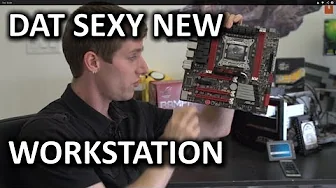
This video documents the step by step overhaul of Edzel's video editing workstation, presented as a genuine frankenstein build rather than a polished showroom setup. The host emphasizes that this is a highly specific usage machine designed for Edzel’s workflow, not a generic workstation. Early on, the plan and parts list are outlined, including a six core, twelve thread Intel CPU and a Rampage motherboard, paired with 32GB of DDR3 memory and a mix of GPUs to balance CUDA acceleration with color processing. The rationale behind component choices centers on reliability, validated motherboards, and a balance between price and performance for video editing tasks. The host also discusses cooling considerations, aiming for a quiet but capable system inside a small form factor case, which influences cooler selection and case compatibility. The build moves through memory validation, power supply choice, and a critical note on ground handling to prevent static damage, reflecting the hands on, sometimes improvisational nature of ghetto builds. Throughout the run, the video emphasizes practical trade-offs, such as using a gaming motherboard for broad validation and the deliberate decision to avoid excessive overclocking for stability. The narrative also covers storage strategy, with a Velociraptor scratch disk, a Crucial M4 SSD, and a plan to rely on a 10GbE NAS for large data transfers, which informs network and storage topology. The host demonstrates careful cable management decisions, front panel connectivity, and mounting strategies for hard drives in tight spaces, including the challenges of mounting drives in a compact SilverStone SG01 case. The build process includes real time problem solving, like adjusting the CPU cooler orientation and addressing dusty, crowded cable routing while maintaining airflow to the GPU-intensive components. Finally, the system is tested for boot readiness, detecting the 10Gb NIC, RAM, and drives, with the host offering troubleshooting tips and encouraging hands-on learning from the on-the-fly improvisation involved in this kind of build. The overall result is a highly practical, in-depth look at assembling a specialized, high-performance edit workstation from mixed parts, emphasizing the value of hands-on problem solving over perfecting a pristine, preplanned setup.
Topics · technology · computer_hardware · build_log · diy
Questions answered
- Which CPU and motherboard were chosen for Edzel's editing workstation and why?
- The build used an Intel Core i7 3960x with an Asus Rampage motherboard. The choice favors strong CPU performance for editing tasks and validated, feature-rich boards; the 3960x is selected for core count and reliability, though the host notes the 3930k can offer better price-to-performance in some cases.
- What is the GPU strategy and how does it support editing workflows?
- Two GPUs are used: a Quadro 4000 for color depth and display quality, and a GTX 780 for CUDA acceleration. This combination targets both high-quality color output and parallel processing acceleration for software like DaVinci Resolve.
- What storage and network setup supports the workload?
- The system pairs a Crucial M4 SSD for reliability with a VelociRaptor as a scratch/temporary storage drive. A 10GbE NIC and a NAS are planned to provide fast, scalable network storage for project data and captured media.
- What cooling and case considerations influenced component choices?
- Cooling was a major constraint due to limited space in a small form factor case. A low-profile CPU cooler was selected, and airflow was optimized by adjusting fan orientation and using anti-vibration strips to reduce noise and improve efficiency.