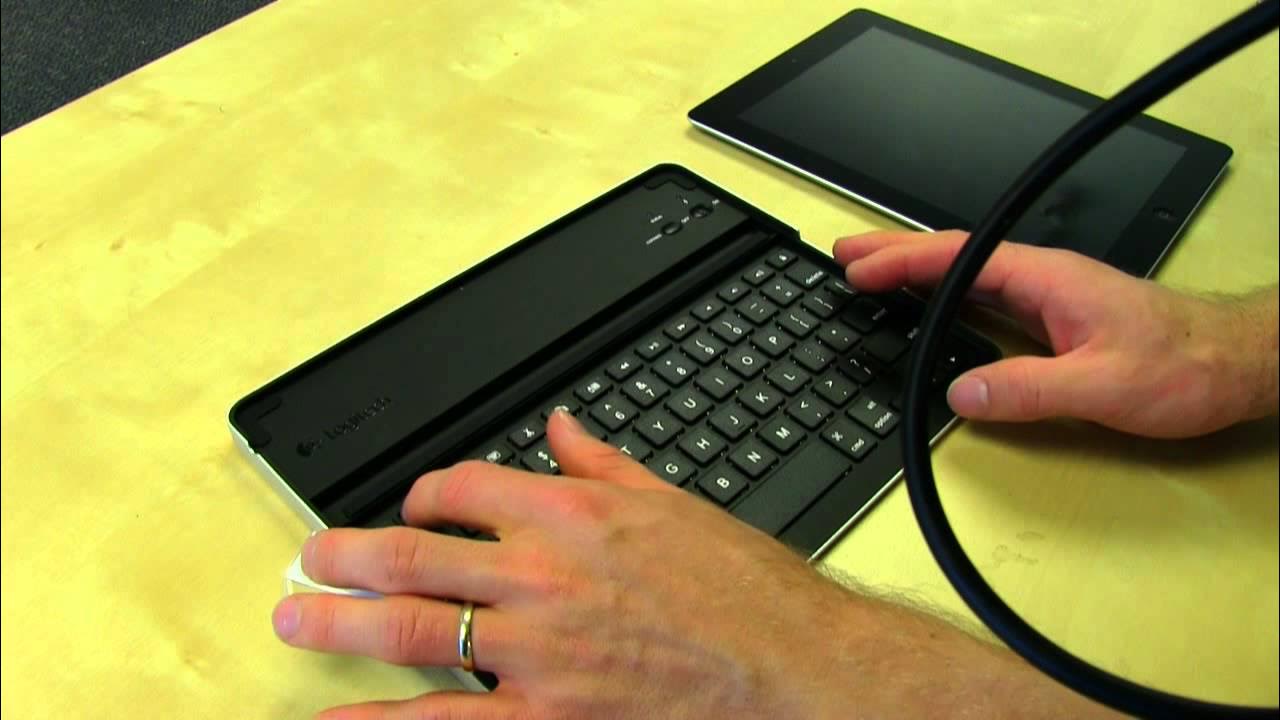
Logitech Keyboard Case for iPad2 Unboxing & First Look Linus Tech Tips
0 up · 0 down · 0 ratings
Description
ncix.com This thing is actually pretty cool for iPad2 owners. Far more practical than Apple's magic cloth thing.
The video presents an unboxing and first look at the Logitech Keyboard Case for the iPad 2, a collaboration with Zag, as explained on the box. Linus walks through the packaging and highlights the design choices, notably the aluminum chassis with a pinkish hue and a textured finish that aims to resist scratches. He explains the keyboard’s Bluetooth connectivity, the built‑in stand that supports both portrait and landscape orientations, and the recessed area designed to cradle the iPad 2 securely. Throughout the segment, he demonstrates the overall weight, builds quality, and how the case integrates a USB charging cable for the keyboard, which makes wired use unlikely but possible if desired. The typing experience receives particular attention: Linus assesses key spacing, the feel of the space bar, and the availability of long shift keys and dedicated media controls, as well as the practical layout for common tasks like paste, copy, and search. He then tests pairing the keyboard with his iPad 2, confirming Bluetooth pairing, entering a PIN, and verifying that media keys function within a Safari session. The unboxing concludes with a quick look at how the iPad docks in the case, the location of the charger port and headphone jack, and a final assessment that the device is large and sturdy enough to feel like a portable laptop companion. Overall, the video positions the Logitech keyboard case as a practical, stylish accessory for iPad 2 owners, balancing protection with productivity, while noting that it carries a premium price. The presentation is enthusiastic and informative, offering concrete observations about build quality, usability, and potential use cases for mobile productivity on the go.
Topics · technology · unboxing · peripherals
Questions answered
- What connectivity does the Logitech Keyboard Case for iPad2 use and how is pairing completed?
- The case uses Bluetooth wireless connectivity. To pair, turn on Bluetooth on the iPad 2, press the connect button on the keyboard case, select the Logitech keyboard from the list, and enter the PIN 76088 followed by Enter on the keyboard.
- Does the Logitech Keyboard Case support both portrait and landscape orientations for the iPad 2?
- Yes, the case is designed to hold the iPad 2 in both portrait and landscape orientations.