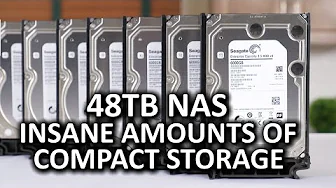
Insane Compact NAS 2014 - 48TB of Network-attached Storage
0 up · 0 down · 0 ratings
Channels and socials
What do you do when you come across 48TB of HDD storage? You build a NAS! Ting message: Head over to linus.ting.com to save $25 on a new device or get $25 in service credit! Sponsor link: linustechtips.com Pricing & discussion: linustechtips.com Support us: linustechtips.com Join our community forum: bit.ly twitter.com @LinusTech Intro Screen Music Credit: Adhesive Wombat -
Check out his channel here: youtube.com Outro Screen Music Credit: Approaching Nirvana - Sugar High youtube.com
In this 2014 Linus Tech Tips video, the host undertakes a bold and compact 48 terabyte NAS build, aiming to demonstrate just how much storage can fit into a surprisingly small chassis. The project centers on an ITX-grade approach using a high-end motherboard capable of supporting large RAM quantities, paired with enterprise-grade hard drives to sustain long, demanding workloads. The narrative follows the selection of components from SilverStone’s DS380 case to an ASRock rack board, highlighting RAM requirements that push toward ECC memory and a sizable 64 GB configuration to protect data integrity in a ZFS-like setup. The host then discusses storage strategy, weighing enterprise capacity drives against consumer NAS options, and explains the rationale behind avoiding a massive L2ARC or large SSD cache in favor of dedicated high-speed scratch disks for video editing workflows. By the end, the system is described as a compact yet powerful storage solution with up to 20 Gbps of theoretical bandwidth to the network, designed to support multiple editors working concurrently with high data throughput. The video closes with reflections on the balance between cost, performance, and reliability, and considers practical alternatives for home users while underscoring the thrill of building a dense, self-hosted storage array. Throughout the build, the host emphasizes reliability and data protection, detailing the use of enterprise 6 TB drives, their encryption capabilities, and long mean time between failure figures that back up the rationale of using robust hardware in a compact form factor. He explains the network topology, including 10 Gbit and 20 Gbit capabilities, and describes the choice of a removable 8-pin CPU power connector for clean cable management in a tight case. The build process is presented as approachable, with steps for BIOS/OS installation, network configuration, and basic Freenas setup that even beginners can follow, while also touching on more advanced features for seasoned users. In summary, the video showcases how a compact, well-planned NAS can deliver substantial sequential performance for multiple users, validating the concept of high-capacity, on-site storage for creative workflows and personal labs alike. The overall takeaway is that with careful hardware selection and smart storage architecture, a small chassis can host a formidable 48 TB of storage with room to grow, while offering robust data protection and strong network performance for collaborative editing and media projects. The host also notes trade-offs, such as considering enterprise drives for reliability versus the higher costs of premium hardware, and invites viewers to consider how they would configure a similar system for their own use cases, whether in a home lab or a small studio.
Topics · hardware · storage · technology · networking · data-protection · home-lab · build-log · video-editing
Questions answered
- What hardware choices make this 48 TB NAS feasible in a compact form factor?
- Key choices include an ASRock rack motherboard with ECC RAM up to 64 GB, enterprise 6 TB HDDs for capacity and reliability, a SilverStone DS380 case, and a 450 W SFX gold power supply. Networking is expanded with a 10 Gbit NIC and the potential for up to 20 Gbit bandwidth, while the storage layout uses multiple SATA ports from Marvel and Intel controllers to create a robust, scalable array. The setup emphasizes data protection with ECC memory, ZFS-like considerations, and a balance between performance and cost.
- Why was Freenas chosen for this build and what are the trade-offs?
- Freenas was chosen to leverage its features for high-capacity, reliable storage with ECC support, despite ram and controller complexity. The trade-offs involve ram requirements and limited expansion options with the onboard controllers, leading to a preference for a well-planned RAM and drive strategy rather than chasing massive hardware RAID cards. The video notes that Freenas can be surprisingly limited in scalability, but it provides a straightforward path for a home lab scenario when balanced with the hardware selected.