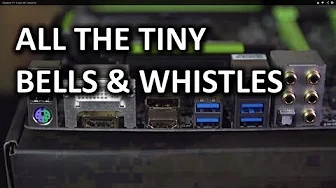
Gigabyte G1 Sniper M5 Gaming Motherboard Unboxing & Overview
0 up · 0 down · 0 ratings
Promos
The Gigabyte G1.Sniper M5 is a pint-sized powerhouse. It has almost all the same features as the full sized G1.Sniper 5, but in a smaller form factor and at half the price! Sponsor link: intelgamingpromo.com Join our community forum: bit.ly twitter.com @LinusTech Pricing & availability: ncix.com Intro Screen Music Credit: Adhesive Wombat -
Channels and socials
Check out his channel here: youtube.com Outtro Screen Music Credit: Approaching Nirvana - Sugar High youtube.com
The Gigabyte G1 Sniper M5 is presented as a compact alternative to the flagship G1 Sniper 5, offering many of the gaming-oriented features in a Micro ATX form factor and at a lower price. The host walks through the packaging and included accessories, highlighting the denser audio focus with Sound Core 3D and a modular op-amp kit that lets hobbyists swap audio amplifiers for different listening experiences. He explains the board’s Killer E2200 network chip for prioritized gaming traffic, and notes the absence of some extras like wireless and Bluetooth built into the base package, which helps keep costs and size down. The board is described as having strong robustness through Ultra Durable 5 components, a 2 oz copper PCB, and a glass fabric layer intended to improve humidity resistance. In the main block of the video, the host delves into practical layout considerations such as the dedicated BIOS chips and their indicators, voltage read points for overclocking, and a front panel USB 3 header that aids ease of accessibility on test benches or in cases with limited space. The discussion then shifts to the audio subsystem again, detailing how the audio is isolated on the PCB with a gold shield and the potential advantages of upgrading the onboard op-amps for enthusiasts with high impedance headphones. Finally, the host examines the PCIe layout and explains real-world implications for dual-GPU setups, noting that SLI requires 8x operation on both primary slots and suggesting chassis choices that accommodate dual cards without overhang issues. The video closes with practical recommendations and a call to action to subscribe for more hardware reviews, while inviting viewer feedback on what features they value most in a mid-range gaming motherboard.
Topics · computer_hardware · technology