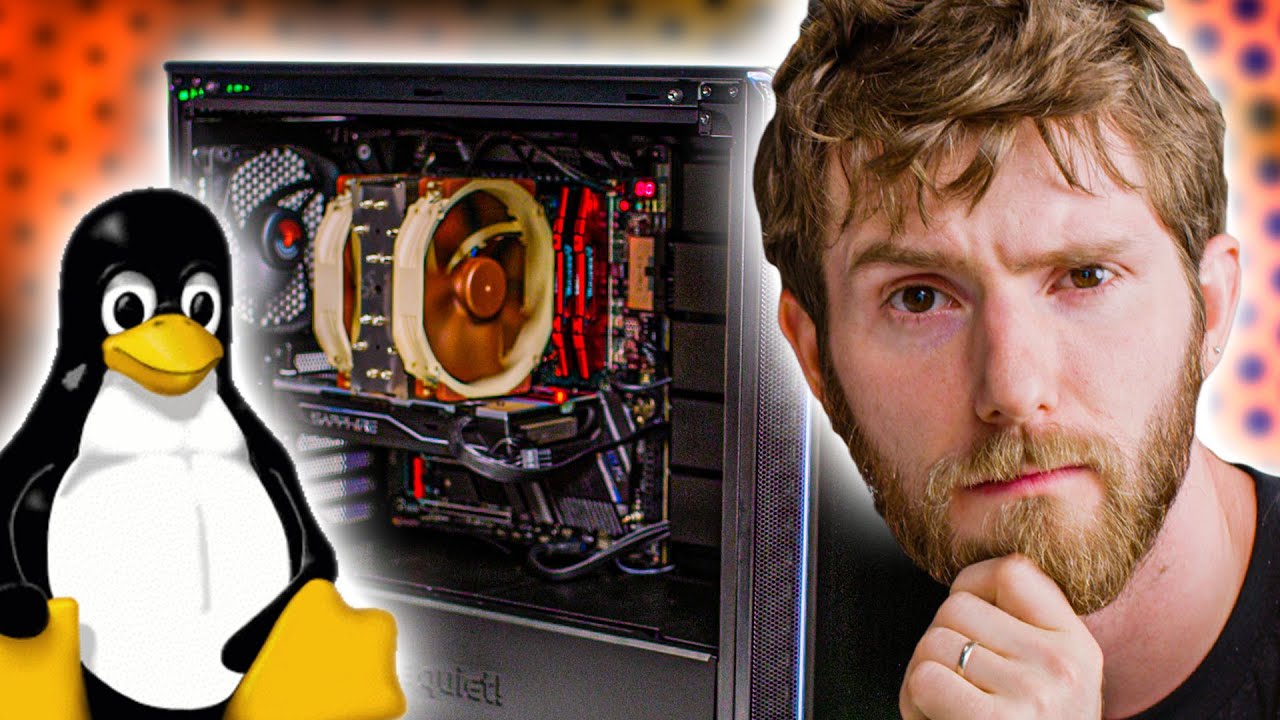
Linus builds Linus’ new PC!
0 up · 0 down · 0 ratings
Promos
Check out Storyblocks Video at storyblocks.com Linus has built a new PC for himself, and now Linus is going to replicate it as best he can – Wait, which Linus are we talking about? Who cares, let’s build a Threadripper workstation! ZDNet's interview: zdnet.com ZDNet's article: zdnet.com Buy AMD Ryzen Threadripper 3970X CPU On Amazon (PAID LINK): geni.us On Newegg (PAID LINK): geni.us On B&H (PAID LINK): geni.us Buy AORUS TRX40 Motherboard On Amazon (PAID LINK): geni.us On Newegg (PAID LINK): geni.us On B&H (PAID LINK): geni.us Buy Sapphire RX580 GPU On Amazon (PAID LINK): geni.us On Newegg (PAID LINK): geni.us On B&H (PAID LINK): geni.us Buy Seasonic Focus GX-650 PSU On Amazon (PAID LINK): geni.us On Newegg (PAID LINK): geni.us On B&H (PAID LINK): geni.us Buy Noctua NH-U14S Fan On Amazon (PAID LINK): geni.us On Newegg (PAID LINK): geni.us On B&H (PAID LINK): geni.us Buy G.SKILL 16GB DDR4 On Amazon (PAID LINK): geni.us On Newegg (PAID LINK): geni.us On B&H (PAID LINK): geni.us Buy Samsung 1TB 970 EVO SSD On Amazon (PAID LINK): geni.us On Newegg (PAID LINK): geni.us On B&H (PAID LINK): geni.us Buy be quiet! Dark Base 700 On Amazon (PAID LINK): geni.us On Newegg (PAID LINK): geni.us On B&H (PAID LINK): geni.us Purchases made through some store links may provide some compensation to Linus Media Group. Discuss on the forum: linustechtips.com GET MERCH: lttstore.com SUPPORT US ON FLOATPLANE: floatplane.com LTX EXPO: ltxexpo.com AFFILIATES & REFERRALS --------------------------------------------------- Affiliates, Sponsors & Referrals: lmg.gg Get Private Internet Access VPN at lmg.gg Get a Mech Keyboard: geni.us NEEDforSEAT Gaming Chairs: geni.us Get a Displate Metal Print at lmg.gg Use code LINUSMEDIAGROUP on Epic Games Store: lmg.gg Get a 30-day free trial of Amazon Prime at lmg.gg Our Gear on Amazon: geni.us FOLLOW US ELSEWHERE --------------------------------------------------- Twitter: twitter.com Facebook: @LinusTech Instagram: @linustech Twitch: twitch.tv FOLLOW OUR OTHER CHANNELS --------------------------------------------------- Techquickie: lmg.gg TechLinked: lmg.gg ShortCircuit: lmg.gg LMG Clips: lmg.gg Channel Super Fun: lmg.gg Carpool Critics: lmg.gg MUSIC CREDIT --------------------------------------------------- Title: Laszlo - Supernova Video Link: youtube.com iTunes Download Link: itunes.apple.com Artist Link: soundcloud.com Outro Screen Music Credit: Approaching Nirvana - Sugar High youtube.com Monitor And Keyboard by vadimmihalkevich / CC BY 4.0 lmg.gg Mechanical RGB Keyboard by BigBrotherECE / CC BY 4.0 lmg.gg Mouse Gamer free Model By Oscar Creativo / CC BY 4.0 lmg.gg
Linus builds Linus’ new PC is presented as a playful homage to the real Linus Torvalds and doubles as a practical hardware walkthrough for a high-end Threadripper workstation. The video begins with a lighthearted misdirection about who is building the machine, setting a humorous tone before diving into the actual parts list. The host leans on an external interview to explain Linus Torvalds’s hardware choices, highlighting the reasoning behind a 3970X AMD Threadripper, a Gigabyte Aorus TRX40 Master motherboard, and a fan strategy focused on quiet operation. You get a detailed look at why particular components were selected, including power delivery considerations, a Noctua cooling solution, and a preference for a quiet, low-noise system. The goal is not gaming performance but a development-focused desktop that can handle intensive tasks like compiling the Linux kernel quickly and reliably. A core part of the video is the motherboard and cooling setup. The host notes that power delivery reliability is a priority for Linus’s build, citing experiences with brownouts and the desire for stable overclocking potential without excess noise. The TRX40 Master is described as a good balance of features, including multiple PCIe slots, USB-C internal connectors, and heat sinks on M.2 drives, with a caveat about case compatibility due to width and a right-pin 24-pin connector. The cooling philosophy centers on a Noctua NH-U14S in a push-pull configuration to minimize noise while keeping temperatures in check, aligning with Linus’s preference for quiet operation over brute cooling power. RAM and storage choices are explored in depth. The host explains that ECC RAM was ideal but not economically viable at the moment, so generic DDR4 2666 memory was used to populate all four channels, trading perfect latency for practicality and availability. G.Skill Ripjaws V sticks were selected for their low profile to clear the cooler and to match the speed Linus is using, ensuring compatibility with the large cooling solution. The storage choice is a 1TB Samsung 970 EVO Plus in an all-M.2 configuration to avoid cables and maximize speed, reflecting Linus’s long-running preference for SSD reliability and simplicity. The video also touches on the case choice, Be Quiet! Dark Base 700, emphasizing its quiet operation and room for expansion, along with a front fan upgrade to boost airflow where needed. The build is followed by a live boot and a quick kernel compile benchmark to demonstrate real-world performance. The host configures BIOS fan controls for minimal noise, enabling stop modes so fans can idle during light loads, and sets up memory XMP to improve latency. The Linux kernel benchmark is framed as a proxy for development workloads, with 64 threads used to leverage the 32-core SMT processor and a short runtime of just over three and a half minutes, delivering a strong sense of performance. The narrative closes by noting the build’s thoughtful design, its balance of silence and speed, and the value of a developer-focused build that mirrors Linus Torvalds’s hardware philosophy, while also crediting the ZDNet interview that informed the parts list.
Topics · technology · hardware · linux · pc-build · hardware-enthusiast · development
Questions answered
- Why did Linus choose an AMD Threadripper 3970X for a developer workstation?
- The choice was driven by a desire for high core count and strong multi-threaded performance for development tasks such as compiling the Linux kernel, rather than chasing purely gaming performance.
- What makes the TRX40 Master motherboard suitable for this build?
- It provides robust power delivery, multiple PCIe slots, onboard high-speed networking, and heat sinks on M.2 drives, which together support stability and expansion for a workstation build.
- Why is silence prioritized in this build and how is it achieved?
- Linus prefers quiet operation, achieved with a Noctua NH-U14S in push-pull, a case tuned for low noise, and fan control settings that allow automatic stopping under light loads.
- Why was the RAM setup chosen as 64 GB with DDR4 2666 modules?
- ECC memory was ideal but not affordable at the time, so 64 GB was populated to use all memory channels with a practical, readily available configuration while accepting slightly higher latencies.