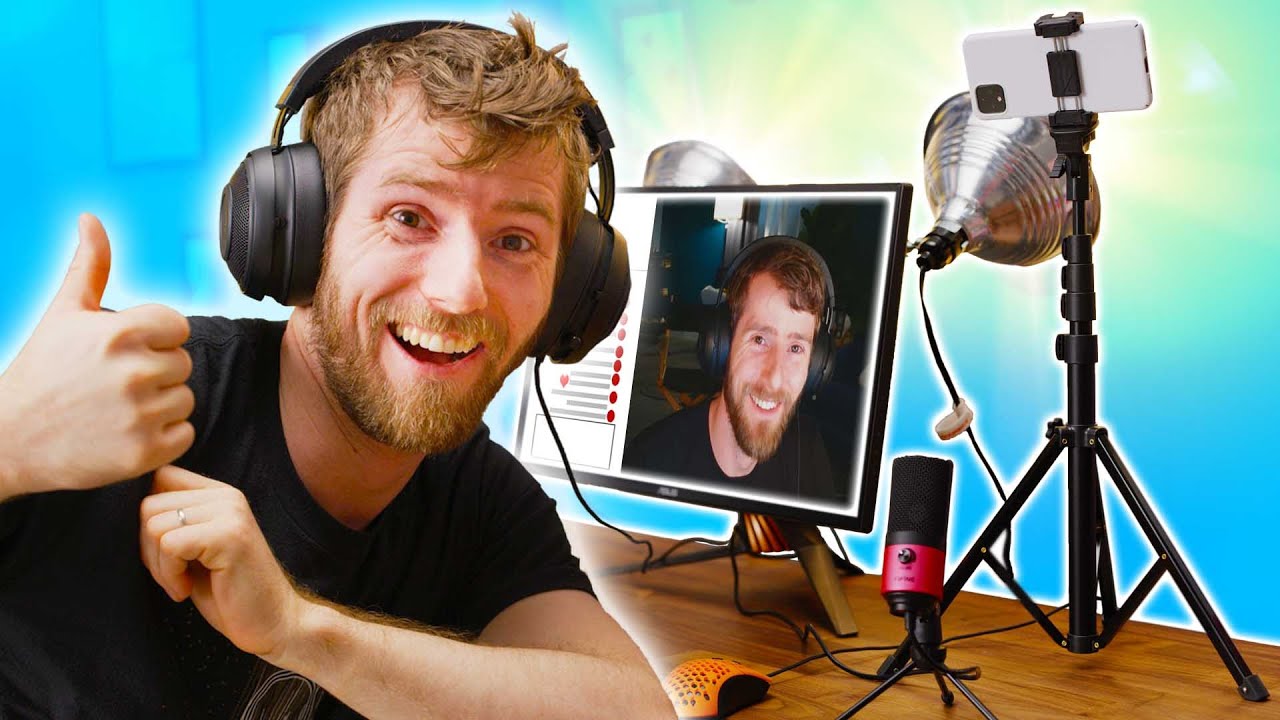
Building a FULL Streaming Setup on the Cheap!
0 up · 0 down · 0 ratings
Promos
Thanks to OWN3D.tv for sponsoring this video! Jumpstart your stream with assets and tools from OWN3D.tv, use code LINUS to get 50% off at geni.us Streaming or online content creation can be a seemingly VERY expensive endeavour, so today, we explore some cheap or free options so you can get started streaming today! Buy the Logitech C270: On Amazon (PAID LINK): geni.us On Newegg (PAID LINK): geni.us Buy Clamp Lights: On Amazon (PAID LINK): geni.us On Newegg (PAID LINK): geni.us Buy FiFine K669: On AliExpress: geni.us Purchases made through some store links may provide some compensation to Linus Media Group. Discuss on the forum: linustechtips.com GET MERCH: lttstore.com SUPPORT US ON FLOATPLANE: floatplane.com LTX EXPO: ltxexpo.com AFFILIATES & REFERRALS --------------------------------------------------- Affiliates, Sponsors & Referrals: lmg.gg Get Private Internet Access VPN at lmg.gg Get a Mech Keyboard: geni.us NEEDforSEAT Gaming Chairs: geni.us Get a Displate Metal Print at lmg.gg Use code LINUSMEDIAGROUP on Epic Games Store: lmg.gg Get a 30-day free trial of Amazon Prime at lmg.gg Our Gear on Amazon: geni.us FOLLOW US ELSEWHERE --------------------------------------------------- Twitter: twitter.com Facebook: @LinusTech Instagram: @linustech Twitch: twitch.tv FOLLOW OUR OTHER CHANNELS --------------------------------------------------- Techquickie: lmg.gg TechLinked: lmg.gg ShortCircuit: lmg.gg LMG Clips: lmg.gg Channel Super Fun: lmg.gg Carpool Critics: lmg.gg MUSIC CREDIT --------------------------------------------------- Title: Laszlo - Supernova Video Link: youtube.com iTunes Download Link: itunes.apple.com Artist Link: soundcloud.com Outro Screen Music Credit: Approaching Nirvana - Sugar High youtube.com Monitor And Keyboard by vadimmihalkevich / CC BY 4.0 lmg.gg Mechanical RGB Keyboard by BigBrotherECE / CC BY 4.0 lmg.gg Mouse Gamer free Model By Oscar Creativo / CC BY 4.0 lmg.gg
Building a FULL Streaming Setup on the Cheap! walks new creators through assembling a functional streaming rig without breaking the bank. The video emphasizes that success in streaming hinges more on engaging content than on pristine gear, and it presents practical, low-cost alternatives to the usual expensive setups. Early in the run, the host suggests repurposing a smartphone as a high quality camera, detailing apps like IP Webcam for Android and DroidCam for iOS, with step by step OBS integration to feed the phone video as a browser source or video capture device. The guide underscores a progressive upgrade path, starting from free or near free options and moving toward affordable upgrades like a budget microphone (Fifine K669) and inexpensive lighting, while cautioning about heat and CPU load when using phone cameras. Throughout, there are concrete, repeatable methods: setting 720p resolution, adding render delay to sync audio and video, and using simple mounts or household items to position the camera. The narrative remains grounded in practicalities,how to balance cost, heat management, and lighting quality,so viewers can actually implement the ideas with minimal risk and effort. By the end, the presenter reinforces the core message that streaming is accessible to beginners, as long as they focus on content first and leverage budget-friendly gear to support that content.
Topics · budgeting · education · technology · content-creation · hardware-setup
Questions answered
- What is the first upgrade Linus suggests for a beginner streamer budget setup?
- Use a phone as the camera via apps like IP Webcam or DroidCam and connect it to OBS to achieve high quality video without buying a dedicated webcam.
- How should a beginner handle lighting on a budget according to the video?
- Start with inexpensive or improvised lighting such as old lamps with diffusion like wax paper or bounce light off walls to soften the light, and consider clamp lights as a compact, adjustable option.
- What is recommended to improve audio quality without spending much initially?
- Use the existing gaming headset mic if available, or use the phone’s audio options and then upgrade later with an affordable mic like the Fifine K669 for clearer sound.