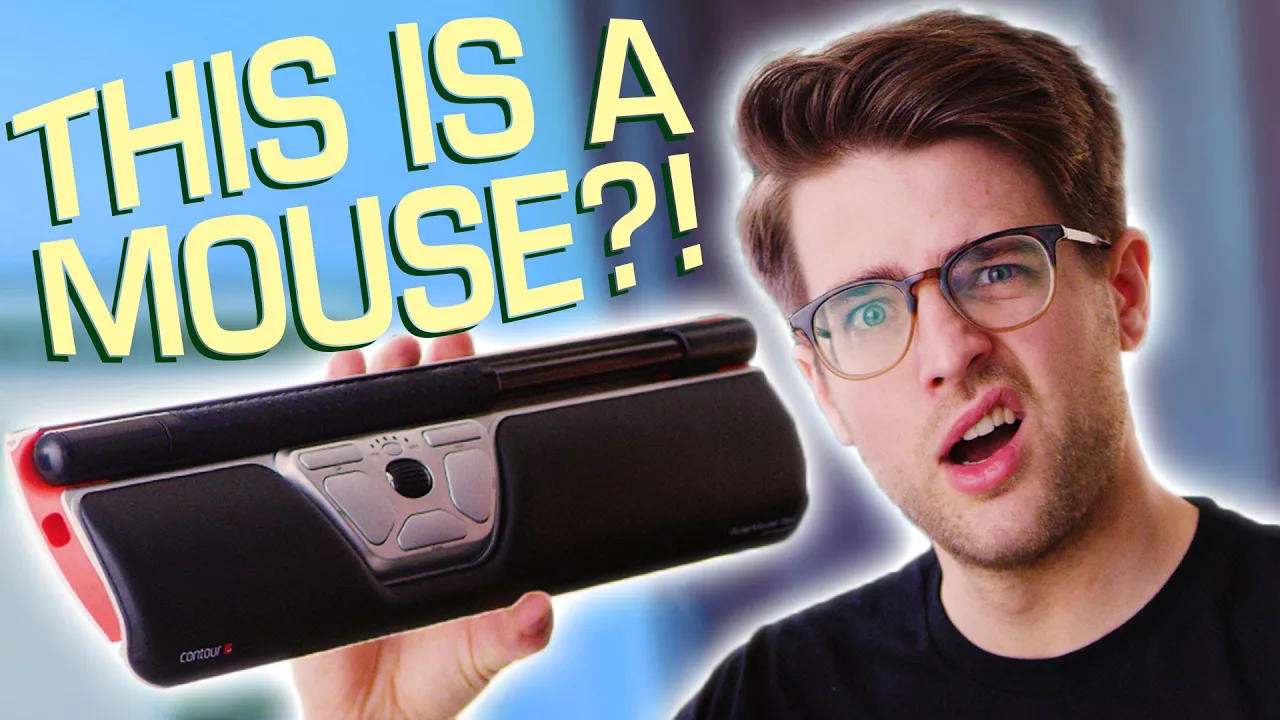
What on earth is a "Roller Mouse"??
0 up · 0 down · 0 ratings
Promos
There are some weird ergonomic mice out there, but... can you still call it a mouse if it's not shaped like one? Buy RollerMouse Red Wireless : On Amazon: geni.us On Newegg: geni.us Buy desktop trackpads: On Amazon: geni.us On Newegg: geni.us Discuss on the forum: linustechtips.com Our Affiliates, Referral Programs, and Sponsors: linustechtips.com Get Private Internet Access today at geni.us Displate metal posters: lmg.gg Linus Tech Tips merchandise at lttstore.com Linus Tech Tips posters at crowdmade.com Our Test Benches on Amazon: amazon.com Our production gear: geni.us Twitter - twitter.com Facebook - @LinusTech Instagram - @linustech Twitch - twitch.tv Intro Screen Music Credit: Title: Laszlo - Supernova Video Link: youtube.com iTunes Download Link: itunes.apple.com Artist Link: soundcloud.com Outro Screen Music Credit: Approaching Nirvana - Sugar High youtube.com
The video introduces the Roller Mouse Red Wireless, a non traditional ergonomic input device designed to reduce repetitive strain injuries by changing how the hand interacts with the computer. The host explains the core idea: instead of moving a separate mouse across the desk, the user moves a large roller bar to translate vertical and horizontal cursor movement, with the left and middle click actions accessible on the module below the bar. The build quality is highlighted as solid and premium, featuring a metal frame, leatherette wrist rest, and a distinct red, silver, and black aesthetic. The host compares it to traditional mice and trackpads, noting that while it eliminates some lateral wrist motion, the wrist still pronates and the overall ergonomics are not universally perfect. Price is acknowledged as steep at around 265, which the reviewer suggests might be justified if it meaningfully reduces chiropractor visits or shoulder pain. The setup includes optional risers to align the keyboard with the roller mouse and additional wrist rest attachments, expanding customization for comfort. Throughout the segment, the reviewer remains skeptical about universal appeal and points out that a touchpad-like experience with gesture support would be ideal, while also appreciating the convenience of having control under the fingertips. In concluding, the video positions the Roller Mouse as an interesting but expensive option that may suit people with specific RSI needs, while implying that more conventional, cost-effective alternatives like desktop touchpads can be competitive. The reviewer expresses a balanced mix of curiosity and reservation, acknowledging the novelty and potential benefits while cautioning against overselling its ergonomic claims and practicality for the average user. The discussion also touches on user experience details such as adapting to one-handed use after a short period, remapping options for click behavior, and the limited precision compared to a laptop trackpad. The host suggests possible future improvements like embedding a touchpad for gestures and notes the lack of widely available wrist-rest touchpad hybrids. The segment closes with a practical takeaway: the Roller Mouse is not a universal solution but a niche product that may be worth considering for certain RSI scenarios, alongside more affordable alternatives for general use. Viewers are left weighing the tradeoffs between price, perceived ergonomics, and everyday usability, with the overall tone blending curiosity, humor, and practical evaluation of a quirky peripheral.
Topics · ergonomics · computer peripherals · tech hardware reviews · science & technology