Acer Aspire Revo Ion Atom 330 Nettop Unboxing & First Look Linus Tech Tips
0 up · 0 down · 0 ratings
Description
Got my hands on the brand new Acer Aspire Revo. There are finally in stock after so many months of hype about the "upcoming" Ion platform from nVidia. It's finally here! I haven't done any testing with it yet, but
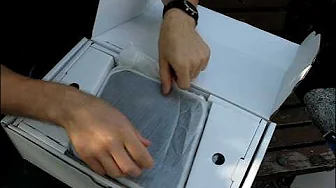
This video presents an unboxing and first look at the Acer Aspire Revo Ion Atom 330 Nettop, as shown in Linus Tech Tips’ style. The host begins with a Canadian exclusive unboxing for NCIX, outlining the unit’s core specifications: Windows Vista, an Intel Atom dual-core processor, 2 GB of RAM, a 160 GB hard drive, Wi Fi, USB, and a built in Nvidia Ion graphics chipset. He emphasizes the significance of Nvidia Ion by explaining hardware decoding on the GPU for HD content, noting that while there is no Blu ray drive in this model, the Revo is designed as a compact nettop with rich connectivity options. The packaging reveals a compact form factor and practical mounting options, including a VESA mount to attach the device to the back of a monitor, plus a stand for horizontal placement. Inside the box, the reviewer inventories the included accessories: a wireless mouse with batteries, a keyboard, a power brick, silica gel, a USB webcam, and the necessary cables. He demonstrates the device’s exterior finish as a glossy black with an Nvidia Ion logo, and he walks through the rear and front ports including HDMI, VGA, Gigabit Ethernet, USB, audio, SD card, and eSATA. The video closes with an overview of the packaging contents and notes the Revo’s intended use case as a compact, all in one entertainment and computing device, while acknowledging that it includes everything needed except a monitor for a complete setup. The host foreshadows future testing but keeps the focus on the unboxing experience and first impressions of the hardware. Overall, the video blends product anticipation, practical hardware commentary, and a quick tour of how the Revo could integrate into a home theatre or compact computing setup, concluding with a reminder of what’s included in the box and what’s not.
Topics · Technology · Product Review · Hardware Unboxing · Home Theater · Computing