Worlds FASTEST Watercooled Laptop
0 up · 0 down · 0 ratings
Promos
Ever had laptop cooling issues? The Asus GX800 aims to solve that once and for all with watercooling. Visit squarespace.com and use offer code LTT for 10% off
Check out our new merch store: designbyhumans.com Buy ASUS Laptops on Amazon: geni.us Buy ASUS Laptops on Newegg: geni.us Discuss on the forum: linustechtips.com Our Affiliates, Referral Programs, and Sponsors: linustechtips.com Linus Tech Tips merchandise at designbyhumans.com Linus Tech Tips posters at crowdmade.com Production gear: geni.us twitter.com @LinusTech Intro Screen Music Credit: Title: Laszlo - Supernova Video Link: youtube.com iTunes Download Link: itunes.apple.com Artist Link: soundcloud.com Outro Screen Music Credit: Approaching Nirvana - Sugar High youtube.com Sound effects provided by freesfx.co.uk
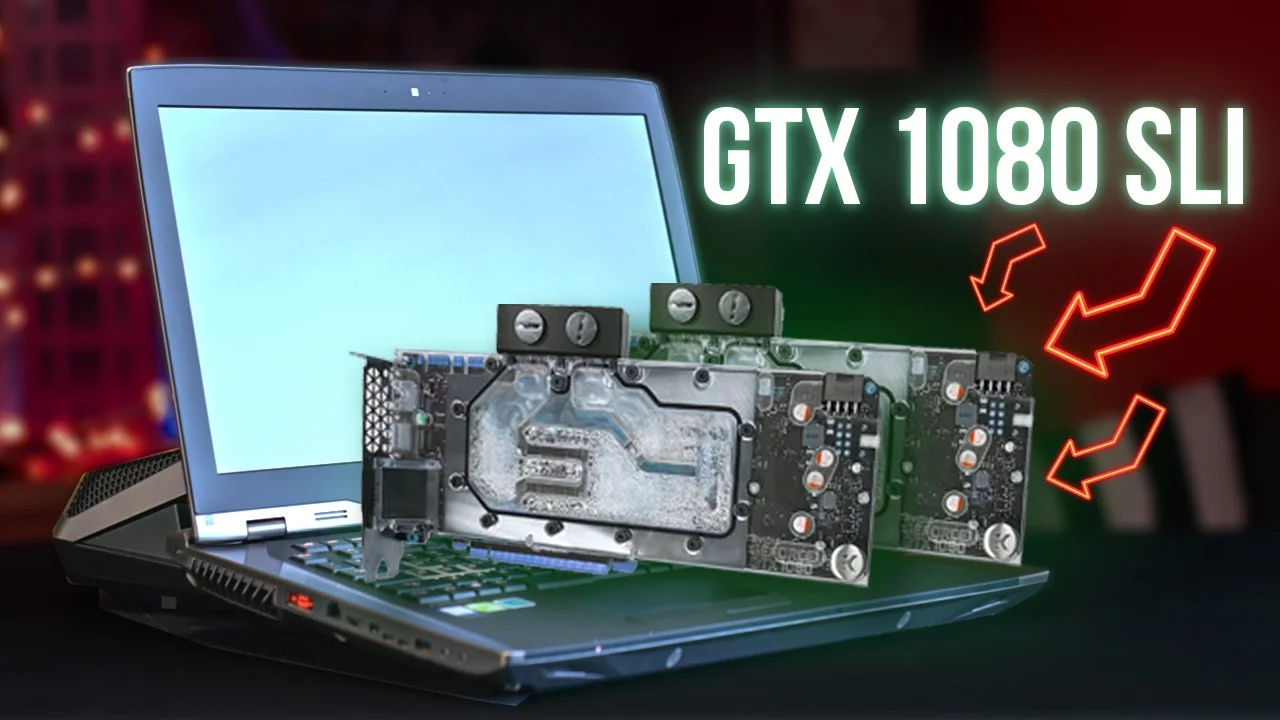
The video introduces the ASUS GX800, billed as the world’s most powerful water cooled laptop. It starts by framing the problem of laptop overheating and contrasts common solutions with this extreme approach, highlighting the two-piece design and the external water cooling dock. The host details the visual and tactile premium feel, pointing out the matte black chassis, metal accents, and lighting, which justify a hefty six thousand dollar price tag. The docking mechanism is explained in depth: quick-connect fittings let you dock and undock the laptop in under ten seconds, with the dock injecting extra power up to 660W and activating the pump and radiator fans. The core hardware is revealed to be two overclocked GTX 1080 GPUs in SLI, a trio of M.2 drives in RAID 0 for 1TB of fast storage, 64GB RAM, and a Core i7-7820HK overclocked to 4.4 GHz. The display is described as an 18-inch 4K 60Hz G-Sync IPS panel, delivering sharp visuals, strong viewing angles, and smoothness from variable refresh rate technology. The host tests performance at Ultra Details 4K, noting stunning visuals in Rise of the Tomb Raider and quick, responsive gameplay across titles. When comparing docked versus undocked modes, the GX800 performs well as a portable laptop but shines in docked mode with reduced noise and sustained power, albeit with some limitations like GPU soldering that makes upgrades impractical. The video concludes with a candid assessment of price versus performance, inviting viewer opinions on whether the tradeoffs are worth the six thousand dollar investment and offering links to purchase and community resources.
Topics · technology · hardware · laptops · gaming
Questions answered
- What is the main cooling approach used by the GX800 and how does it integrate with the dock?
- The GX800 uses a full external water-cooling loop connected via quick-connect fittings to a dock, which provides additional power and runs the cooling system. When docked, the system gets up to 660W of power and the pump and radiator fans operate, significantly increasing cooling efficiency and reducing noise compared to undocked use.
- What are the key performance components inside the GX800?
- The GX800 features two overclocked GTX 1080 GPUs in SLI, three M.2 drives in RAID 0 totaling 1TB of fast storage, 64GB of DDR4 RAM, and a Core i7-7820HK CPU overclocked to 4.4 GHz from the factory.
- Is the GX800 a practical daily laptop or mainly a showpiece for enthusiasts?
- While it functions as a capable traditional laptop when undocked, its practicality is limited by its size and weight. The docking setup improves performance and reduces fan noise, but the GPU is soldered to the motherboard, hindering upgrades, which makes it more of a specialized high-end device for enthusiasts rather than a portable everyday laptop.