Acer Aspire S3 Ultrabook Notebook Unboxing & First Look Linus Tech Tips
0 up · 0 down · 0 ratings
Description
ncix.com Available in a variety of specs, this is a much more value-oriented ultrabook compared to competitors from the likes of Apple, ASUS, and Samsung.
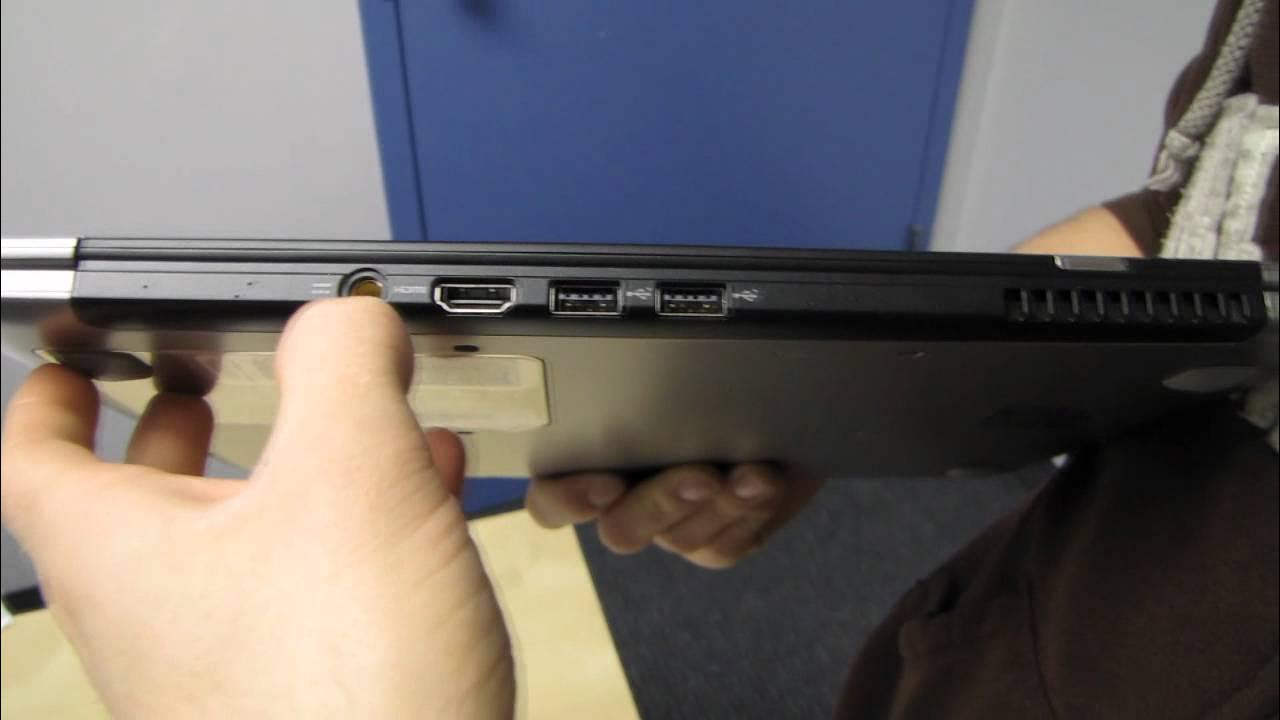
The video presents an in-depth unboxing and first impressions of the Acer Aspire S3 Ultrabook. The host walks through the packaging contents, noting the power adapter, documentation, and warranty, and comments on the overall build quality and design. He compares the S3’s form factor to competing ultrabooks of the era, particularly the Asus Zenbook and the Apple MacBook Air, highlighting differences in thickness distribution, hinge design, and material finish. The host discusses the keyboard layout, key sizes, and touchpad capabilities, pointing out practical details such as dedicated page up and page down keys and a responsive bottom touchpad area. Visuals focus on the metal top, brushed finish, and bottom construction, with observations about fingerprint removal and overall aesthetic appeal. He also notes IO options including HDMI, USB, SD card reader, and exhaust vent, and emphasizes Acer’s hinge approach which preserves ports while maintaining a robust feel. A quick side-by-side glance with the MacBook Air reveals sizing nuances and opening angles, followed by a short demonstration of opening the unit widely for reading and everyday use. The host concludes with a positive appraisal of the S3’s build quality, keyboard feel, and weight, and hints at a more thorough follow-up NC video to come, inviting viewers to subscribe for more unboxings and reviews. Overall the first look frames the S3 as a value-oriented, Windows-based ultrabook with thoughtful design touches and solid construction, positioned against premium competitors while promising practical usability for portability and everyday tasks. The commentary weaves practical observations about usability, like the hinge strength, external design cues, and the accessible IO layout, with a candid assessment of where the device sits in the market at the time of release. By the end, the impression is that Acer delivered a competitive, well-built machine for its price segment, capable of handling typical productivity workloads with a lightweight chassis suitable for on-the-go use.
Topics · technology · hardware · unboxing · laptops · consumer_electronics · reviews
Questions answered
- What are the key hardware specs of the Acer Aspire S3 as shown in the unboxing?
- The device features Windows 7 Home Premium, a Core i5 2467M processor, 13.3 inch LED-backlit display, 4 GB of memory, a 320 GB hard drive, and included hardware basics such as a card reader, webcam, a 3-cell battery, and pre-loaded Microsoft Office 2010.
- How does the Acer Aspire S3 compare to the MacBook Air in the video?
- The S3 is described as slightly thicker with a more uniform thickness along its body, and it uses a different hinge design that preserves IO ports. The MacBook Air is thinner overall and tapers, which affects perceived portability. Both have similar screen sizes and battery specifications, but the S3 emphasizes a robust hinge and integrated IO while the Air is praised for its sleek, tapering profile.