Microsoft Lifecam Cinema WebCam Unboxing Linus Tech Tips
0 up · 0 down · 0 ratings
Description
Still experimenting with different cameras. This webcam promises high quality 720p video. Will it live up to it?!
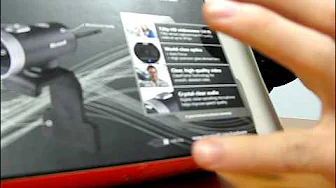
The video presents a hands-on unboxing and initial impressions of the Microsoft LifeCam Cinema. Linus Opens the retail package to reveal the webcam itself, a flexible mounting stand, a USB cable, and a quick start guide that emphasizes driver installation before plugging in the device. He highlights the camera's claimed 720p HD capability at 30 frames per second, the use of a glass element lens for potentially better optics, and a top-mounted digital noise cancelling microphone for Crystal Clear audio. Throughout the unboxing, Linus tests the packaging mechanics, describes the build quality as rubberized and grippy, and demonstrates the device’s mounting flexibility by attaching it to a monitor and adjusting its angle. He also notes the presence of a software CD and references MSN Messenger compatibility, while advising viewers to download updated drivers from Microsoft’s site for best results. The segment closes with a close-up look at the webcam, its rotation ability, and a wrap-up of the key features, inviting viewers to consider the LifeCam Cinema for their video communication needs.
Topics · science & technology · unboxing · hardware · webcam · digital video
Questions answered
- What are the main features highlighted for the Microsoft LifeCam Cinema in this unboxing?
- The video highlights 720p HD video at 30 frames per second, a glass element lens for better optics, and a digital noise cancelling microphone on the top of the unit.
- What does Linus say about the setup process for the webcam?
- He mentions that you should install the driver before plugging in the webcam and notes the software package included in the box, recommending downloading the latest drivers from Microsoft’s website.
- How is the webcam mounted and adjusted according to the demonstration?
- The webcam includes a flexible mounting stand on the back that can be attached to a monitor, and the camera itself can rotate and be angled to point in different directions.