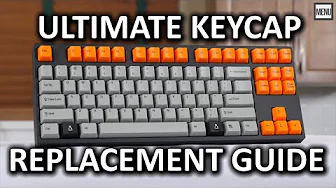
ULTIMATE Mechanical Keyboard Keycap Replacement "How To" Guide
0 up · 0 down · 0 ratings
Channels and socials
All you need to know about planning, purchasing, and installing new keycaps and dampeners on your mechanical keyboard, as well as some tips about proper mechanical keyboard maintenance. This keycap replacement guide was brought to you by CM Storm - Cooler Master. gaming.coolermaster.com Where to buy: linustechtips.com Join our community forum: bit.ly twitter.com twitter.com @LinusTech Credits: Host - Luke Lafreniere Camera - Brandon "B Roll" Lee Editing - Nick Van Berkel Music: Artist Name: Laszlo Title: Interstellar Video Link: youtu.be Beatport Download Link: monster.cat Label Channel: youtube.com Artist Name: Televisor Title: Old Skool Video Link: youtu.be Beatport Download Link: bit.ly Label Channel: youtube.com Artist Name: Televisor Title: Dream Soda Video Link: youtu.be Beatport Download Link: btprt.dj Label Channel: youtube.com Artist Name: Televisor Title: Automagic Video Link: youtu.be Beatport Download Link: monster.cat Label Channel: youtube.com Artist Name: Televisor Title: The Chase Video Link: youtu.be Beatport Download Link: btprt.dj Label Channel: youtube.com Artist Name: Televisor Title: Alliance Video Link: youtu.be Beatport Download Link: bit.ly Label Channel: youtube.com Outro Screen Music Credit: Approaching Nirvana - Sugar High youtube.com
The video walks viewers through planning, selecting, and installing new keycaps and dampeners for a mechanical keyboard, with a focus on Cherry MX compatible stems. It begins by helping you identify your keyboard stem type, explaining compatibility with common switch families like Cherry MX, Topre, and Alps, and highlighting exceptions such as the NovaTouch which uses a Cherry MX compatible stem. The presenter then emphasizes layout recognition, teaching how to distinguish ISO from ANSI and the differences between full-size and 80 percent layouts, including 60 percent variants for compact setups. It follows with material choices for keycaps, comparing ABS, PBT, and transparent or textured options, and discusses printing methods like pad, laser engraving, dye sublimation, and double shot molding, along with the impact of printing on the feel and durability of caps. The guide covers shape options from cylindrical, flat, to spherical, and explains how these factors influence feel and compatibility with backlighting. Finally, the video dives into dampeners and stabilizers, detailing thickness, durometer, material choices, and how to measure effective bottoming out, before moving into supply sources, removal and installation techniques, and routine maintenance tips to keep keyboards looking and typing clean and consistent.
Topics · hardware · diy · computer_peripherals · mechanical_keyboards