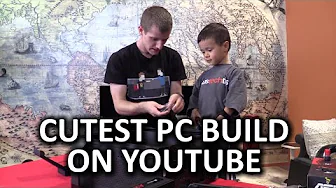
PC Building with my 3 Year Old
0 up · 0 down · 0 ratings
Channels and socials
Just how hard is it to build your own PC? My 3-year old son has the answer... Corsair link: linustechtips.com Buy Intel Core i7 5960X Amazon (PAID LINK): geni.us NCIX: bit.ly ASUS Strix Fury Amazon (PAID LINK): geni.us NCIX: bit.ly Cooler Master MasterCase 5 Amazon (PAID LINK): geni.us NCIX: bit.ly Corsair Dominator Platinum DDR4 Amazon (PAID LINK): geni.us NCIX: bit.ly Raijintek Triton Amazon (PAID LINK): geni.us NCIX: bit.ly Support us: linustechtips.com Join our community forum: bit.ly twitter.com @LinusTech Intro Screen Music Credit: Title: Laszlo - Supernova Video Link: youtube.com iTunes Download Link: itunes.apple.com Artist Link: soundcloud.com Outro Screen Music Credit: Approaching Nirvana - Sugar High youtube.com
This video presents a playful and educational PC building session in which LinusTechTips host Linus invites his three year old son to participate in assembling a computer. The early portion establishes the dynamic, with the child trying on a microphone, selecting a t shirt, and eagerly pointing toward parts. The parent guides the child as they choose components such as a Cooler Master Master Case Five, a Raijintek Triton cooler, an AMD graphics card, and a compatible motherboard, all while explaining the basic idea of compatibility and sequence. The core of the video shows the hands-on assembly process, including installing the motherboard standoffs, seating the CPU, applying the RAM, and mounting the graphics card. The narrative emphasizes a step-by-step, collaborative approach, with the child making decisions on color accents, case features, and even the side panel choice, before the system is powered on to verify that the fans spin and everything lights up. By the end, the build is completed and tested, yielding a functional PC that runs at a solid frame rate in Roblox, which the host attributes to the child’s participation as a learning and confidence-building activity. The video closes with a light-hearted reflection on how approachable PC building can be, especially when framed as a family activity, and invites viewers to like and subscribe for more content. Overall the video blends parenting and technology content, illustrating practical, beginner-friendly hardware assembly while highlighting the joy and curiosity of a preschooler. It features frequent, concrete moments of choosing parts, assembling on a motherboard outside the case, and performing a final power-on test. The pacing moves from playful setup to hands-on assembly, to a triumphant power-on moment, and finally to a reflective takeaway about the accessibility of PC construction for beginners of any age. The host maintains a supportive, encouraging tone, reinforcing the idea that curiosity and guided practice can lead to real hardware results, even when a helper is still learning. The content demonstrates both hardware basics and child-friendly engagement, making it a unique crossover between tech tutorials and family-oriented storytelling.
Topics · technology · family · education · hardware · computer-assembly · pc-building
Questions answered
- What parts did the child choose for the build, and why were they selected?
- The child helped pick a Cooler Master Master Case Five, a Raijintek Triton cooler, an AMD R9 Fury graphics card, and compatible motherboard and memory, with color choices like red to match the overall theme.
- Was the PC successfully powered on at the end, and what tests were performed?
- Yes, the system was powered on and the fans spun; the host conducted a basic test to confirm the build would post and run, indicating a successful assembly.
- What is the takeaway for viewers regarding PC building with kids?
- The video demonstrates that with guidance, piecemeal learning, and a patient approach, PC assembly can be approachable and enjoyable for young children, turning a technical task into a family activity.