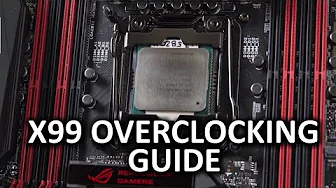
Ultimate X99 Overclocking Guide - Intel 5820K Haswell-E
0 up · 0 down · 0 ratings
Channels and socials
Intel's 5820K processor is a beast, and I wanted to make sure those of you who picked one up know how to get the most out of your awesome new processor! Sponsor link: linustechtips.com Pricing & discussion: linustechtips.com Support us: linustechtips.com Join our community forum: bit.ly twitter.com @LinusTech Intro Screen Music Credit: Adhesive Wombat -
Check out his channel here: youtube.com Outro Screen Music Credit: Approaching Nirvana - Sugar High youtube.com
The video opens with a straightforward, no-nonsense introduction to the Ultimate X99 Overclocking Guide, focused on the Intel 5820K Haswell-E processor. It explains what overclocking is, why enthusiasts push hardware beyond stock specifications, and which components typically respond to tuning, including the CPU, memory, and graphics setup. The host emphasizes the tradeoffs of overclocking, such as increased heat, power consumption, and potential hardware wear, setting realistic expectations for viewers. The segment then dives into the hardware selection, highlighting Corsair Dominator Platinum memory, a Rampage 5 Extreme motherboard from Asus, and a high-end Corsair liquid cooling solution, framing these choices as a balance between performance and reliability for six-core Haswell-E setups. It ends by outlining the initial BIOS navigation plan, including enabling Advanced mode, saving configurations, and preparing to tune the system progressively rather than chasing a stock-to-maximum leap in one go.
Topics · overclocking · pc-hardware · tutorial-guide · gaming-pcs
Questions answered
- What is the recommended starting point for overclocking the 5820K in this guide?
- Start with a multiplier around 45, CPU voltage near 1.3V, and keep all other system settings at default to begin testing for stability.
- Which memory timing adjustments are suggested as part of the tuning process?
- Use XMP profiles for RAM speed, watch for CPU strap changes above 2400 MHz, test stability with a safe benchmark, and adjust RAM voltage up to about 1.4V if needed while tuning system agent voltage.
- What is advised if the system fails a stability test after overclocking?
- Return to the BIOS, lower the multiplier or voltages, ensure temperatures are within safe limits, and re-run the stability test until a stable point is found.
- Why is base clock tuning used cautiously in this guide?
- Because Base Clock changes affect many other buses and storage subsystems, which can destabilize the system if pushed too far.