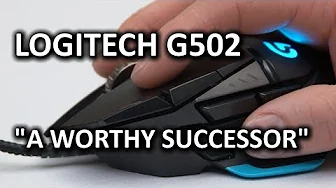
Logitech G502 Proteus Core Gaming Mouse
0 up · 0 down · 0 ratings
Channels and socials
The Logitech G502 Proteus Core is... Actually pretty freakin' sweet.It uses an all new sensor, and features some ergonomic tweaks to the traditional Logitech mouse shape that I really like. This mouse is a SERIOUS contender for your money. Five Four Club Link: bit.ly Hotspot Shield Links; 1) Desktop hotspotshield.com 2) Android: bit.ly 3) iOS: bit.ly Pricing & discussion: linustechtips.com Support us: linustechtips.com Join our community forum: bit.ly twitter.com @LinusTech Intro Screen Music Credit: Adhesive Wombat -
Check out his channel here: youtube.com Outro Screen Music Credit: Approaching Nirvana - Sugar High youtube.com
The Logitech G502 Proteus Core Gaming Mouse is presented as a highly configurable, ergonomically considerate device that aims to balance performance with comfort. The reviewer begins by evaluating the overall feel in the hand, noting that the shape remains familiar to fans of Logitech’s Performance Mouse lineage while integrating thoughtful tweaks such as an extended thumb rest, additional buttons, softer back material, and textured side grips. He highlights the new blue LED logo and the refined button layout, which allows easy access to all primary inputs without altering his grip. The discussion then moves to hardware specifics, including the left, right, and middle click switches, which are described as high quality with a satisfying tactility and deliberate weight differences to distinguish primary actions from secondary ones. The reviewer also comments on the weight and cord, suggesting a potential need for a connector or anchor to manage the heavier feel during movement, especially given the strong magnet-based weight system at the bottom. Overall, the first section establishes the G502 as a worthy evolution from the G9, particularly for users who prioritize a larger button set and a robust in-hand experience.
Topics · technology · computer_hardware · gaming · reviews
Questions answered
- What is the main ergonomic advantage of the Logitech G502 Proteus Core compared to earlier models?
- The G502 retains the classic ergonomic shape but adds an extended thumb rest, soft touch back, textured side grips, and a better button layout that allows easy access to all inputs without changing grip.
- How does the G502’s scroll wheel operate in different modes, and what is a noted drawback?
- The scroll wheel features a normally clickable mode and a fast free-spin mode, with a toggle to switch between them placed on top of the mouse. A drawback mentioned is the heavy, metallic finish on the backward step that can cause finger slip when scrolling.
- What is the overall software and hardware integration experience described for configuring the mouse?
- Software updates enable real-time changes to hardware settings, an improved macro interface for binding actions, onboard memory for saving profiles, and a surface tuning feature to optimize tracking on a given pad.