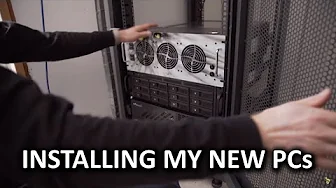
Final Deployment of My New PC! - Personal Rig Update 2015 Part 5 (FINALE)
0 up · 0 down · 0 ratings
Channels and socials
Thanks to Braintree for supporting our channel. To learn more, and for your first $50,000 in transactions fee-free, go to braintreepayments.com It is finally, FINALLY, time to install my new personal server/gaming PC/awesome machine!! Claypower CP-900W-2U Double Online Conversion Rack/Tower UPS: istarusa.com iStarUSA M-3120-ATX 3U 3.5" 12-Bay Trayless Storage Server Rackmount Chassis: istarusa.com Xeal IS-550R8P 550W PS2 mini redundant PSU: istarusa.com Pricing & discussion: linustechtips.com Apacer links: Sign up for the giveaway at linustechtips.com
Check out their products on Newegg at bit.ly Support us: linustechtips.com Join our community forum: bit.ly twitter.com @LinusTech Intro Screen Music Credit: Title: Laszlo - Supernova Video Link: youtube.com iTunes Download Link: itunes.apple.com Artist Link: soundcloud.com Outro Screen Music Credit: Approaching Nirvana - Sugar High youtube.com Sound effects provided by freesfx.co.uk
Final Deployment of My New PC! marks the culmination of Linus Tech Tips' Personal Rig Update 2015, presenting the full relocation, upgrading, and consolidation of a personal server and gaming PC into a rack-mounted, quiet, high-performance setup. The video begins with preparations, including loading gear onto a truck and assessing the heavy UPS units, rails, and monitors that must ascend stairs. Linus explains the rationale for a mixed hardware approach, swapping out consumer-grade components for enterprise-grade parts, and enabling faster, internal networking with a 10 Gb-like setup via existing NICs and ECC memory to support VMs, Docker containers, and media servers. The middle section documents the physical rack mounting, cable management, and the “secret sauce” of IO through a Thunderbolt bridge, involving Elgato Thunderbolt hubs and Asus Thunderbolt cards to route IO through the wall to a distant display and peripherals. The finale demonstrates a successful first boot with Thunderbolt devices working, network and display connections established, and a sense of satisfaction at achieving a nearly silent, highly integrated system that ties together the home office, media server, and gaming rig while promising further optimization in a future update. Overall, the video blends meticulous hardware planning with hands-on installation, emphasizing modularity, quiet operation, and the balance between DIY cabling and professional-grade components. Linus also leverages the moment to acknowledge sponsorships and community support, inviting viewers to engage, purchase merchandise, and participate in related discussions on the forum. The tone remains practical and enthusiastic as the new rig transitions from concept to a functional, centralized home server and gaming powerhouse.
Topics · technology · hardware · diy · data_center · networking · server · gaming · home_lab
Questions answered
- What is the main goal of the Final Deployment of My New PC video?
- To relocate and upgrade a personal server and gaming PC into a rack-mounted, quiet, high-performance setup and to demonstrate the integration of enterprise-grade components with Thunderbolt IO.
- What technology enables IO to the remote room in this build?
- A Thunderbolt bridge using Asus Thunderbolt cards and Elgato Thunderbolt hubs to route IO through the wall to the monitor and peripherals.
- Why are ECC memories used in this build?
- ECC memory is used to maximize stability for running virtual machines and Docker containers, even though it is not strictly necessary with Unraid.
- What is the final status after the deployment proves successful?
- The system boots successfully, Thunderbolt devices function, network and display connections are established, and the setup is ready for further tuning and potential future upgrades.