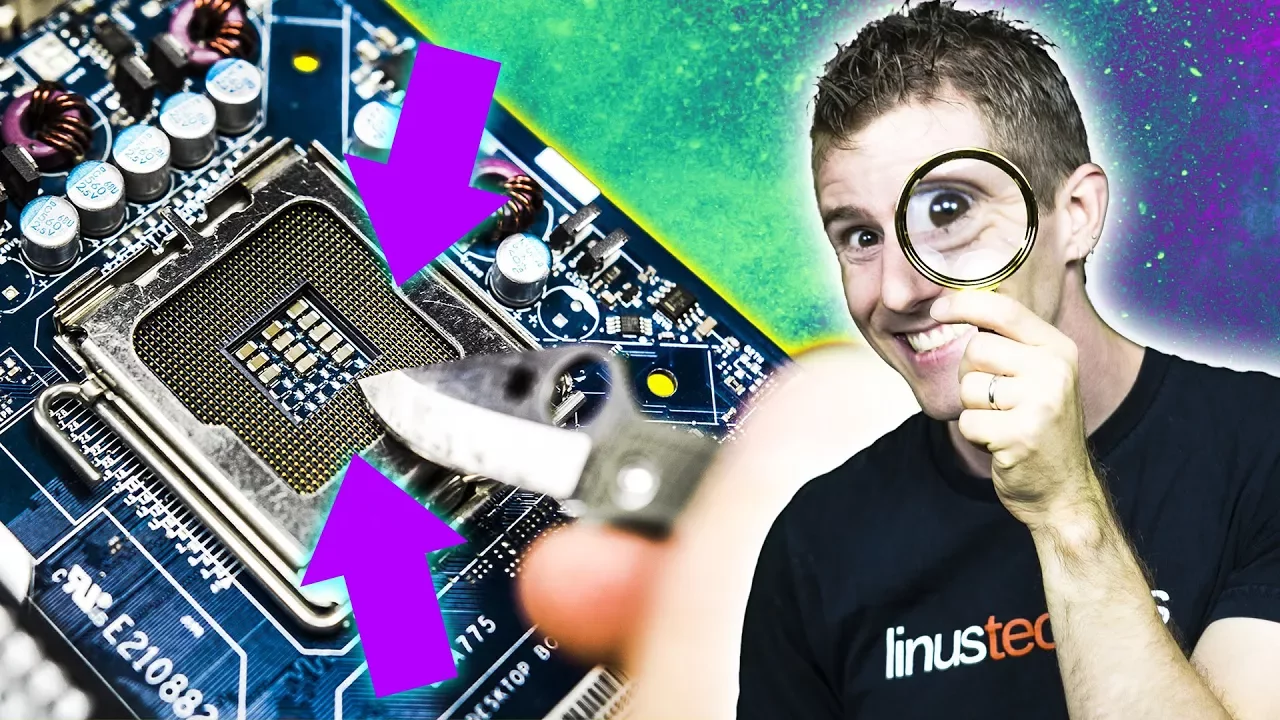
Resurrecting a Broken Motherboard – Bent Socket Pins
0 up · 0 down · 0 ratings
Description
Bent socket pins on a motherboard can be a HUGE bummer... but can you feel comfortable fixing them yourself? Freshbooks sponsor link: For your unrestricted 30 days free trial, go to freshbooks.com and enter in “Linus Tech Tips” in the how you heard about us section. Intel sponsor link:
Promos
Check out HP's Omen X featuring Intel's 7th Generation Core i7 7700K processor on Newegg: geni.us Buy Quadhands Helping Hands on Amazon: geni.us Buy motherboards on Amazon: geni.us Discuss on the forum: linustechtips.com Our Affiliates, Referral Programs, and Sponsors: linustechtips.com Linus Tech Tips merchandise at designbyhumans.com Linus Tech Tips posters at crowdmade.com Our production gear: geni.us Twitter - twitter.com Facebook - @LinusTech Instagram - @linustech Twitch - twitch.tv Intro Screen Music Credit: Title: Laszlo - Supernova Video Link: youtube.com iTunes Download Link: itunes.apple.com Artist Link: soundcloud.com Outro Screen Music Credit: Approaching Nirvana - Sugar High youtube.com Sound effects provided by freesfx.co.uk
The video opens with an introduction to a high end motherboard, framing the problem of bent socket pins in a modern LGA CPU socket. It explains that symptoms of bent pins can vary from a total failure to post to subtle instabilities under heavy workloads, including memory detection issues and intermittent boot problems. The host details that every CPU pin has a distinct function, with some pins serving direct traces, some acting as grounds, and others possibly reserved for future features. He emphasizes that bent pins can cause a range of failures and that simply exchanging the motherboard or requesting a repair from the manufacturer can be expensive or impractical. The narrative then pivots to a do-it-yourself repair approach, noting that physical damage is generally not covered by warranty and that professional repair quotes can be prohibitively high. The host enumerates safety considerations and sets expectations: the process is delicate, can harm other pins if rushed, and requires careful observation of the pin grid to identify which pin is bent. He then outlines the plan to recover the motherboard using hand tools and a steady hand, replacing the expected results if necessary with improvisation and patience. The discussion shifts to the practical steps of locating the bent pin, assessing how far it is bent, and choosing a commencement strategy for realignment, highlighting the risk of additional damage if the pin is mishandled. He demonstrates a side approach to coax the pin back toward alignment, then transitions to a bottom-up method to ensure contact with the CPU land grid array pads. The host notes that bending should be done gradually, allowing the pin to settle in its proper position, and confirms alignment with a bright visual cue. A successful reassembly is followed by a functional test where the system posts and recognizes memory, validating the repair. The host introduces a supplementary demonstration using a sacrificial motherboard to simulate common mishaps, such as accidental pin bending during CPU drops, and stresses that these scenarios can drift from perfect alignment and risk pin or pad damage. The segment emphasizes that while minor misalignments can sometimes be corrected, aggressive bending or repeated manipulation can permanently harm pins, and the risk of losing contact efficiency remains. The video concludes with practical cautions about deliberate double-checks against socket diagrams to confirm pin presence and absence, before a final success moment where the CPU and memory are detected, signaling restoration of the motherboard. The closing sections briefly touch on additional resources, including a plug for a cloud accounting service and links to products and community forums, while reaffirming that the repair is feasible with patience and careful technique if no other motherboard issues exist. The host signs off by inviting viewers to consider the repair approach for similar issues and to explore related resources if repairing a board for others becomes part of their work.
Topics · technology · hardware · do_it_yourself · electronics · computer_hardware
Questions answered
- Can bent CPU socket pins be repaired at home without specialist tools?
- Yes, the video demonstrates a do-it-yourself approach using common tools like picks, knives, and tweezers, with careful probing and realignment to restore contact with the pads.
- Is repairing bent pins on a motherboard covered by warranty or cost-effective?
- Physical damage to a motherboard is typically not covered by warranty, and professional repair can be costly, making a DIY repair an attractive alternative when feasible.
- What are the key risks when attempting to repair bent pins?
- Risks include bending other pins inadvertently, weakening pin strength through overbend, and possibly destroying the contact pads or the socket if mishandled.