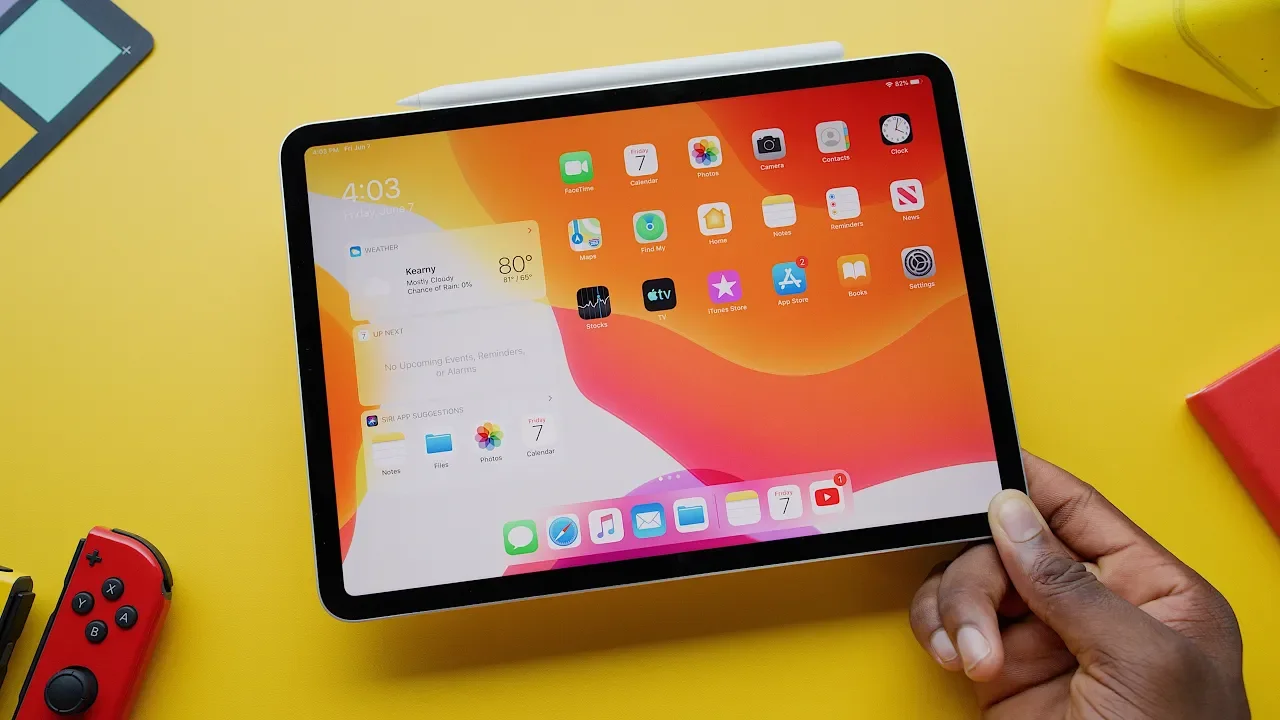
iPad OS Impressions: They Listened!
0 up · 0 down · 0 ratings
Promos
iPad OS (aka iOS 13 for iPad) wholly upgrades my verdict on iPad Pro as a product. And I DIDN'T EVEN MENTION MOUSE SUPPORT! Favorite software update of the year. The iPad Pro Review: youtu.be MKBHD Merch: shop.mkbhd.com Video Gear I use: kit.com Tech I'm using right now: amazon.com Intro Track: A Mi Chemin - Hocus Pocus Playlist of MKBHD Intro music: goo.gl ~ twitter.com @MKBHD @MKBHD
iPadOS 13 for iPad represents a major software rethink that directly addresses long-standing criticisms of the iPad Pro as a portable workstation. The video walks through a series of practical changes, starting with the home screen widgets that for the first time feel like real glanceable info with useful one-tap actions, positioned on the left side for quick access. The host emphasizes how this shift nudges the iPad closer to a conventional computer experience, especially when paired with updated multitasking features that allow two instances of the same app to sit side by side, and a refined slide over and quick-switch system that keeps apps in memory for faster context switching. A big portion of the discussion centers on USB-C and external storage, where importing from flash drives and memory cards directly into apps becomes possible, finally addressing earlier limitations and enabling more desktop-like workflows. The Files app also gains a new column view and expanded capabilities, making file management more like Finder with copy-paste, zipping, and easier organization, which in turn opens up more ambitious productivity workflows. In addition to these enhancements, desktop-class browsing in Safari is highlighted as a pivotal improvement, with the host testing Google Drive, YouTube Creator Studio, and offline downloads, all of which previously required a desktop or laptop experience. The keynote-era features such as sidecar for using the iPad as a second display with Mac and the improved Apple Pencil latency further elevate the device as a creative and productive tool, with the host noting latency improvements that make stylus interactions feel almost immediate. The video closes with a personal verdict: for the host, iPadOS 13 effectively elevates the iPad Pro from a strong tablet to a capable mobile workstation, capable of handling tasks that previously required a laptop, while recognizing that the ultimate replacement depends on individual workflows and the amount of video editing or desktop-like work one does. The overall takeaway is enthusiastic, framing iPadOS 13 as a winner that finally aligns software with the Pro hardware, and expressing optimism that the broader user base will experience similar gains once the public beta lands and final builds roll out.
Topics · Technology · Gadgets · Product reviews · Mobile computing
Questions answered
- What new features does iPadOS 13 bring to the iPad Pro that improve productivity?
- iPadOS 13 adds widgets on the home screen, enhanced multitasking with side-by-side apps and improved slide over, USB-C external storage support for direct imports, a Files app with Finder-like capabilities, column view, copying and pasting, zipping, and desktop-class browsing in Safari for a more desktop-like web experience.
- Can you use external drives with iPad Pro after iPadOS 13?
- Yes, you can connect flash drives or memory cards directly to the iPad Pro and import files into apps, enabling workflows that previously required a computer.
- Does sidecar make the iPad a full laptop replacement or just a companion display?
- Sidecar extends the Mac experience by using the iPad as a second display with Apple Pencil support for drawing and editing, offering a bridge toward laptop-like workflows but whether it fully replaces a laptop depends on individual needs and tasks.