Installing Laptop RAM into Desktop!?
0 up · 0 down · 0 ratings
Promos
For your unrestricted 30 days free trial, go to freshbooks.com and enter in “Linus Tech Tips” in the how you heard about us section. Sign up for Private Internet Access VPN at privateinternetaccess.com Have you ever wondered if you could put laptop memory into a desktop? No? Let's do it anyway. What could go wrong? Buy SODIMM to DIMM adapters on Ebay: geni.us Buy DDR4 RAM on Amazon: geni.us Discuss on the forum: linustechtips.com Our Affiliates, Referral Programs, and Sponsors: linustechtips.com Linus Tech Tips merchandise at designbyhumans.com Linus Tech Tips posters at crowdmade.com Our production gear: geni.us Get LTX 2018 tickets at ltxexpo.com Twitter - twitter.com Facebook - @LinusTech Instagram - @linustech Twitch - twitch.tv Intro Screen Music Credit: Title: Laszlo - Supernova Video Link: youtube.com iTunes Download Link: itunes.apple.com Artist Link: soundcloud.com Outro Screen Music Credit: Approaching Nirvana - Sugar High youtube.com Sound effects provided by freesfx.co.uk
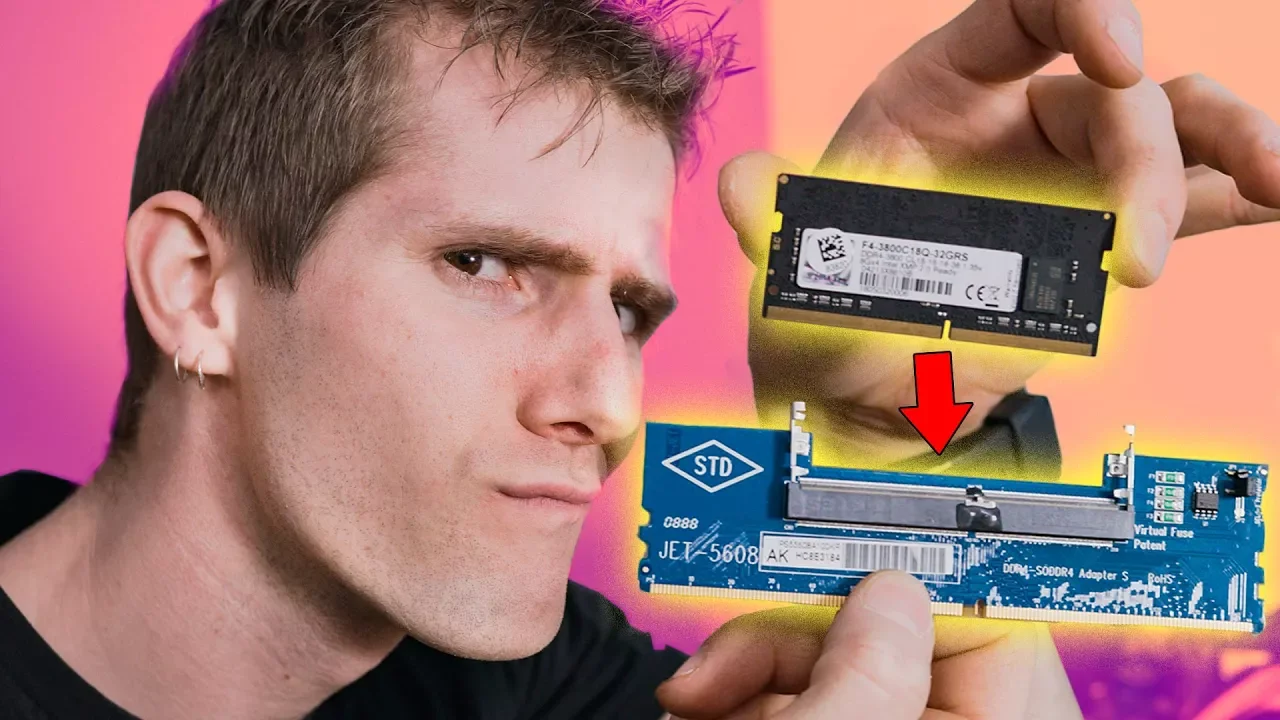
The video explores whether laptop memory can be used in a desktop PC by using SODIMM to DIMM adapters. The host walks through the adapters, showing a Jet-branded set purchased on eBay that promises to bridge laptop RAM into a full-size DIMM slot. He discusses the physical differences between SODIMM and DIMM modules and highlights how the adapters come with component features like a jumper and a so-called virtual fuse, while admitting there is no manual to rely on. The first test involves reseating memory and powering on the system, with initial POST codes indicating RAM recognition challenges. The streamer then experiments with removing mismatched memory sticks and attempting different configurations, documenting the process and the debugging steps live. By the end of the test, he shows a dual-channel readout at around 2133 MHz baseline and gradually pushes the memory to 2666 MHz, observing a modest performance improvement. The video concludes with a practical takeaway: while adapters can sometimes enable laptop RAM in a desktop, the setup is not recommended for everyday use, and buying proper desktop RAM remains the sensible path for most users, except in niche upgrade scenarios. The presenter reflects on the broader implications, noting that although the concept is technically possible, real-world reliability and performance are uncertain. The discussion covers what kind of situations might justify using these adapters, such as reviving older laptops by repurposing RAM, or testing memory in a shop setting. He views the adapter solution as inexpensive and functional for certain tests, but not a replacement for standard desktop memory. The video weaves practical demonstrations with a candid tone about the limitations and the enjoyment of experimentation. Viewers are left with clear guidance: treat these adapters as a stopgap or a testing tool rather than a long-term upgrade path, and prioritize desktop RAM for desktop systems.
Topics · Science & Technology · Technology DIY · Hardware & Components · Computers & Tech News
Questions answered
- Are laptop memory modules (SO-DIMMs) capable of functioning in a desktop with adapters?
- Yes, adapters exist that physically connect SO-DIMM modules to DIMM slots, but success is not guaranteed and performance or stability may be limited.
- What speeds did the test achieve when using adapters, and was there a noticeable performance gain?
- The test achieved dual-channel operation around 2133 MHz baseline and could push to about 2666 MHz in some configurations, with a modest performance improvement.