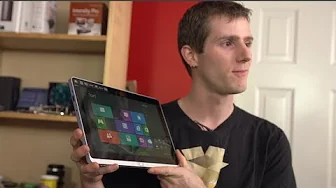
Acer Iconia W700 Windws 8 Tablet Unboxing & First Look Linus Tech Tips
0 up · 0 down · 0 ratings
Channels and socials
The W700 tablet, just like the S7 notebook just blows away my expectations of Acer build quality. The tooling is immaculate and the device feels superb in my hands. It's a touch heavy, but it's very powerful compared to other tablets and delivers decent battery life as well! Sponsor link: mobile.coolermaster-usa.com Read more and join our community forum: linustechtips.com twitter.com @LinusTech Buy at NCIX: ncix.com
The video opens with Linus Tech Tips presenting a hands-on unboxing of the Acer Iconia W700 Windows 8 tablet, highlighting its positioning as an x86 based tablet that runs a full Windows 8 OS rather than relying on an ARM or iPad-like ecosystem. He emphasizes the device’s high end spec for a tablet at the time, including an Intel Core i5 3317U processor, 4 GB of RAM, and a 128 GB SSD, and notes that the unit appears to be an evaluation model with broken seals. Linus compares the W700 to other tablets and ultrabooks, framing it as bridging the gap between tablet portability and notebook performance, especially thanks to its docking keyboard accessory. He discusses the intended use cases and the trade-offs of the form factor, acknowledging that the tablet is thicker to accommodate cooling for the x86 chip while still offering a robust Windows 8 experience. The opening segment ends with a tour of the physical build, including the dual speaker layout, USB 3.0, micro HDMI, and the overall premium alloy construction, while preparing viewers for a deeper look at the included accessories and overall value proposition.
Topics · technology · hardware · tablets · windows · unboxing · reviews · computer
Questions answered
- What are the key specifications of the Acer Iconia W700 as presented in the video?
- The Acer Iconia W700 features an Intel Core i5 3317U processor, 4 GB of RAM, a 128 GB SSD, a 11.6 inch full HD IPS display, USB 3.0, micro HDMI, and a keyboard dock accessory for notebook-like use.
- What are the main advantages of the W700 according to Linus?
- Linus highlights the ability to run a full Windows 8 OS on a tablet form factor, the strong build quality, the high speed USB 3.0 and versatile docking options, and the option to use it as a dual monitor setup when docked.
- What are some caveats mentioned about the device or its dock?
- He notes the tablet is thicker due to cooling needs, the dock is plastic and not as premium as the tablet, and he suggests including wired LAN as a potential improvement.