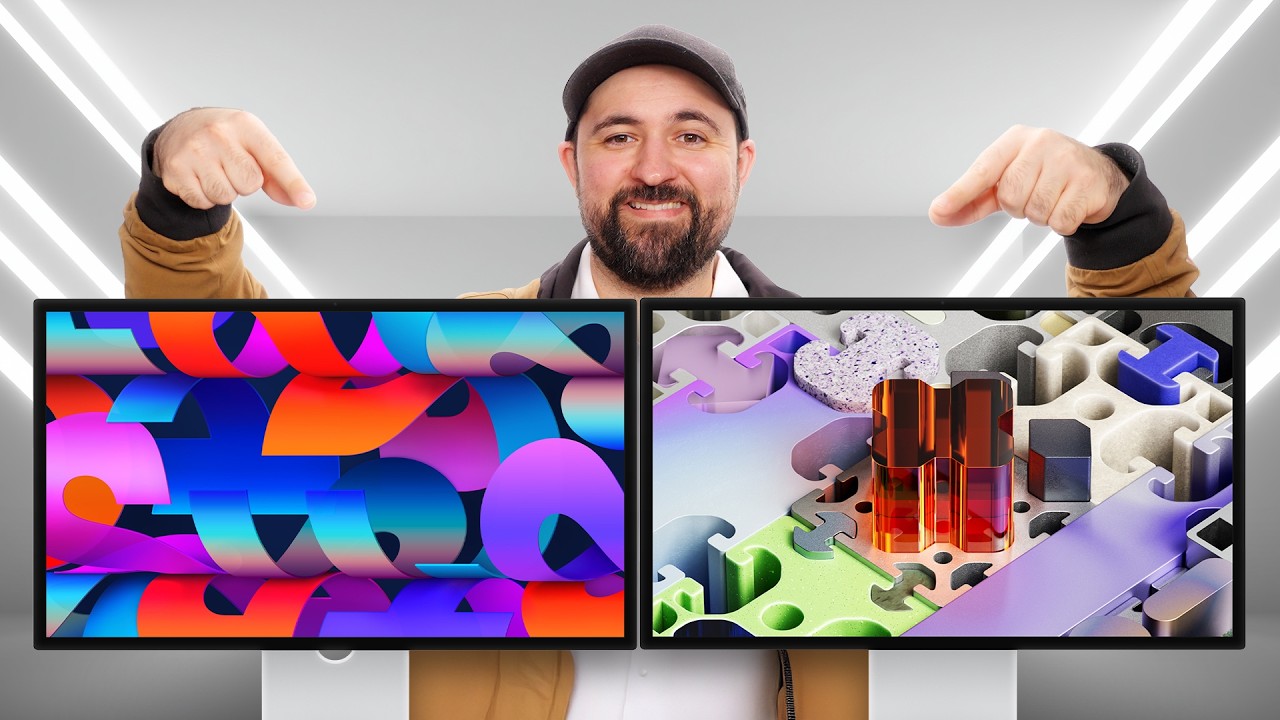
Do you need a Studio Display, or the XDR version - Apple Studio Display and XDR (2026)
0 up · 0 down · 0 ratings
Description
Add another layer to your internet privacy toolkit. Get an exclusive deal on Private Internet Access VPN today at piavpn.com The man, the myth, the display owner, Nicolas Plouffe uses his expert eyes to evaluate the new Apple Studio Display and Studio Display XDR to find out which one Apple fans should spend their hard-earned cash on this year.
Check out the Apple Studio Display: prsm2.com
Channels and socials
Check out the Apple Studio Display XDR: prsm2.com Want us to unbox something? Make a suggestion at lmg.gg Thanks to our channel partner Secretlab! - Grab a TITAN Evo ergonomic gaming chair: lmg.gg - Grab a MAGNUS Pro sit/stand gaming table: lmg.gg ► SHOP OUR PRODUCTS: lttstore.com ► GET A VPN: piavpn.com ► GET EXCLUSIVE CONTENT ON FLOATPLANE: lmg.gg ► DIVE DEEPER ON THE LTT LABS WEBSITE: lmg.gg ► SPONSORS, AFFILIATES, AND PARTNERS: lmg.gg Purchases made through some store links may provide some compensation to Linus Media Group. Affiliate links powered in part by affilimate.com Studio lighting by Aputure: aputure.com Linus Sebastian is an investor in Framework Computer, Inc and HexOS by Eshtek. CHAPTERS --------------------------------------------------- 0:38 What's in the box 3:47 Display I/O 4:38 Unboxing Studio Display XDR 6:10 XDR specs 7:45 Hardware differences 8:40 Sponsor 9:19 Getting turned on 9:50 Side-by-side 11:50 Refresh rates 12:30 Colour accuracy 13:55 Gaming time 15:41 Pricing 17:07 Next video
The video dives into a detailed comparison between the Apple Studio Display and the Studio Display XDR, starting with an in-depth unboxing and first impressions. The host notes that the non-XDR Studio Display resembles the previous model, highlighting its 5K 27-inch panel, 60 Hz refresh rate, and bundled stand. He also calls out packaging details, including the cable box and peel, praising the packaging as a way to protect the product while acknowledging some waste. The discussion then shifts to the XDR variant, where the host emphasizes its nano texture glass option, new 12-megapixel Center Stage camera with desk view, and the four USB-C/Thunderbolt 5 ports on the back. He also explains the significant upgrade in brightness and local dimming capabilities, comparing the internal components like the A19 Pro chip and the improved cooling design. Throughout, the host keeps returning to practical decisions about whether to choose the regular Studio Display or the XDR based on features, use case, and price considerations. In a dedicated side-by-side section, the video compares display coatings, resolution, and the overall build. The nano texture glass on the XDR is shown to reduce reflections dramatically, while the glossy coating remains an option on the standard model. The host demonstrates the display’s overall aesthetics, notes the absence of a physical brightness or OS control on the Studio Display, and discusses how the XDR’s higher peak brightness up to 2000 nits and 120 Hz refresh rate change the HDR and gaming experience. He also highlights practical aspects such as the 96 W power delivery on the standard model versus the higher 140 W on the XDR, and how those differences affect powering multiple devices during heavy workloads. The hands-on testing covers color accuracy with delta E measurements, HDR performance, and the impact of local dimming zones, concluding that the XDR generally performs better, especially in HDR content and color work. The video then moves to content testing and gaming, including 4K HDR Cyberpunk gameplay at 120 Hz to illustrate the motion clarity and brightness capabilities. The host critiques the Studio Display’s lack of 120 Hz at its price point, arguing that the XDR justifies the extra cost for professionals who require higher brightness, better color spaces such as Adobe RGB and DICOM, and enhanced HDR. The price discussion caps the analysis, with the regular model priced around $1,600 and the XDR near $3,300, plus options for nano texture glass at additional cost. The host remains balanced, praising the displays for color accuracy and overall image quality while labeling the price as a barrier for most buyers. The video closes with a verdict: both displays are impressive, but the XDR delivers significantly stronger performance at a steep premium, and buyers should weigh the cost against their professional needs and ecosystem investments.
Topics · technology · consumer electronics · display technology · apple ecosystem · HDR
Questions answered
- What are the key differences between the Studio Display and the Studio Display XDR in terms of performance?
- The Studio Display XDR offers higher brightness up to 2000 nits, a 120 Hz refresh rate, and enhanced color features with Adobe RGB and DICOM support, along with a nano texture glass option. The regular Studio Display is 5K, 27 inches, 60 Hz, with up to 600 nits, and lacks the higher end HDR zoning and the same color space options. The XDR also has a more capable cooling system and higher power delivery (140 W) compared with the regular model (96 W).
- Is 120 Hz available on the non-XDR Studio Display according to the video?
- No, the non-XDR Studio Display is shown as 60 Hz, which is highlighted as a downside when comparing to the XDR’s 120 Hz capability.
- What should a buyer consider when deciding whether to upgrade to the XDR model?
- Buyers should weigh the need for higher brightness, HDR performance, and professional color work against the premium price of the XDR. If color-critical work or HDR viewing is important, the XDR offers meaningful advantages; otherwise the regular Studio Display provides solid performance at a lower price.