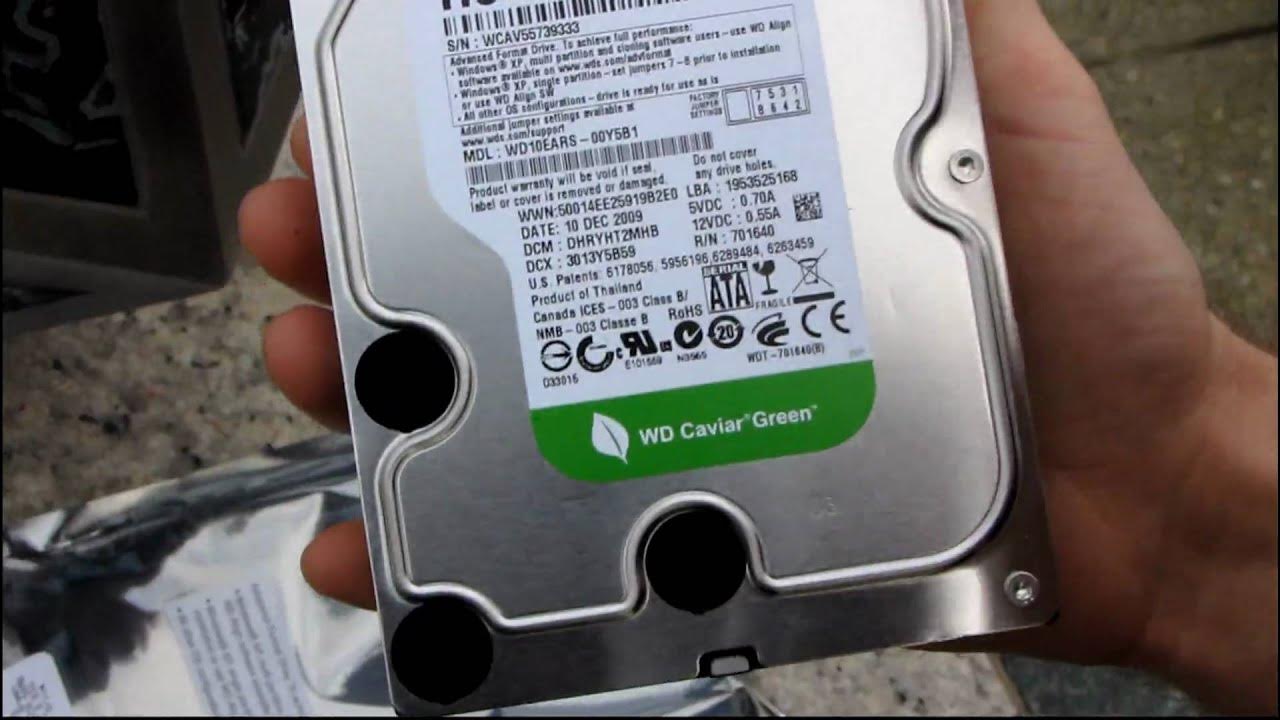
Western Digital 1TB Caviar Green Advanced Format Hard Drive Unboxing & First Look Linus Tech Tips
0 up · 0 down · 0 ratings
Description
Besides unbox and look first, I also explain what advanced format is and why you should care. Check it out :)
The video provides an outdoor unboxing and first look at the Western Digital 1 TB Caviar Green Advanced Format hard drive. It starts with the presenter introducing the drive and highlighting that this model uses Advanced Format, indicated by the E ARS in the part number, which means it employs 4 kilobyte sectors instead of the traditional 512-byte sectors. The host explains the potential benefits of 4kB sectors for future data densities and storage efficiency. The unboxing proceeds with a close inspection of the drive’s physical design, noting the standard 3.5 inch form factor, the mounting holes, and the back panel with SATA power and SATA data interfaces, plus jumper pins. A crucial technical segment covers how Advanced Format affects operating system compatibility, especially for Windows XP, where users may need to run the WD Align software or set a jumper (7 to 8) to ensure proper partition alignment for optimal performance. The host is clear that newer operating systems like Windows Vista, Windows 7, and macOS typically don’t require extra steps, while older XP setups require attention to alignment. The video closes with practical installation guidance, reiterating the recommended use of WD Align software for XP users and noting that the drive is otherwise ready for use with modern operating systems, emphasizing the importance of proper alignment for performance gains.
Topics · technology · hardware · unboxing · storage
Questions answered
- What does Advanced Format mean for hard drives like the WD 1TB Caviar Green?
- Advanced Format uses 4 kilobyte sectors instead of 512 byte sectors, enabling higher data densities in the future and potential performance benefits when partitions are properly aligned.