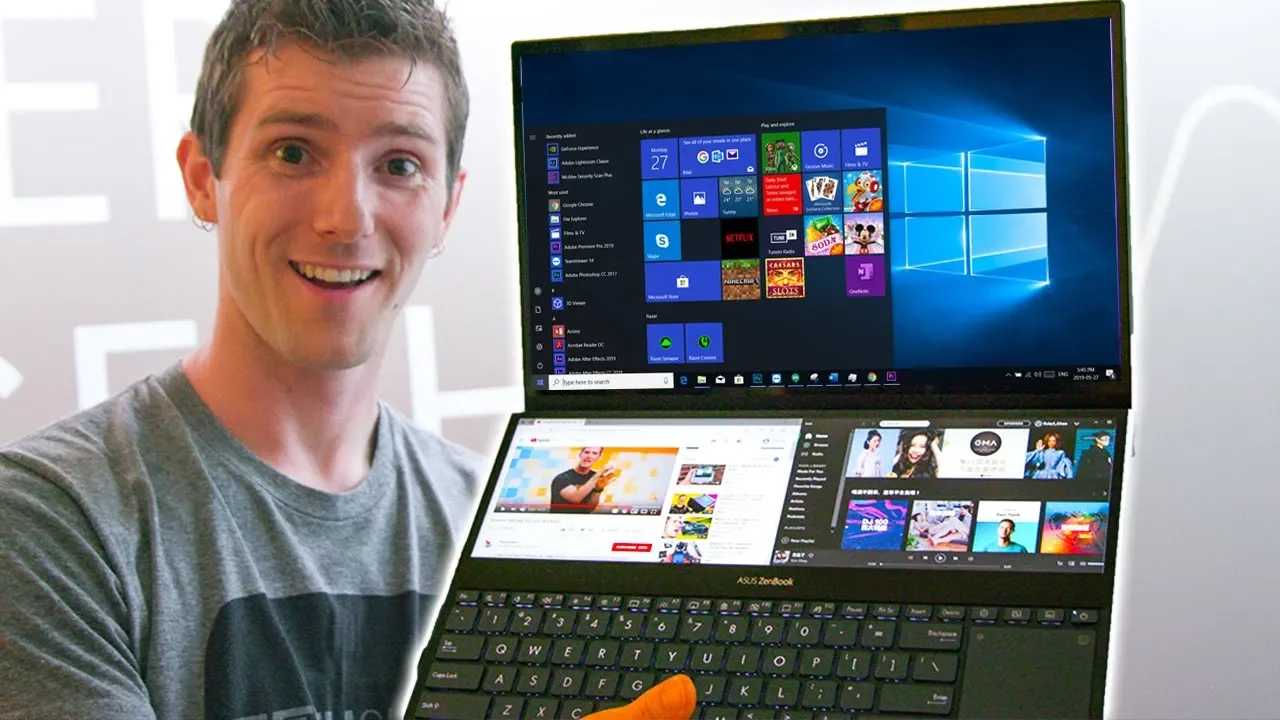
INSANE Dual Screen Laptop! - ASUS Zenbook Pro Duo First Look
0 up · 0 down · 0 ratings
Description
Buy the Drop Plus Universal IEMS at dro.ps
Promos
Check out the iFixit Magnetic Project Mat at ifix.gd or visit ifixit.com for more great tools! The ASUS Zenbook Pro Duo is the first two-screen notebook we've seen that REALLY makes a lot of sense. It's a fantastic idea, and realistically every laptop maker is going to be doing this in the next year. Buy: ASUS Zenbook Laptops On Amazon: geni.us On Newegg: geni.us Discuss on the forum: linustechtips.com Our Affiliates, Referral Programs, and Sponsors: linustechtips.com Get Private Internet Access today at geni.us Displate metal posters: lmg.gg Linus Tech Tips merchandise at lttstore.com Linus Tech Tips posters at crowdmade.com Our Test Benches on Amazon: amazon.com Our production gear: geni.us Twitter - twitter.com Facebook - @LinusTech Instagram - @linustech Twitch - twitch.tv Intro Screen Music Credit: Title: Laszlo - Supernova Video Link: youtube.com iTunes Download Link: itunes.apple.com Artist Link: soundcloud.com Outro Screen Music Credit: Approaching Nirvana - Sugar High youtube.com
The video provides an in-depth first look at the ASUS Zenbook Pro Duo, highlighting how its dual-screen design is more than a gimmick and could represent a real shift in how laptops are used for productivity and creative work. The host introduces the ErgoLift hinge which tilts the keyboard to improve ergonomics and cooling, and explains how that design enables packing an eight-core HK-series processor and an RTX 2060 into a compact chassis while maintaining strong thermal performance. A central feature discussed is the secondary 4K-like display with a resolution of 3840 by 1100 pixels that sits below the main screen; this panel is designed to be a true Windows multitasking surface rather than a clunky workaround. The video walks through the software tools Asus built to manage windows, presets, and task layouts, showing practical setups for travel planning, coding workflows, and media management. The presenter also contrasts the two panel technologies under discussion, noting a glossy 4K OLED top panel versus a matte 3840 by 1100 LCD bottom panel, and discusses how region-specific configurations might vary between pro and standard models. He finishes with reflections on how this device could change his own workflow, potential improvements like keyboard rebindings for the side touchpad, and a cautious optimism about real-world use cases for creators and power users. The discussion closes with a brief mention of a sponsor and encouragement for viewer feedback on whether this dual-screen approach is a meaningful innovation or just a clever gadget.
Topics · Technology · Computers · Gadgets · ProductDesign
Questions answered
- What is the core feature of the ASUS Zenbook Pro Duo that Linus highlights as a game changer?
- The core feature is the second 4K-like display located below the main screen, which enables true multitasking with window dragging and specialized software tools for presets and layouts.
- How does the ErgoLift hinge affect usability and cooling?
- The ErgoLift hinge lifts the keyboard slightly to improve ergonomics and increases airflow under the chassis, helping to mitigate thermal slowdown while a compact form factor remains, according to Asus.
- What are some potential drawbacks or caveats mentioned for this dual-screen setup?
- Possible drawbacks include reliance on software for smooth window management, the right-hand touchpad being less convenient for some, and regional variations in display technology that could affect color, resolution, and keyboard feel.