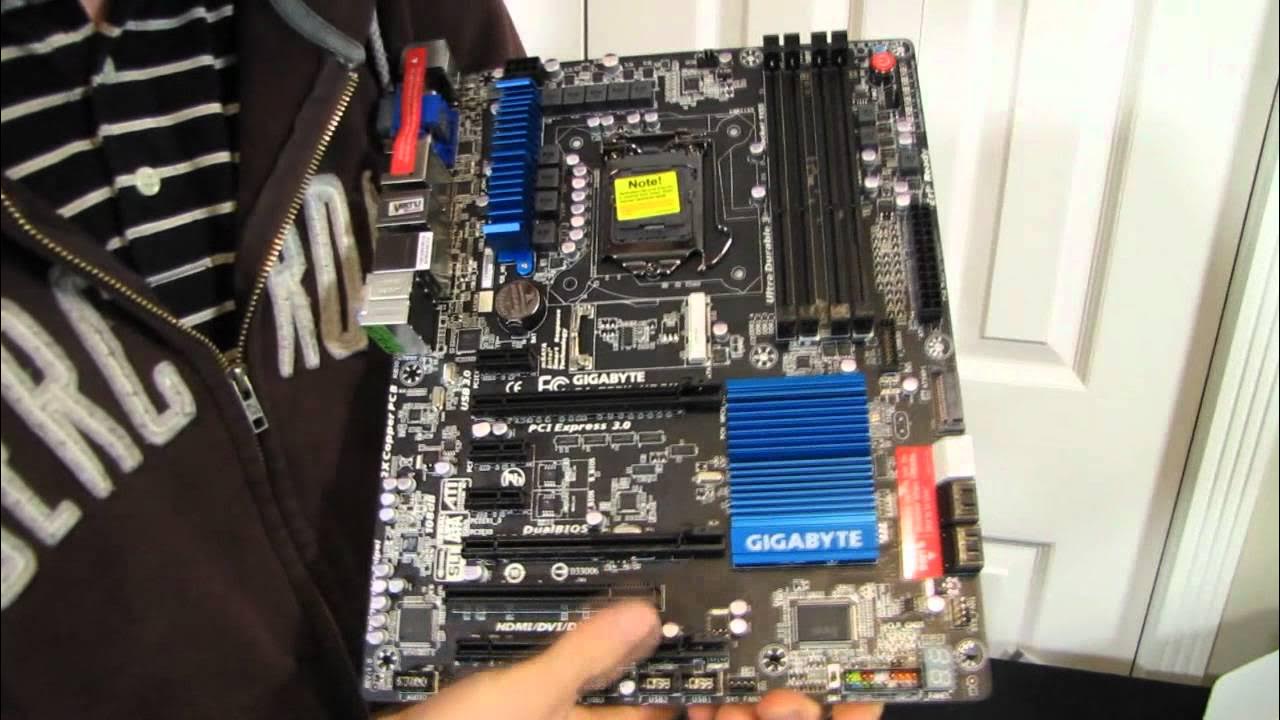
Gigabyte Z77X-UD3H Ivy Bridge SLI Gaming Motherboard Unboxing & First Look Linus Tech Tips
0 up · 0 down · 0 ratings
Description
CA: ncix.com US: us.ncix.com This board is actually pretty ballin' out. It includes the key features, but doesn't really come with extras that you don't need (that end up costing you extra).
This video presents an in-depth unboxing and first look at the Gigabyte Z77X-UD3H motherboard, centered on Ivy Bridge hardware and SLI/Crossfire capabilities. The host walks through the ultra durable design concept, detailing the evolution from earlier copper PCB generations to Ultra Durable 4, which includes high temperature protection, humidity resistance, electrostatic protection, and power-failure protection. He then highlights the dual UEFI BIOS interface known as 3D BIOS, which provides a graphical, highly visual method to adjust CPU, memory, and boot settings, making it easier to tune the system without digging through complex menus. The motherboard’s feature set is laid out in clear terms: Z77 chipset support, PCI Express Gen 3, onboard USB 3.0, and Virt MVP for leveraging the CPU’s integrated GPU for transcoding tasks while using a discrete graphics card for gaming. The host emphasizes the balance of value and features, noting that while this is a more budget-friendly board, it still offers SLI/Crossfire support, robust overclocking options like load line calibration, and the Smart Response technology which can cache data on a small SSD to speed up boot and frequently used tasks. In terms of connectivity and layout, the video covers the PCIe slot arrangement, M SATA for SSDs, front panel USB 3.0, a variety of storage ports, and the decision to include dual BIOS switches for BIOS reliability, along with clear explanations about BIOS switching, onboard power, and diagnostic LEDs. Overall, the unboxing presents a practical, no-frills packaging with essential cables and a focus on usability, making the board appealing to enthusiasts who want modern features without paying a premium for top-tier boards. The host ends with practical tips about driver installation, USB port considerations, and how the board can be used in different gaming and productivity setups, inviting viewers to subscribe for more unboxings and hardware reviews.
Topics · hardware · technology · unboxing · computer-motherboard
Questions answered
- Does the Gigabyte Z77X-UD3H support USB 3.0 on the rear I/O and front panels?
- Yes, the board provides USB 3.0 ports on both the rear I/O and front panel headers, with a total of USB 3.0 connectivity described in the unboxing.
- What BIOS features are highlighted for configuration on this motherboard?
- The motherboard uses a graphical 3D BIOS with dual UEFI interfaces, enabling easy navigation and configuration of CPU, memory, boot order, and other critical settings, plus a BIOS switch for primary and backup BIOS.
- Is SLI/Crossfire supported on this budget-oriented board?
- Yes, the Z77X-UD3H supports both SLI and Crossfire, offering flexible multi-GPU options even on a value-focused motherboard.